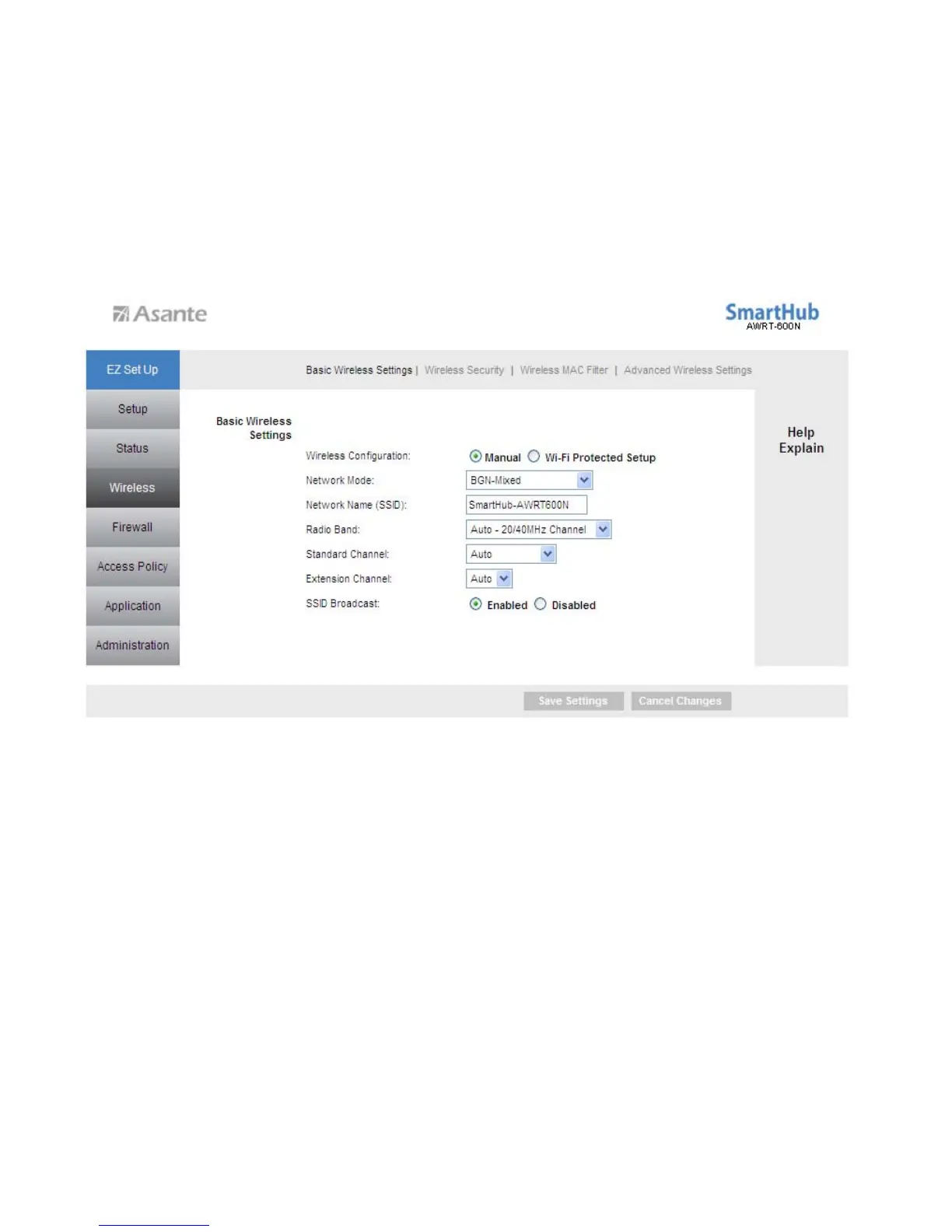
Wireless Configuration - Manual
To configure the Wireless settings, click radio button Manual.
You can configure the router’s basic wireless settings on this screen.
Network Mode: If you have 802.11b/g/n 2.4GHz devices on the wireless network,
select BGN-Mixed. If you have 802.11a/n 5GHz devices on the wireless network, select
AN-Mixed.
Note: If your wireless computer cannot detect the router after you selected AN-Mixed,
please make sure your wireless adapter supports 5GHz frequency band.
Network Name (SSID): You can change the router’s SSID in this field. Once you have
changed the SSID, your network clients need to re-connect themselves using the new
SSID.
Channel: Select the desired channel. All the network clients need to use the same
channel.
Radio Band: For best performance in a network, keep the default, Auto – 20/40MHz
Channel.
22



 To Next Page