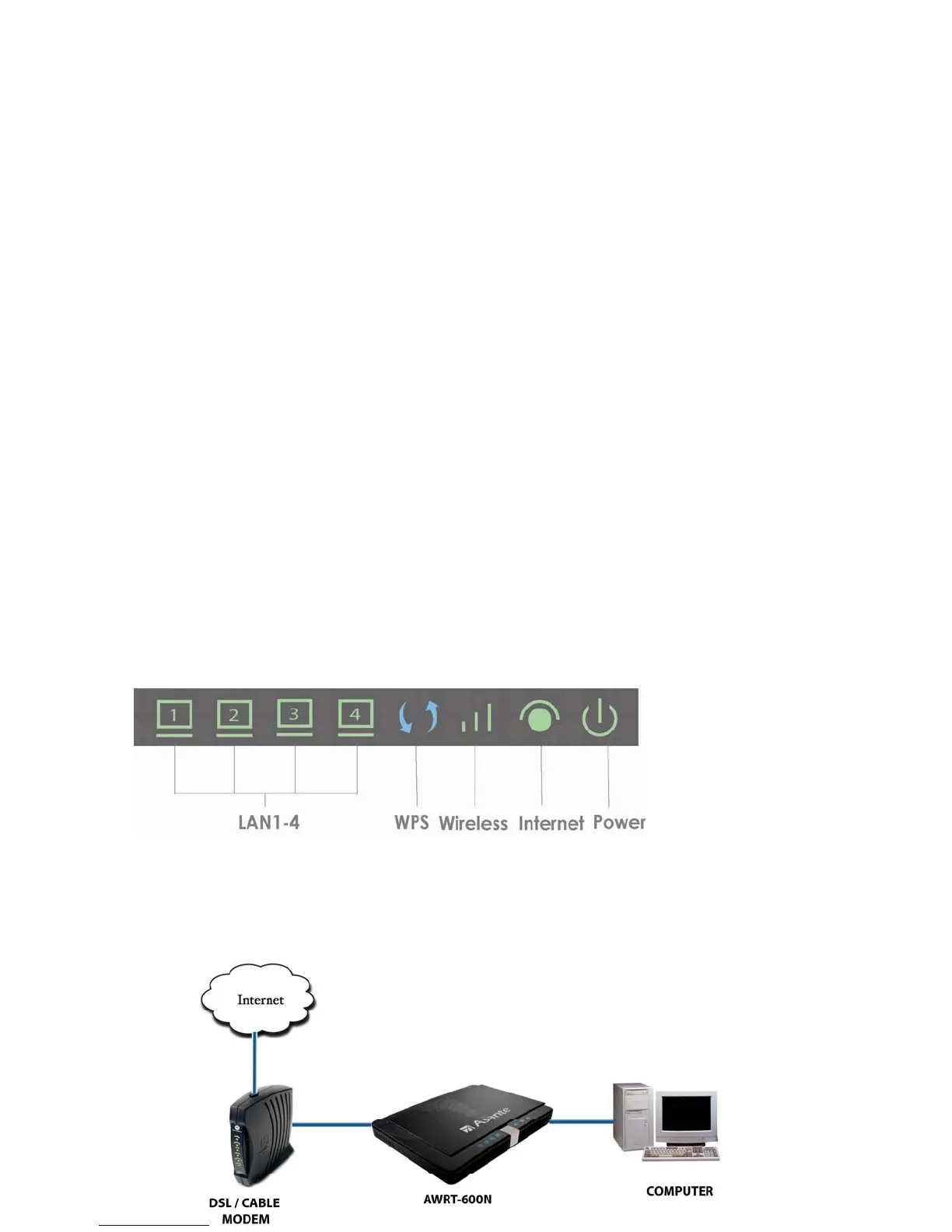
2. Connecting the Router
Note: Prior to connecting the router, be sure to power off your computer, DSL/Cable
modem, and the router.
Step 1
Connect one end of a network cable to the
INTERNET(yellow)
port of the router and
connect the other end of the cable to the DSL/Cable modem.
Step 2
With another network cable, connect one end of the cable to your computer’s
Ethernet port and connect the other end to one of the LAN ports of the router.
Step 3 Power on the DSL/Cable modem and wait for the lights on the modem to become stable.
Step 4 Plug the power adapter to the router and connect to an outlet or power strip.
Step 5
Power on your computer.
Step 6 Make sure the INTERNET, WIRELESS, and the LAN port that the computer is
connected to are lit. If not, try the above steps again.
LED Indicators:
How the router connects:
4



 To Next Page