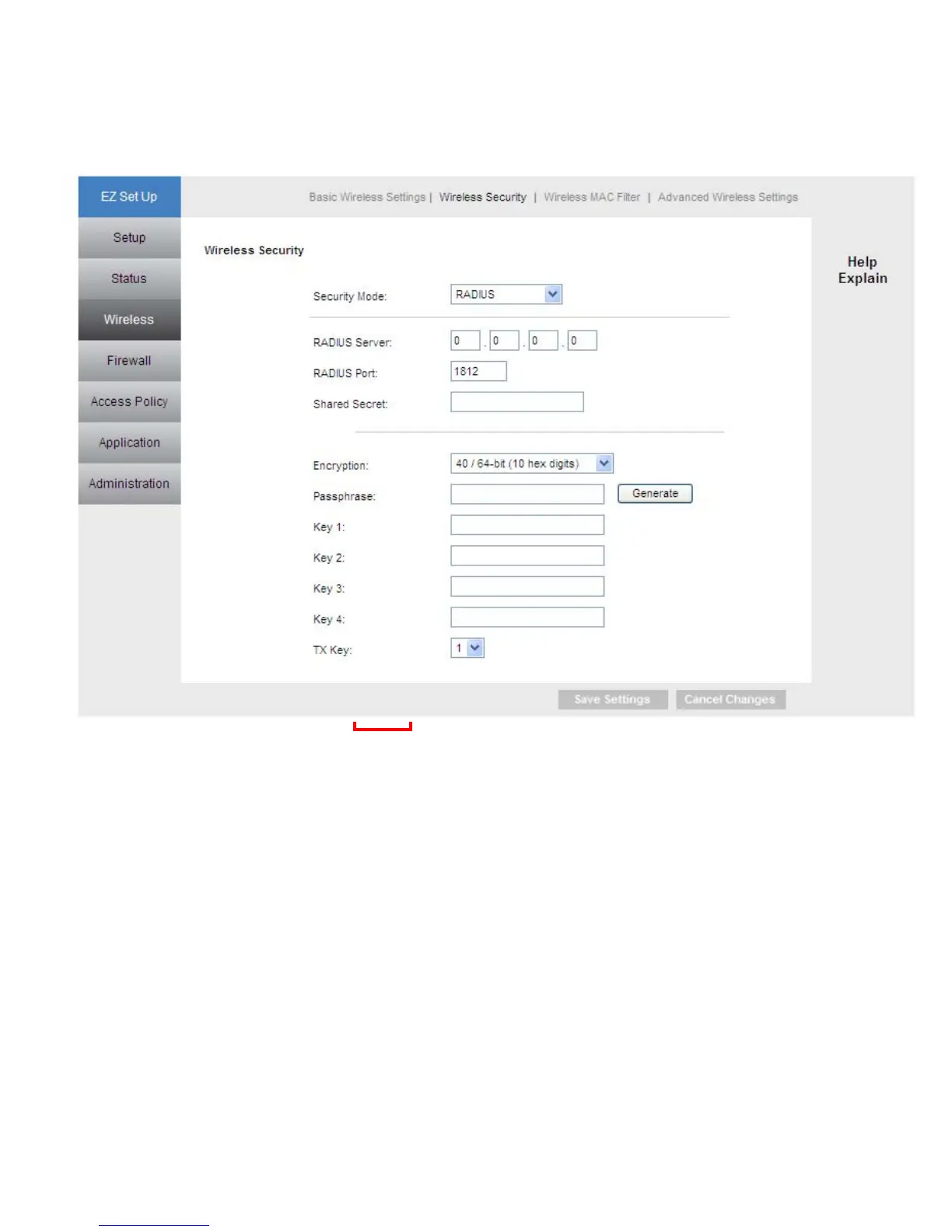
Radius
This option features WEP used in coordination with a RADIUS server. (This should only
be used when a RADIUS server is connected to the Router.)
Encryption Methods: Select either TKIP or AES as the encryption method.
RADIUS Server: Enter the IP Address of your RADIUS server.
RADIUS Port: Enter the port number of your RADIUS server.
Shared Secret: Enter the shared key.
Encryption
:
Select a level of WEP encryption,
64 bits 10 hex digits
or
128 bits 26 hex
digits. The default is 64 bits 10 hex digits.
Passphrase: Enter a Passphrase to automatically generate WEP keys. Then click
Generate.
Key 1-4: If you did not enter a Passphrase, enter the WEP key(s) manually.
Tx Key: Select a key from the drop-down menu.
28



 To Next Page