TD 92579EN
15 February 2012 / Ver. H
Installation and Operation Manual
IP-DECT Base Station & IP-DECT Gateway (software version 5.0.x)
116
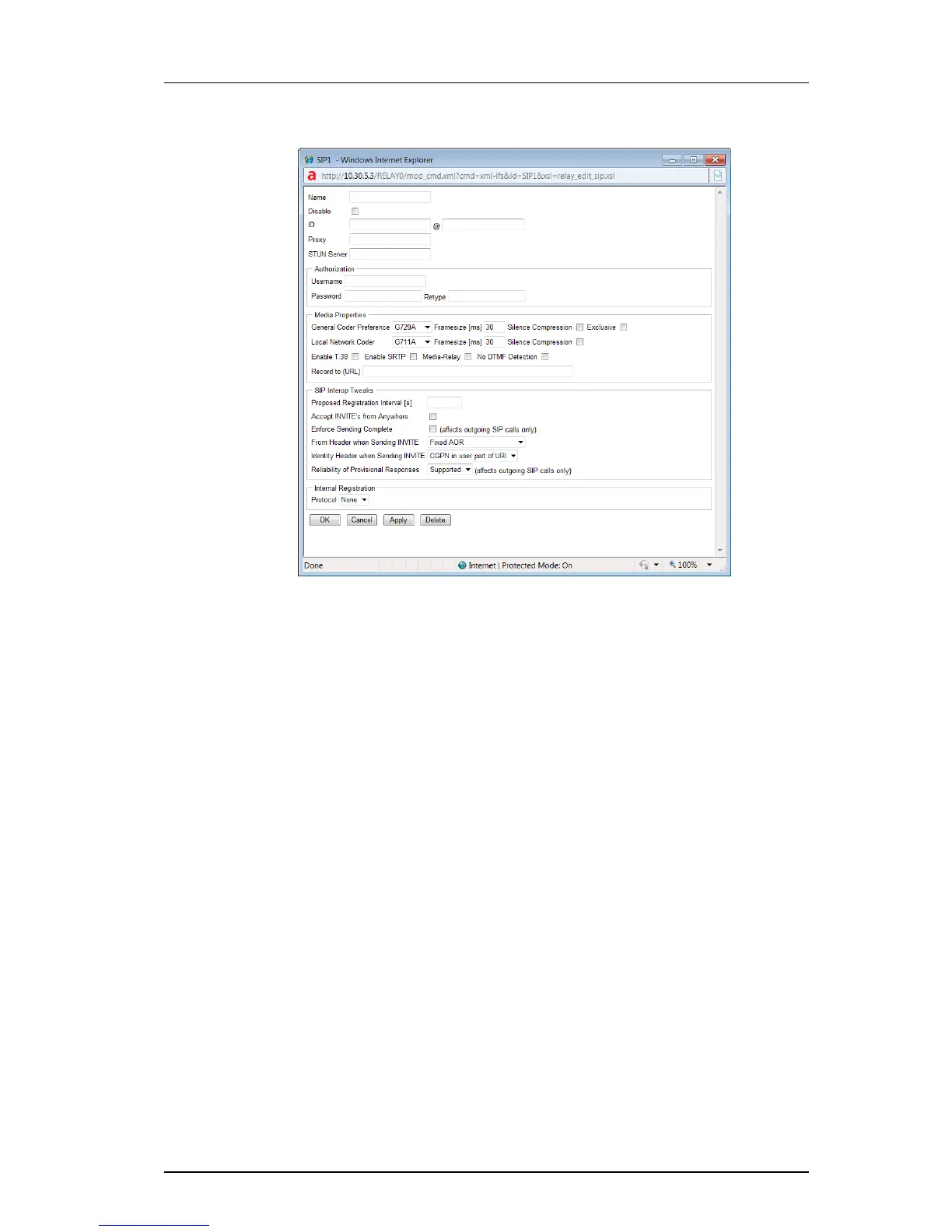
3 Select/Enter following settings:
Field name Description
• Name Enter a name for the SIP interface
• Disable Select the Disable check box to disable the Interface
• ID Enter the registration ID followed by the SIP provider
domain name preceded by an @ (for example
8111111e0@sipgate.de).
• Proxy The IP address of the SIP provider to where the SIP
messages (REGISTER,INVITE,etc.) are to be sent.
• STUN Server Only necessary if the SIP server is outside the private
network.
Note: STUN Server has not been tested and is not
officially supported by the Ascom IP-DECT System.
Authorization
• Username Username for authorization (only if different from the
registration ID).
• Password / Retype The password for authorization must be specified here
(Password) and confirmed (Retype).
Media Properties
• General Coder
Preference
Select the applicable coder in the drop-down list.
• Framesize Enter the sample time in milliseconds.



 To Next Page