TD 92579EN
15 February 2012 / Ver. H
Installation and Operation Manual
IP-DECT Base Station & IP-DECT Gateway (software version 5.0.x)
164
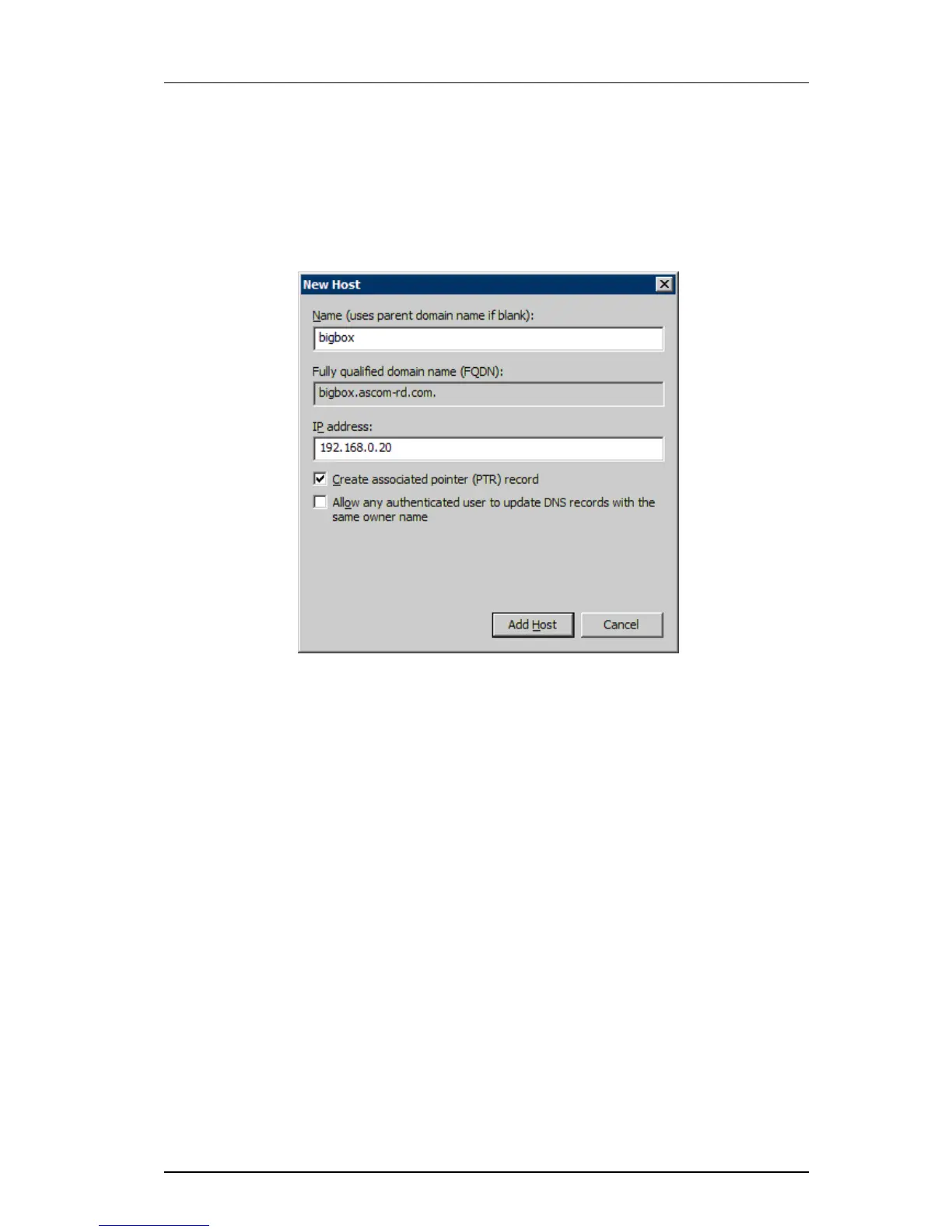
7 In the "New Host" window, see Figure 6, do as follows:
Enter in the Name field the
host name of your SIP server (IP-PBX).
Verify that the fully qualified domain name (FQDN) is t
he correct one.
Enter the IP address of your SIP server.
Click "Add Host".
Figure 6. New host settings
8 Repeat step 1 to 7 for all exisiting IP-PBXs.



 To Next Page