TD 92579EN
15 February 2012 / Ver. H
Installation and Operation Manual
IP-DECT Base Station & IP-DECT Gateway (software version 5.0.x)
169
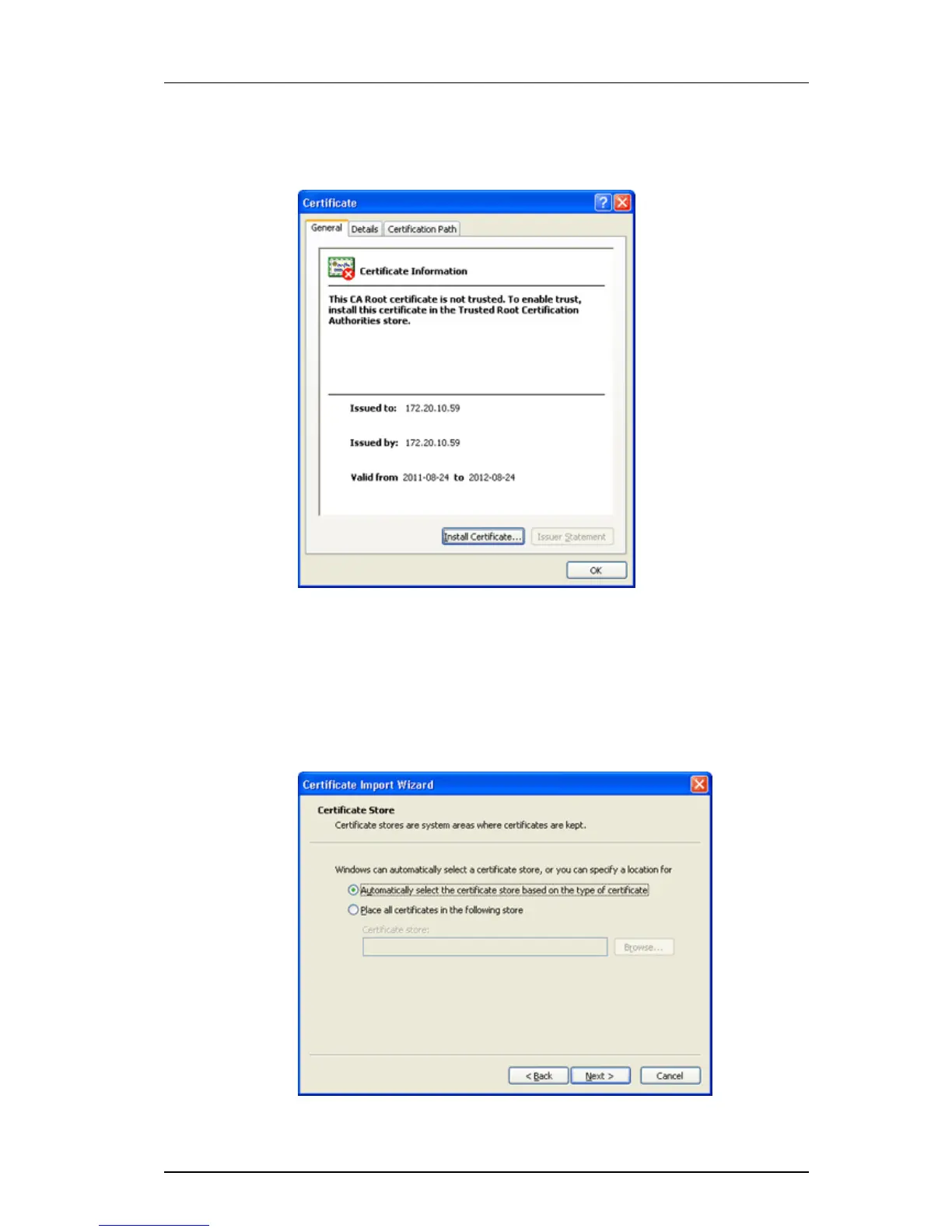
4 In the Security Report window, click on the blue text link "View certificates". The
Certificate window will appear.
Figure 10. The Certificate window.
5 In the Certificate window, click on the button "Insta
ll Certificate...". The Certificate
Import wizard is started.
6 Click on "Next".
7 Make sure that option "Automatically slelct
the certificate store based on the type
of certificate" is selected, see Figure 11. Click on "Next".
Figure 11. The Certificate Import wizard.



 To Next Page