Mounting
INSTALLATION GUIDE
tCM - Migration ControllerInstallation Guide (NUMIPCE-H)
6 Mounting
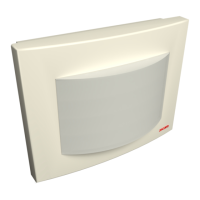
The module mounts inside existing NIAM (Intelligent Address Module, teleCARE M) plastic housing.
Caution: To prevent a fire hazard because of dust buildup inside the module, correct
mounting and cleaning before operation is required.
Caution: To prevent an electrical hazard only (existing) plastic housing can be used.
6.1 Mount in an existing NIAM housing
The following shows how to mount the NUMIPCE-H and the NIRC4–H boards into an existing NIAM-housing.
The graphics below do not show the mounted cabling while that might obstruct the view of the graphics.
1. Vacate the housing of a NIAM in which the NUMIPCE-H board is to be placed
2. Cable outlets
The NIAM-housing has several removable parts. By removing these parts, space is created for the
cabling. Especially if multiple NIAM-housings are mounted in parallel, the cables can run from one
module to the next module.
Legend:
(1) Removable plastic covers for LAN cable and (24Vdc)power supply
(2) 4 Clips for fixation of NUMIPCE-H board
(3) Break-away part to accommodate cabling. Use a wire cutter or pliers to break away.
(4) Removable plastic covers for roombus cables.
6
TD 93526EN / 10 January 2022 / Ver. A


 To Next Page