10
Indicators and Connecting
Front panel
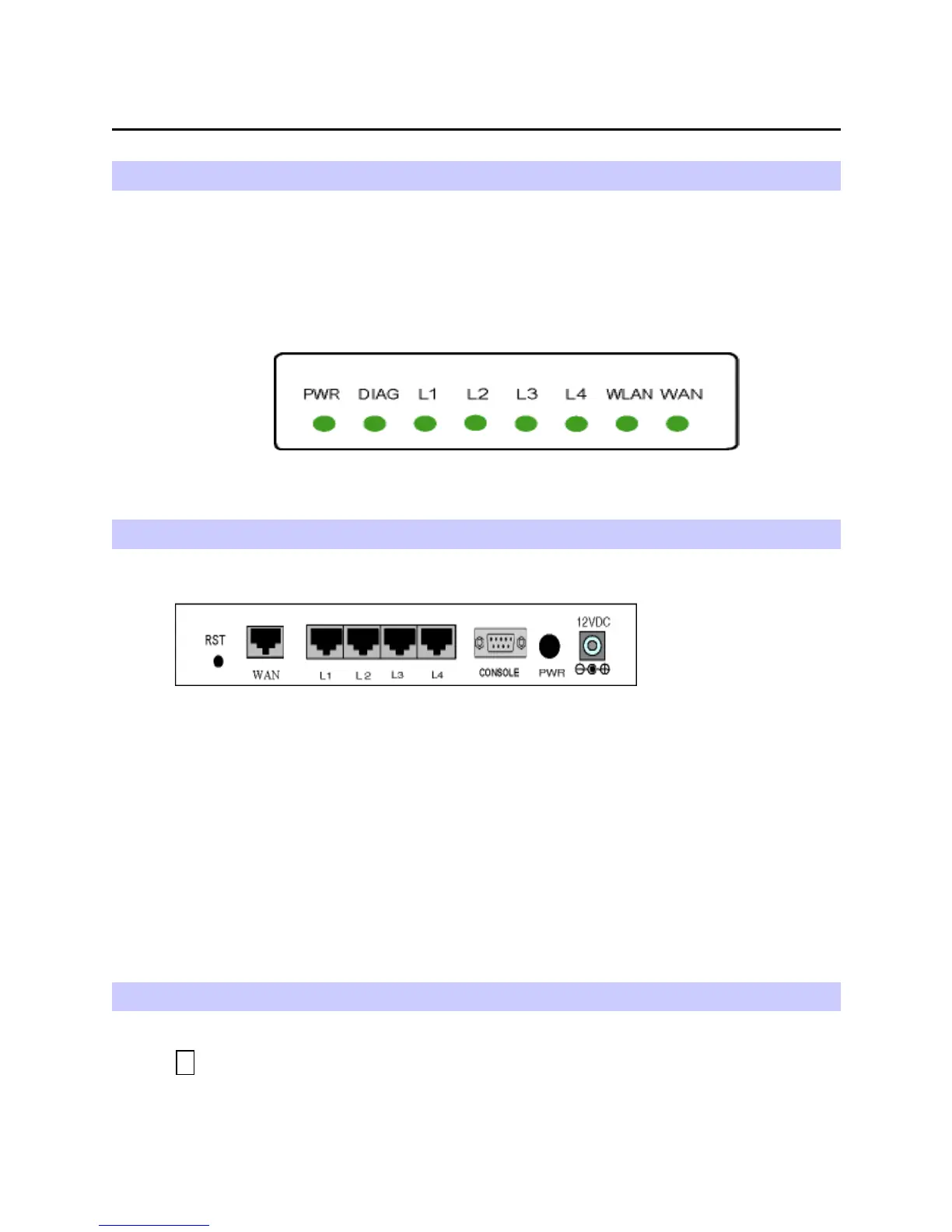
The following figure illustrates the front panel of the Broadband Home Router:
- LED: WAN, LAN*4, Wireless LAN.
1. When link is established, the LED is On.
2. When the device is transferring data, the LED is Blinking.
Rear Panel
The following figure illustrates the rear panel of your Broadband Home Router.
- PWR: Power Switch.
- WAN: This RJ-45 10 Base-T port connects to an Ethernet port of xDSL/cable modem
broadband device.
- LAN port /L2/L3/L4: 10/100 Base-TX, 4 port auto-sensing & crossover Ethernet
switching hub (LAN interface).
-
12VDC
: Power connector.
- RST: Factory default reset switch.
Push this button and hold for 3 seconds will clear all stored configuration back to the Broadband
Home Router factory defaults. It will also reboot the Broadband Home Router.
Connecting the AT Home Router
1 Connecting to the WAN port.
Connect the Ethernet cable with your xDSL/cable modem to the 10Base-T Ethernet
WAN port on your Broadband Home Router.



 To Next Page