Software setup
23
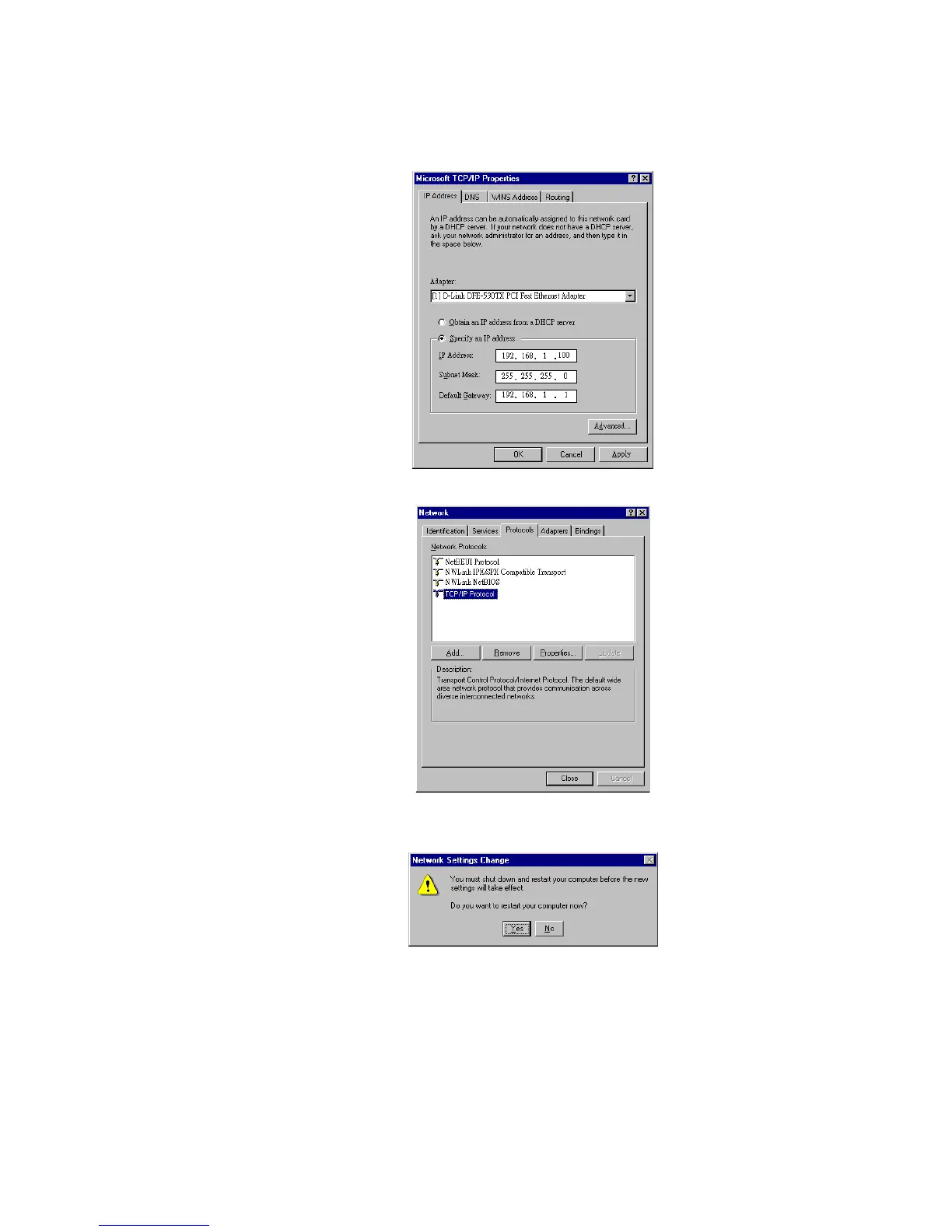
Step 8 Enable Specify an IP address option. Enter the IP Address: 192.168.0.x (x is
between 2 and 254) and Subnet Mask: 255.255.255.0 and Default Gateway:
192.168.0.1 as in figure below.
Step 9 When returning to Network window, click Close.
Step10 When prompted with Network Settings Change dialog box, click Yes to restart
your computer.
For Windows 2000
Step 1 From the Start menu, point to Settings and then click Network and Dial-up
Connections.



 To Next Page