Software setup
29
Step 3 If you want to get a new IP address, type ipconfig /release to release the
previous IP address and then type ipconfig /renew to get a new one.
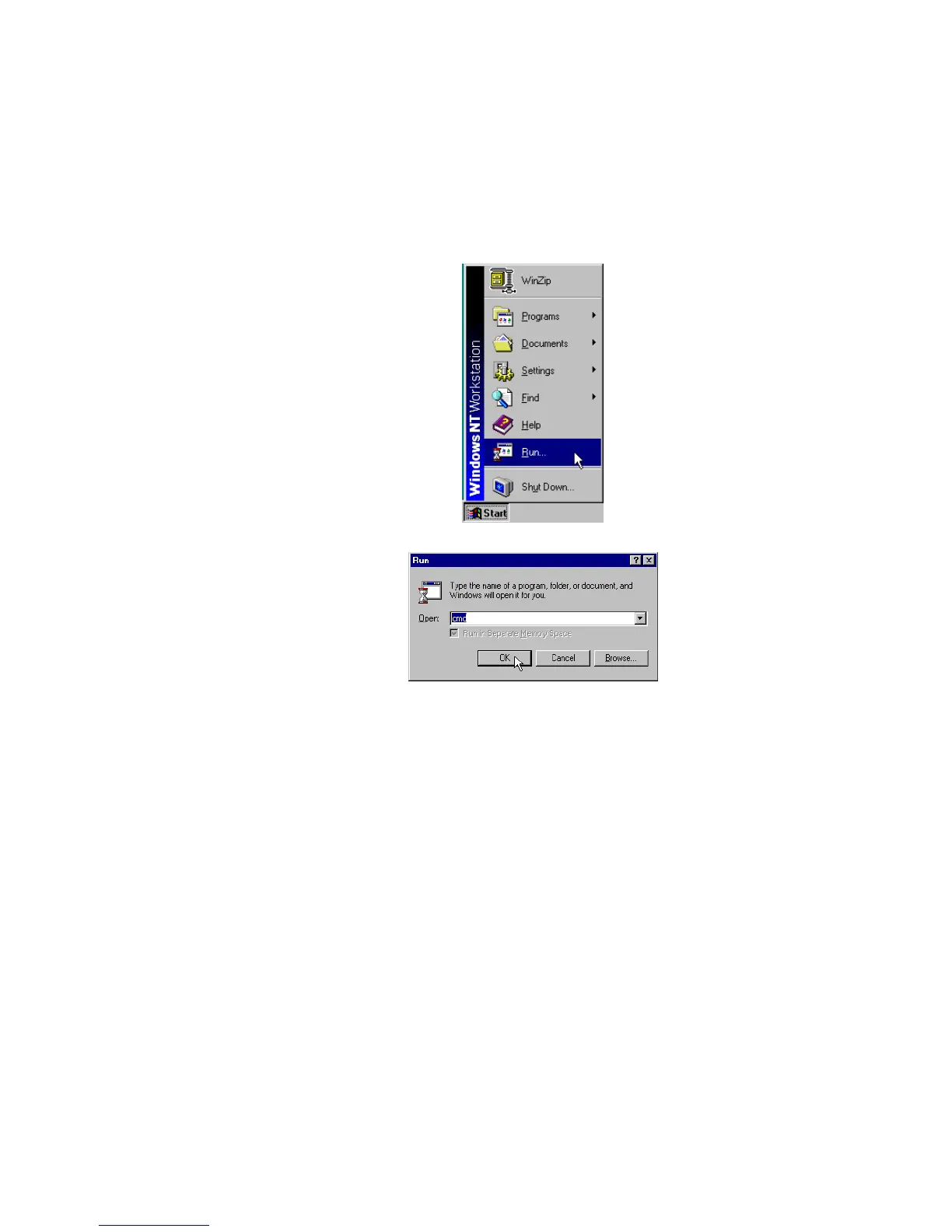
For Windows NT4.0
Step 1 Select Run from the Start menu.
Step 2 Type cmd in the dialog box and the click OK.
Step 3 Type ipconfig at prompt. Then you will see the IP information from DHCP
server.
Step 4 If you want to get a new IP address, type ipconfig /release to release the
previous IP address and then type ipconfig /renew to get a new one.



 To Next Page