Software setup
21
For Windows NT
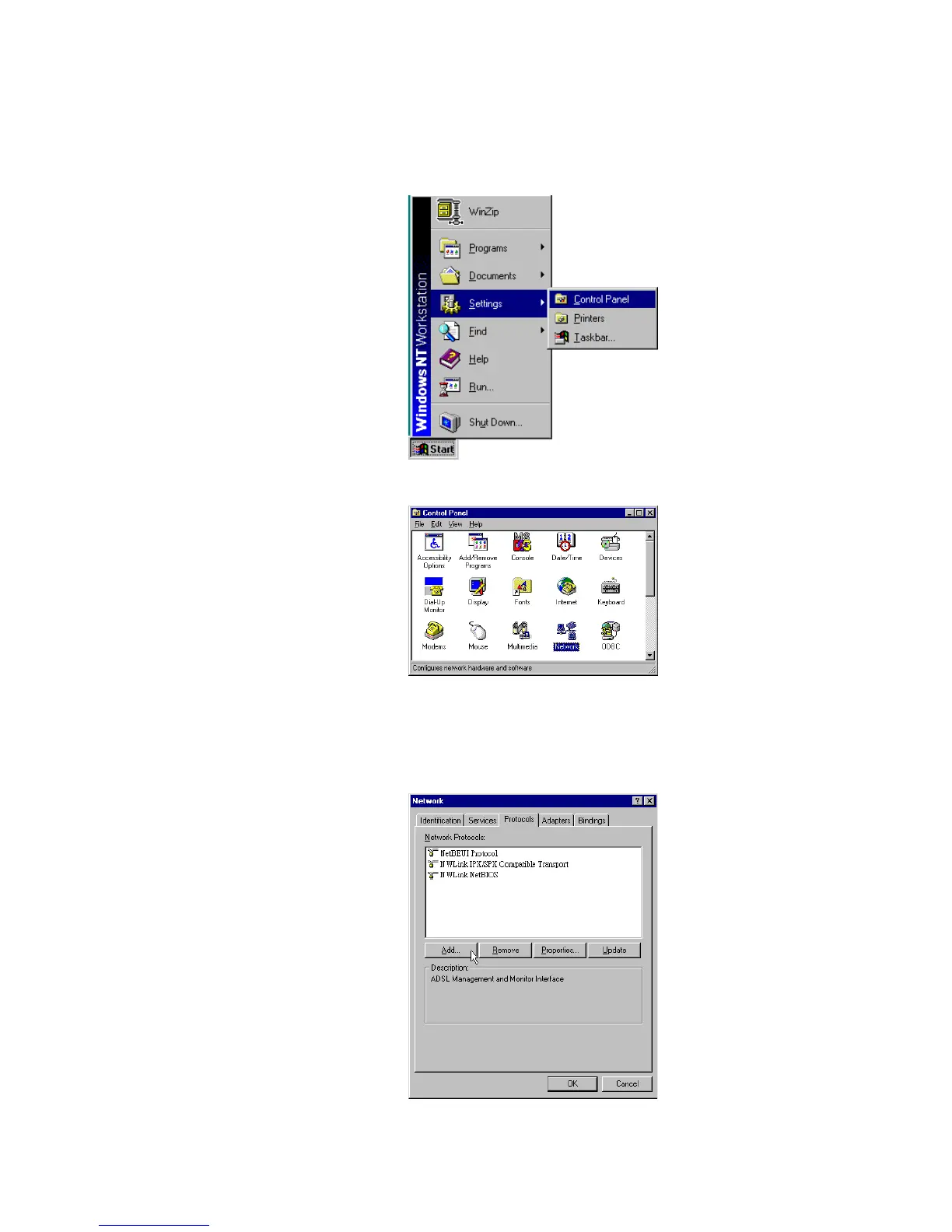
Step 1 Click Start, point to Settings, and then click Control Panel.
Step 2 Double-click the Network icon.
Step 3 The Network window appears. On the Protocols tab, check out the list of installed
network components.
Option 1: If you have no TCP/IP Protocol, click Add.
Option 2: If you have TCP/IP Protocol installed, go to Step 7.
Step 4 Highlight TCP/IP Protocol and click OK.



 To Next Page