16
TCP/IP Configuration
In order to access the Internet through the router, each host on your network must install
TCP/IP. Select your network adapter, follow the steps below for its installation.
For Windows 98
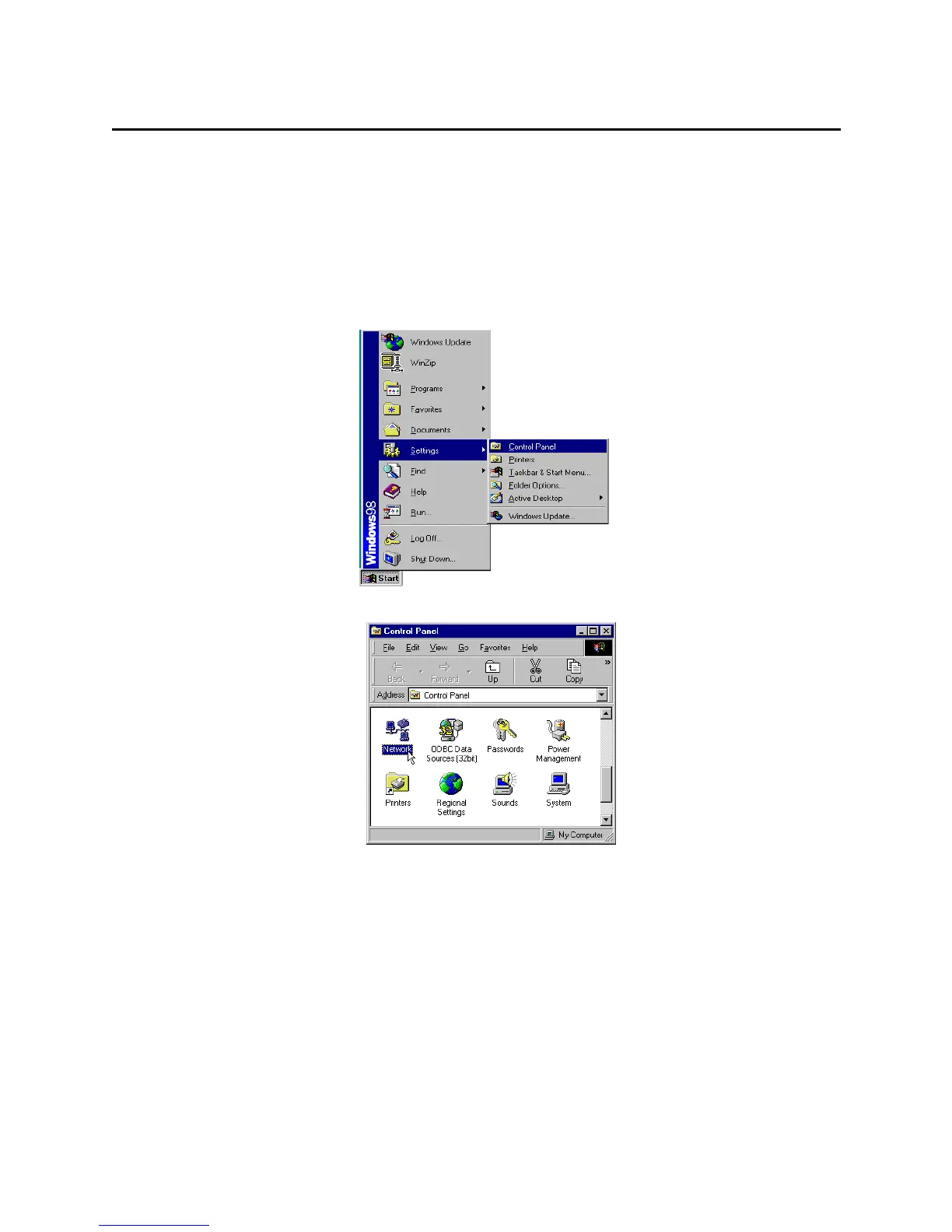
Step 1 Click on the Start menu, point to Settings and click on Control Panel.
Step 2 Double-click the Network icon.
Step 3 The Network window appears. On the Configuration tab, check out the list of
installed network components.
Option 1: If you have no TCP/IP protocol, click Add.
Option 2: If you have TCP/IP protocol, go to Step 6.



 To Next Page