70
SERVICE
3
4
Removing the electronic control unit with its
holder
1. Remove the three screws at the rear edge and
lift off the top cover.
2. Remove the panel in accordance with the sec-
tion "Panel - removing...".
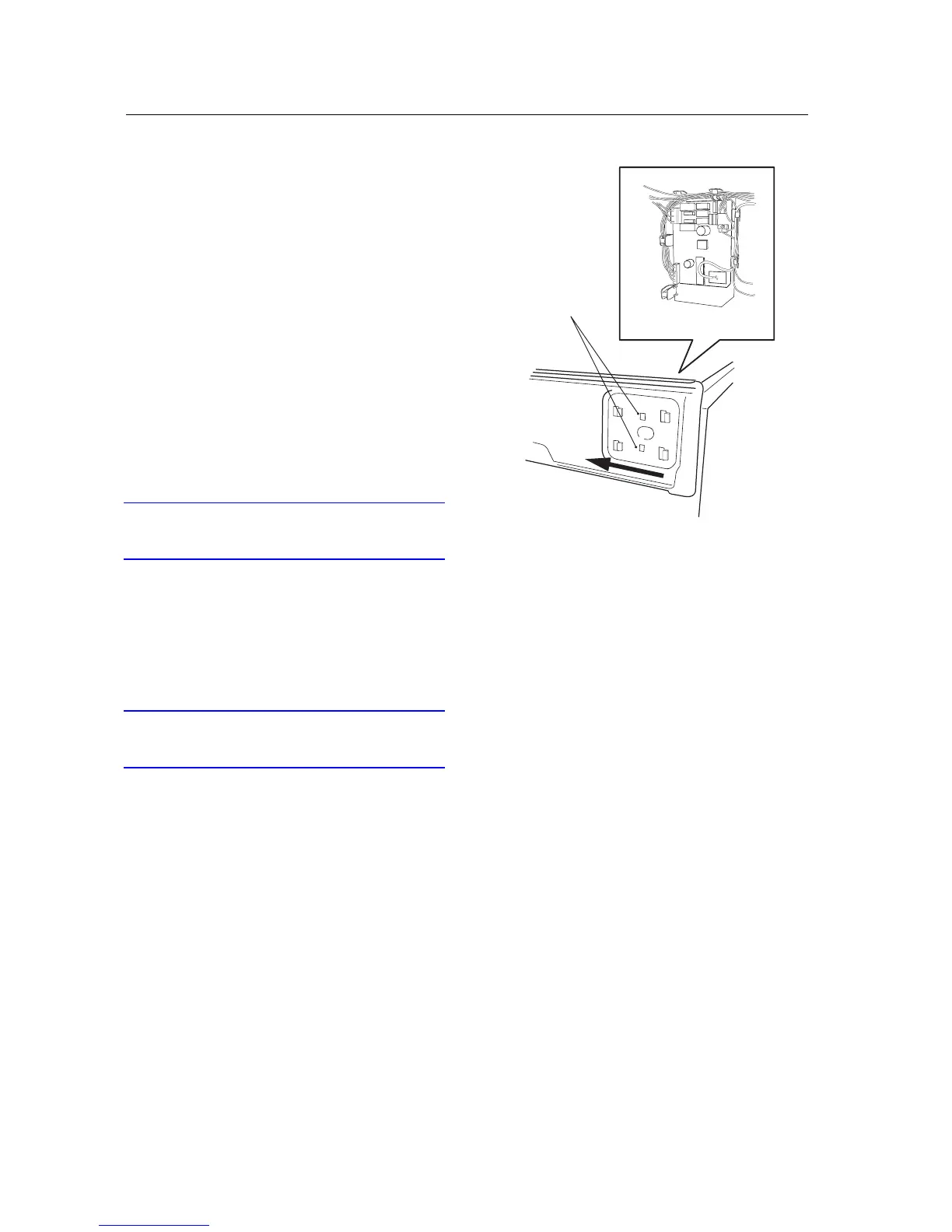
3. Press in the 2 snap fasteners.
4. Move the assembly sideways and remove it.
5. Remove the wiring.
Installing electronic control unit with its
holder
6. Install the wiring in accordance with its la-
bels.
7. Offer up the holder to the front rail.
IMPORTANT
Fit the 4 hooks into the square holes in the front
rail.
8. Move the holder sideways so it snaps into pla-
ce.
9. Install the panel in accordance with the sec-
tion "Panel - installation...".
10. Fit the top cover.
IMPORTANT
Don't forget the 2 star washers for the outermost
screws.



 To Next Page