10 of 38
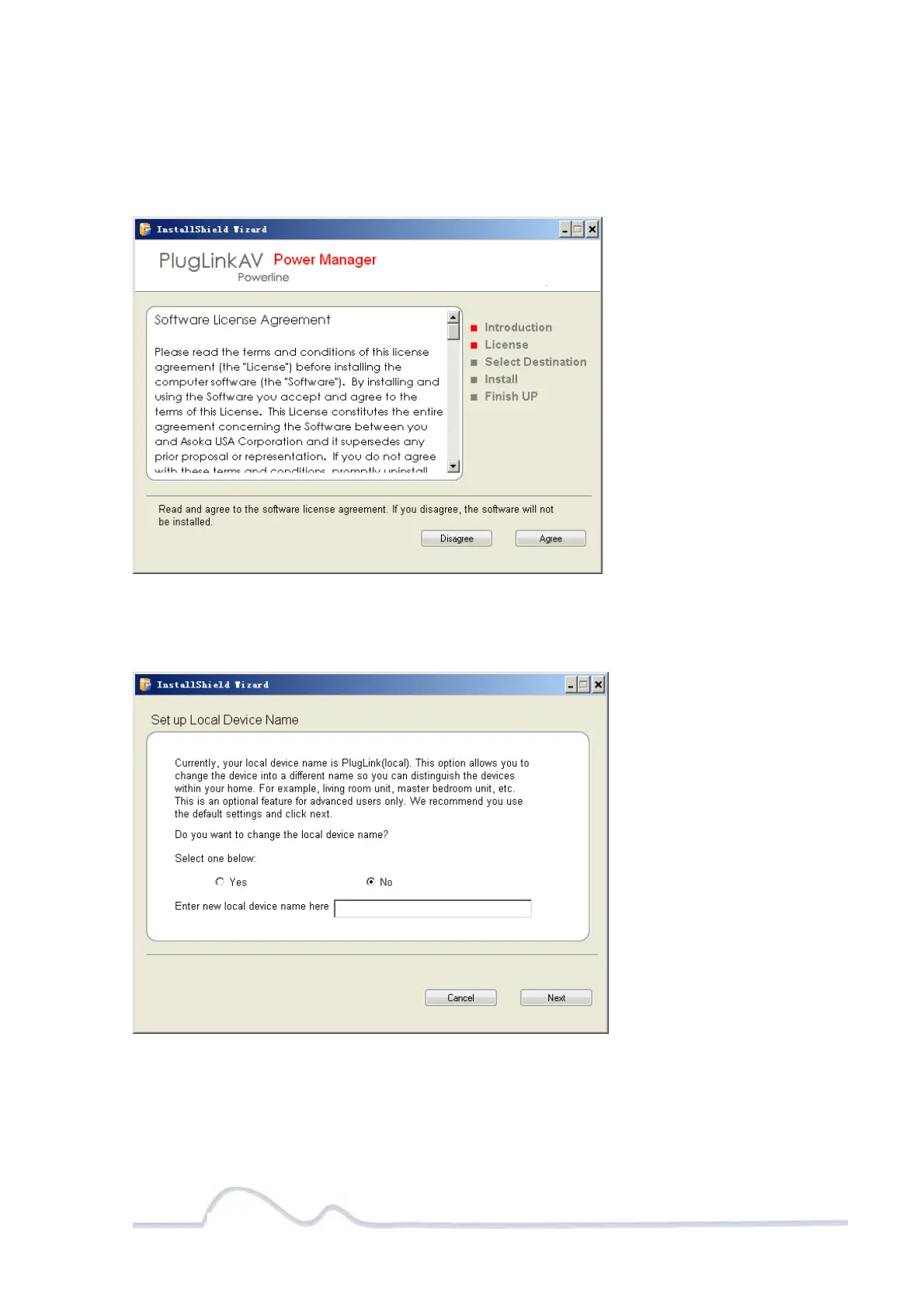
5. Read the End User Software License Agreement, and if you agree, click the Agree
button to continue the installation.
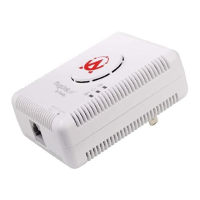
6. To change the name of the PlugLink AV unit, select Yes, and enter a name in the
text field. Otherwise, select No. Click Next to advance to the next screen.


 To Next Page