16
CHAPTER 1: PHONE
1.1.2.1 Answering an incoming call
Slide right across the screen to answer incoming call.
1.1.2.2 Rejecting an incoming call
Slide left to reject a call.
1.1.2.3 Muting the ringing sound
To mute the ring without rejecting the call, press the VOLUME UP / VOLUME
DOWN button or Power button.
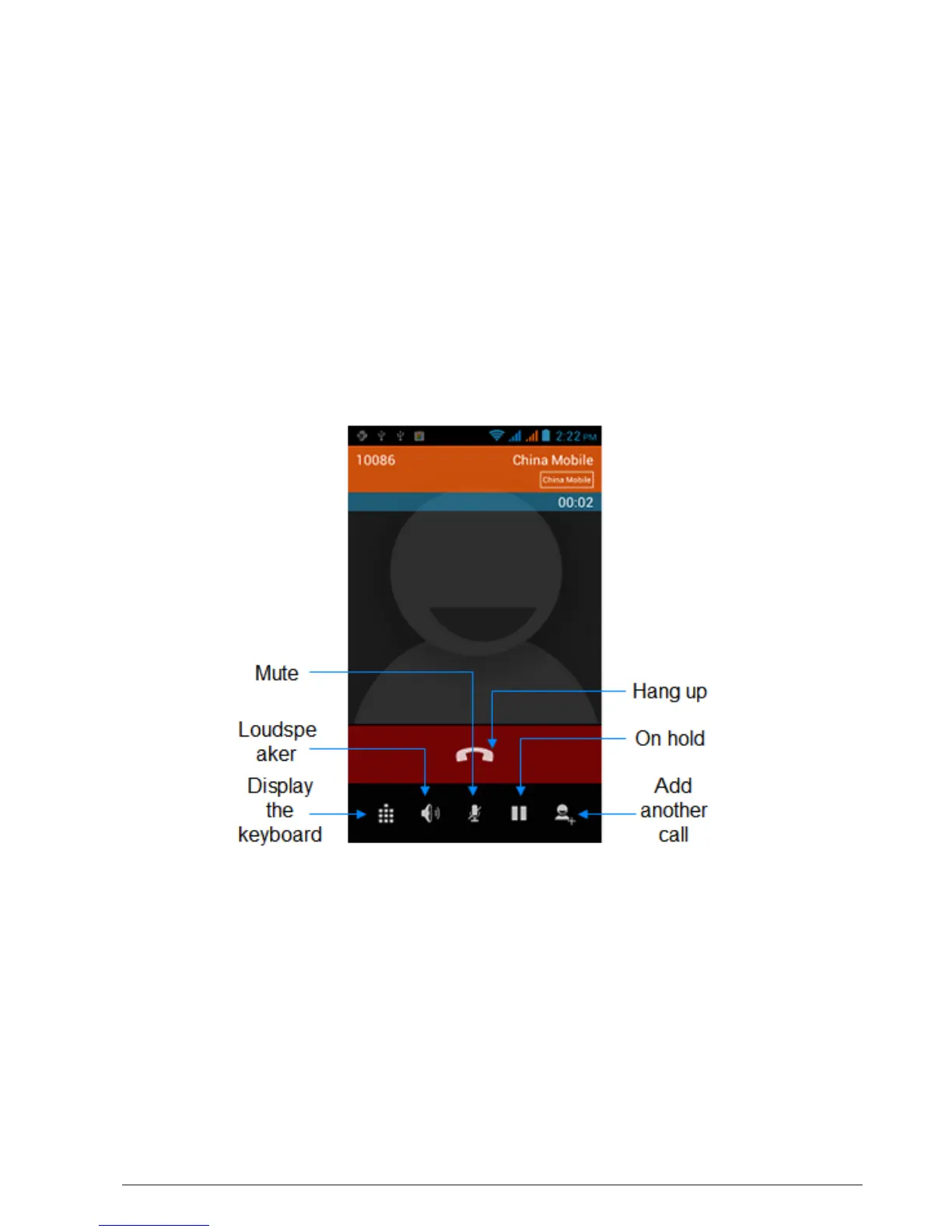
1.1.3 Using In-call Options
When a call is in progress, you can go through the operation of key options.
Tap the available buttons to put a call on hold, dial another contact for a phone
conference, mute the phone microphone, and more.
Note: When the phone is dialing, only the End call and Speaker on buttons
are available.
1.1.3.1 Muting the microphone during a call
Tap Mute icon to switch between turning the microphone on or off. When the
microphone is turned off, the Mute icon appears in the status bar.



 To Next Page