32
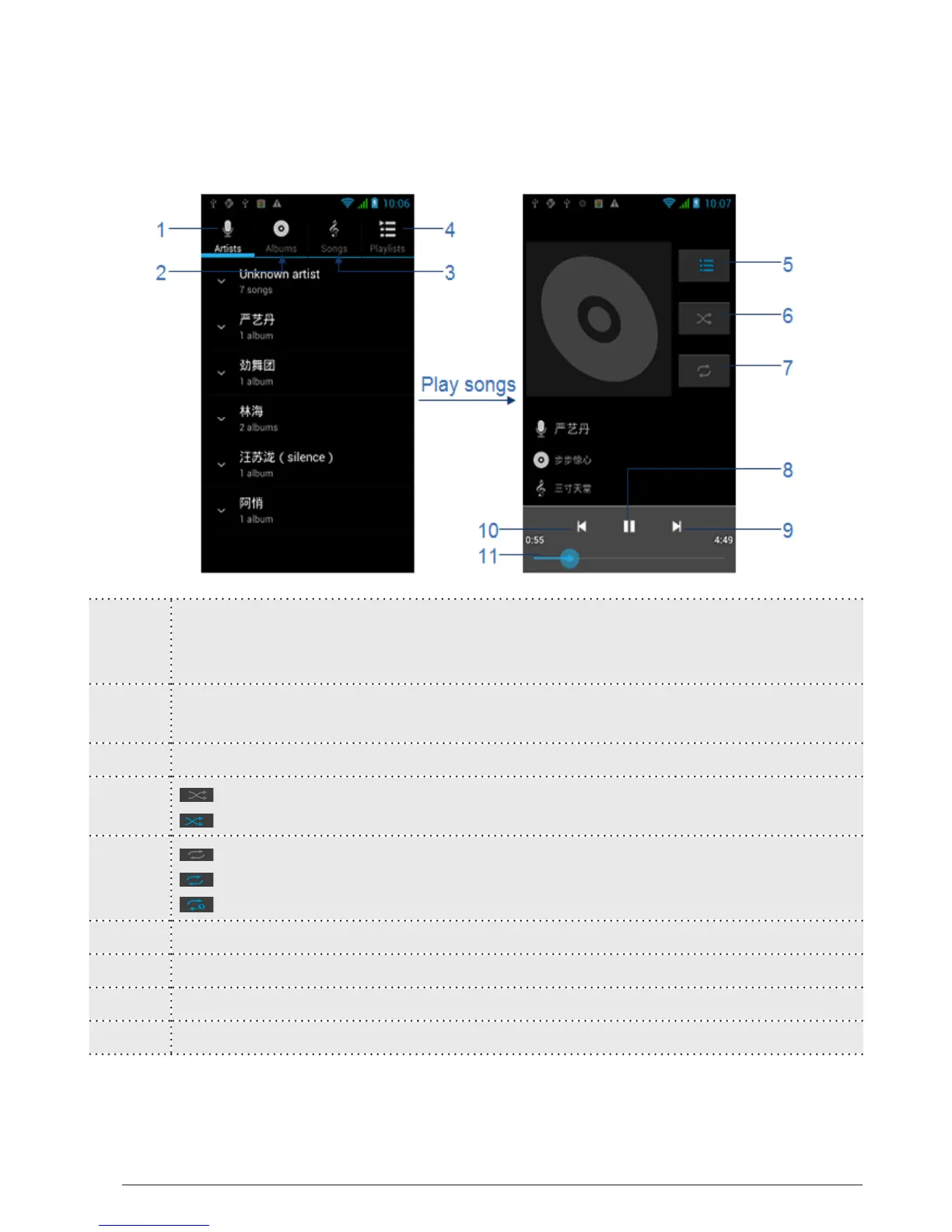
3 Songs:
Displayed with songs’ name,hold one,you can play, add to a playlist,
delete, search, share, set as ringing tune and etc.
4 Playlists:
Displayed with playlists’ name,hold one,you can play, edit and etc.
5
Display the playlists
6 turn off shuffle
turn on shuffle
7 turn off play all
turn on play all
single repeat
8
Pause/Play
9
Forward
10
Backward
11 Play processing bar
Tips: Random party broadcast from play lists is a random choice of part of the
song to play, “all random play” is randomly play an album or list of all the songs.
4.3.1 Playing songs (Continued)



 To Next Page