3737
3737
37
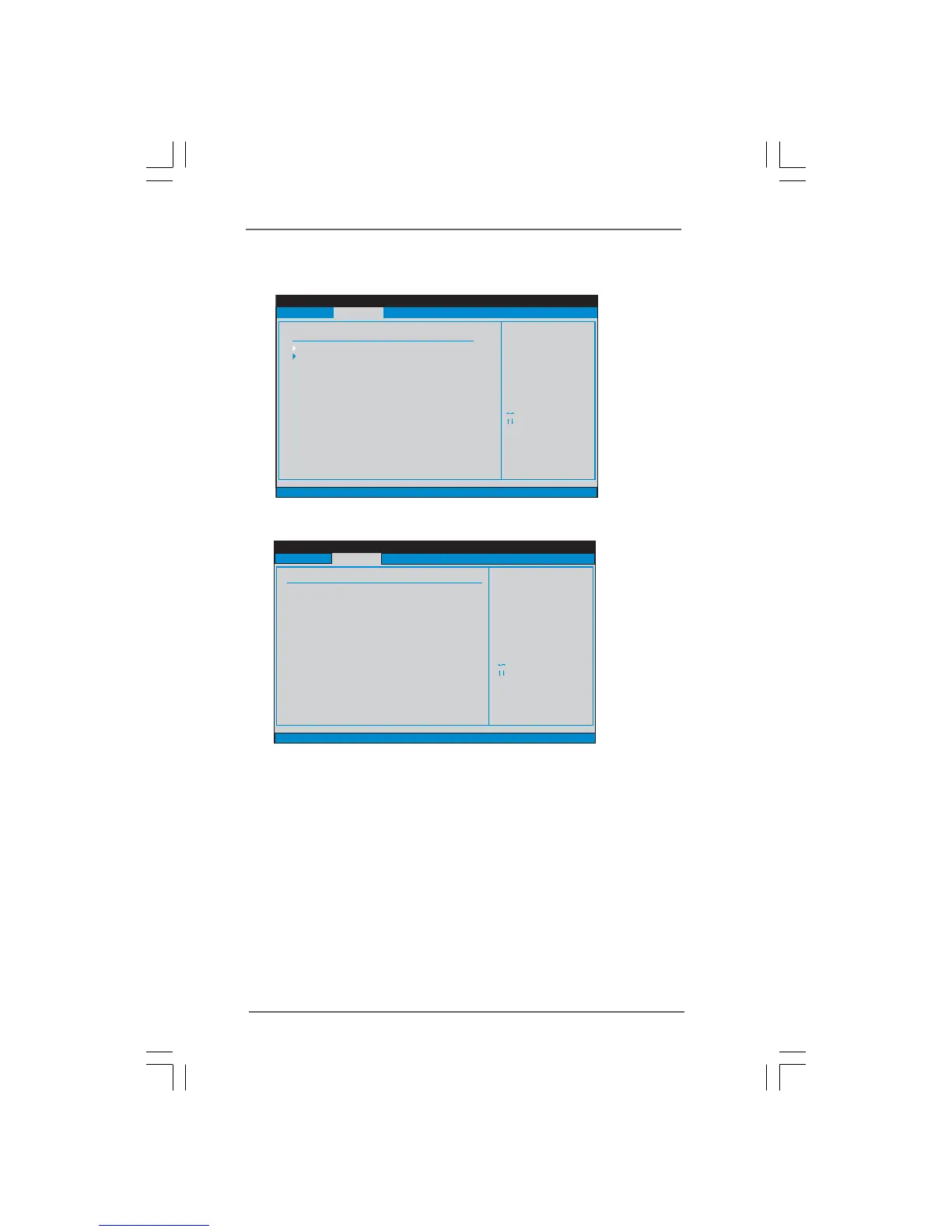
DRAM RCOMP and tRD Configuration
BIOS SETUP UTILITY
DRAM RCOMP STRENGTH Settings
Select Screen
Select Item
+- Change Option
F1 General Help
F9 Load Defaults
F10 Save and Exit
ESC Exit
v02.54 (C) Copyright 1985-2005, American Megatrends, Inc.
Advanced
Select Screen
Select Item
+- Change Option
F1 General Help
F9 Load Defaults
F10 Save and Exit
ESC Exit
DRAM CH0 RCOMP ODT
Value
Min=1
Max=63
DRAM CH0 RCOMP ODT
[Auto]
DRAM CH0 G0 (Data)
DRAM CH0 G1 (Command)
DRAM CH0 G2 (Control1)
DRAM CH0 G3 (Control2)
DRAM CH0 G4 (Clocks1)
DRAM CH0 G5 (Clocks2)
[Auto]
[Auto]
[Auto]
[Auto]
[Auto]
[Auto]
DRAM CH0 RCOMP Settings : 54-0-11-6-6-6-6
DRAM CH1 RCOMP ODT
DRAM CH1 G0 (Data)
DRAM CH1 G1 (Command)
DRAM CH1 G2 (Control1)
DRAM CH1 G3 (Control2)
DRAM CH1 G4 (Clocks1)
DRAM CH1 G5 (Clocks2)
[Auto]
[Auto]
[Auto]
[Auto]
[Auto]
[Auto]
[Auto]
DRAM CH1 RCOMP Settings : 54-0-8-8-0-8-0
DRAM CH0 RCOMP ODT
This controls the number of DRAM CH0 RCOMP ODT. Min: 1. Max: 63. The
default value is [Auto].
DRAM CH0 G0 (Data)
This controls the number of DRAM CH0 G0 (Data). Min: 1. Max: 15. The
default value is [Auto].
DRAM CH0 G1 (Command)
This controls the number of DRAM CH0 G1 (Command). Min: 1. Max: 15. The
default value is [Auto].
DRAM CH0 G2 (Control1)
This controls the number of DRAM CH0 G2 (Control1). Min: 1. Max: 15. The
default value is [Auto].
3.4.23.4.2
3.4.23.4.2
3.4.2
Chipset ConfigurationChipset Configuration
Chipset ConfigurationChipset Configuration
Chipset Configuration
BIOS SETUP UTILITY
v02.54 (C) Copyright 1985-2005, American Megatrends, Inc.
Chipset Settings
DRAM RCOMP and tRD Configuration
Fixed Mode Operation
Intelligent Energy Saver
Primary Graphics Adapter
Shared Memory
PAVP Mode
DVMT Mode Select
DVMT/FIXED Memory
Onboard HD Audio
Front Panel
OnBoard Lan
[Enabled]
[Disabled]
[PCI]
[Auto]
[Disabled]
[DVMT Mode]
[Maximum DVMT]
[Auto]
[Enabled]
[Enabled]
Select Screen
Select Item
+ - Change Option
F1 General Help
F10 Save and Exit
ESC Exit
F9 Load Defaults
Advanced
DRAM DLL SKEW Configuration



 To Next Page
 Loading...