V1.0 1 (23)
Lockwood Standalone
User manual and Instructions
Table of Contents
1. INTRODUCTION ....................................................................................................................................... 2
1.1 PURPOSE .........................................................................................................................................................................2
1.2 DEFINITIONS, ACRONYMS AND ABBREVIATIONS ............................................................................................................2
1.2.1 Definitions ...................................................................................................................................................... 2
1.2.2 Abbreviations ................................................................................................................................................ 2
1.3 OVERVIEW: .....................................................................................................................................................................2
2. HARDWARE INSTALLATION: ................................................................................................................... 3
2.1 CONTROLLER HARDWARE INSTALLATION .....................................................................................................................3
3. SOFTWARE APPLICATION: ....................................................................................................................... 6
4. NEW INSTALLATION – SITE AND LOCATION .......................................................................................... 7
4.1.1 New Installation - Add user information ................................................................................................... 7
4.1.1.1 Connect to Controller and synchronize: ........................................................................................................... 8
4.1.1.2 Site and Location: ..................................................................................................................................................... 9
4.1.1.3 Progress Bar: .............................................................................................................................................................. 9
4.1.1.4 User Settings .............................................................................................................................................................. 9
Select Access time window ........................................................................................................................................................ 11
4.1.1.5 User List: ................................................................................................................................................................... 11
4.1.1.6 Door Setting ........................................................................................................................................................... 12
4.1.1.7 Alarm (Open by Force) and Unlock Button Settings .................................................................................. 13
4.1.1.8 Set Time & Date ..................................................................................................................................................... 14
4.1.1.9 Export Audit ............................................................................................................................................................ 15
4.1.1.10 Master Reset: .......................................................................................................................................................... 15
4.1.1.11 Change Controller Password: ............................................................................................................................ 16
4.1.1.12 Exit/saving: ............................................................................................................................................................... 17
5. OPEN EXISTING INSTALLATION: ............................................................................................................ 18
6. CONNECT TO CONTROLLER: .................................................................................................................. 19
7. ABOUT WINDOW: .................................................................................................................................. 20
8. EXIT APPLICATION: ................................................................................................................................ 20
9. CONNECTIONS ....................................................................................................................................... 21
10. HELP SECTION ........................................................................................................................................ 22

 Need help?
 General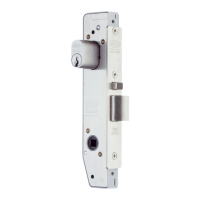
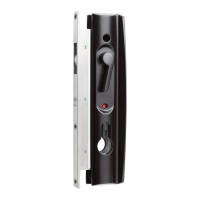



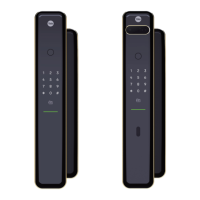
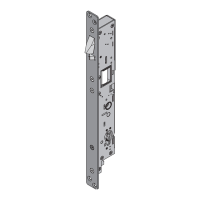

 To Next Page