EasyManua.ls Logo

Assa Abloy ML53PA - User Manual

Assa Abloy ML53PA
4 pages
Print Icon
To Next Page IconTo Next Page
Loading...
BASIC INFORMATION
ASSA ABLOY pin code lock “PIN” has 3 different code levels available. These are:
1. User Codes (Up to 10 codes) – Always 4 digits long
2. Janitor Codes (Only in public mode) – Always 6 digits long
3. Master Codes – Always 8 digits long
To understand how each of these code levels work, see section below.
USER CODE OPERATION
A. PRIVATE MODE
In private mode the lock is set to work with the same User Codes. These codes needs to be previously
programmed into working with this specific lock. User Codes are always 4 digits long.
1: To open the lock, simply enter your 4-digit and open the door. If the handle isn’t turned, the lock will
automatically re-lock after 4 seconds.
2: To close, simply turn the handle into locked position and the lock will automatically lock.
B. PUBLIC MODE
In Public Mode the lock is set to work with any code entered into the lock. This will temporarily assign this
as the User Code for the lock. Upon opening the lock with this code, the lock will remove this code, and any
other code can now operate the lock. In Public Mode, a Janitor Code can be added to the lock, see Janitor
Code operation below.
1: To close, turn the handle into locked position and enter a 4 digit code. This will lock the lock. A red light
every 3rd second will indicate that the locker is occupied
2: To open, reenter the code. This code is now no longer active as a User Code. Any other code can now
operate the lock.
Red LED on for 1 second if incorrect User Code is entered)
MASTER CODE OPERATION
The Master Code can open the lock in both modes. In Public Mode, opening with the Master Code, will also
erase the temporary User Code. The Master Code is always 8 digits long. When using the Master Code,
start with and end with .
Red LED on for 1 second if incorrect User Code is entered)
JANITOR CODE OPERATION
The Janitor Code can open the lock in Public Mode. Different to the Master Code, the Janitor Code will not
erase the temporary User Code. The Janitor Code is always 6 digits long. When using the Janitor Code,
start with and end with .
Red LED on for 1 seconds if incorrect Janitor Code is entered)
FACTORY RESET
Insert a needle or clip through the hole on the back and press for 2 seconds. This will restore the lock into
Factory Mode, see lock setup for different options on how to reprogram the lock into desired configuration.
LOW BATTERY
When the battery level drops below 10%, the battery symbol flashes red 5 times after opening the lock.
EXTERNAL POWER SUPPLY
Use external 5-pin USB power if the battery is dead and the lock does not respond at all
(Use with smartphone/laptop charger)
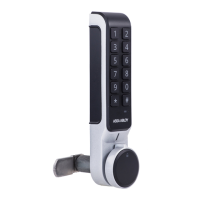
Electro-mechanical Lock Model ML53PA
ASSA ABLOY PIN
Question and Answer IconNeed help?

Do you have a question about the Assa Abloy ML53PA and is the answer not in the manual?

Summary

Basic Information and Operation Modes

Code Levels Overview

Details the three code levels available: User (4-digit), Janitor (6-digit), and Master (8-digit).

User Code Operation

Explains how to use User Codes in Private Mode for lock operation and auto-relocking.

Public Mode Operation

Describes using any code as a temporary User Code in Public Mode, and code deactivation.

Master Code Operation

Details how the Master Code (8-digit) operates the lock in both modes and erases temporary codes.

Janitor Code Operation

Explains Janitor Code (6-digit) usage in Public Mode, noting it doesn't erase temporary User Codes.

Maintenance and Power

Factory Reset Procedure

Instructions for resetting the lock to factory settings using a reset hole and button.

Low Battery and External Power

Indicates low battery warnings and the use of external USB power for dead batteries.

Quick Setup Modes

Private Mode Quick Setup

Guides setting Master and User Codes for Private Mode using a quick setup sequence.

Public Mode Quick Setup (Master Code)

Details quick setup for Master Code in Public Mode, leaving the lock open.

Public Mode Quick Setup (Master & Janitor)

Outlines quick setup for Master and Janitor Codes in Public Mode.

Transition to Public Mode

Instructions for moving from Factory Mode to Public Mode with a predefined Master Code.

Standard Programming Menus

Modify User Codes

Instructions for adding, deleting, and managing multiple User Codes using the Master Code.

Change User Code

Procedure to change an existing User Code to a new one.

Modify Janitor Codes

Steps to add or delete the Janitor Code in Public Mode using the Master Code.

Change Master Code

Guides on how to change the existing Master Code to a new one.

Switch Modes (Public;Private)

Instructions for switching the lock between Public and Private operating modes.

Sound Control

How to turn the lock's audible feedback sound on or off.

Time Opening Control

Enabling/disabling automatic lock opening after a set period in Public Mode.

Overview

The ASSA ABLOY PIN Electro-mechanical Lock Model ML53PA is a versatile locking solution offering multiple access control options and operational modes.

Function Description:

The lock operates using a PIN code system with three distinct code levels: User Codes, Janitor Codes, and Master Codes. It supports both Private and Public modes, catering to different access control needs. In Private Mode, the lock uses pre-programmed User Codes, while in Public Mode, it accepts any 4-digit code as a temporary User Code, which is then erased after use. Janitor Codes are specifically for Public Mode and do not erase temporary User Codes. Master Codes provide overarching control, capable of opening the lock in both modes and erasing temporary User Codes in Public Mode. The lock also features a time-opening function, allowing it to automatically unlock after a set period.

Important Technical Specifications:

  • Code Lengths:
    • User Codes: Always 4 digits.
    • Janitor Codes: Always 6 digits.
    • Master Codes: Always 8 digits.
  • Power Source: Operates on batteries.
  • External Power Supply: Supports external 5-pin USB power for emergency use if batteries are dead (compatible with smartphone/laptop chargers).
  • Low Battery Indication: The battery symbol flashes red 5 times after opening the lock when the battery level drops below 10%.

Usage Features:

A. Private Mode:

  • Opening: Enter the 4-digit User Code and turn the handle. The lock automatically re-locks after 4 seconds if the handle isn't turned.
  • Closing: Turn the handle to the locked position, and the lock will automatically lock.

B. Public Mode:

  • Closing: Turn the handle to the locked position and enter a 4-digit code. A red light every 3 seconds indicates the locker is occupied.
  • Opening: Re-enter the code. This code is then no longer active as a User Code.
  • Janitor Code Usage: Janitor Codes (6 digits, starting and ending with '*') can open the lock in Public Mode without erasing the temporary User Code.
  • Master Code Usage: Master Codes (8 digits, starting and ending with '*') can open the lock in Public Mode and will erase the temporary User Code.

C. Programming and Setup:

  • Factory Reset: Insert a needle or clip into the hole on the back and press for 2 seconds to restore the lock to Factory Mode.
  • Quick Setup (from Factory Mode):
    • Private Mode (Master & User Code): * [Chosen Master Code] [Chosen User Code] *
    • Public Mode (Master Code): * [Chosen Master Code] *
    • Public Mode (Master & Janitor Code): * [Chosen Master Code] [Chosen Janitor Code] *
  • Standard Programming Menus (requires basic setup):
    • Modify User Codes (Private Mode Only):
      • Add New User Code: # (MASTER CODE) # 10 # (NEW USER CODE) #
      • Delete User Code: # (MASTER CODE) # 11 # (USER CODE TO DELETE) #
      • Add Multiple User Codes: # (MASTER CODE) # 12 # (FIRST CODE TO ADD) * (NEXT CODE TO ADD) * (LAST CODE TO ADD) #
      • Delete Multiple User Codes: # (MASTER CODE) # 13 # (FIRST CODE TO DELETE) * (NEXT CODE TO DELETE) * (LAST CODE TO DELETE) #
      • Delete All User Codes: # (MASTER CODE) # 14 # (Lock stays open until a new user code is added).
      • Check Number of Registered User Codes: # (MASTER CODE) # 15 # (Flashes indicate the number of registered codes).
    • Change User Code with User Code:
      • Change User Code: # (USER CODE) # 20 # (ENTER NEW USER CODE) #
    • Modify Janitor Codes (Public Mode Only):
      • Add/Change New Janitor/Cleaner Code: # (MASTER CODE) # 30 # (NEW JANITOR CODE) #
      • Delete Janitor Code: # (MASTER CODE) # 31 # (Switching from Public to Private Mode also deletes Janitor Codes).
    • Change Master Code:
      • Change Master Code: # (MASTER CODE) # 40 # (ENTER NEW MASTER CODE) # (CONFIRM NEW MASTER CODE) #
    • Switch Between Public and Private Mode:
      • Switch into Public Mode: # (MASTER CODE) # 50 # (Registered user codes are deleted).
      • Switch into Private Mode: # (MASTER CODE) # 51 # (Lock stays open until a new User Code is added).
    • Turn Sound On and Off:
      • Turn Sound On: # (MASTER CODE) # 60 #
      • Turn Sound Off: # (MASTER CODE) # 61 # (Default setting is sound off).
    • Enable/Disable Time Opening (Public Mode Only):
      • Turn Time Opening On (with Notice LED): # (MASTER CODE) # 70 # (ENTER OPENING TIME, 2 DIGITS) # (Green LED flashes twice every 3 seconds 15 minutes before unlocking).
      • Turn Time Opening Off (with Notice LED): # (MASTER CODE) # 70 # (00) #
      • Turn Time Opening On (without Notice LED): # (MASTER CODE) # 71 # (ENTER OPENING TIME, 2 DIGITS) #
      • Turn Time Opening Off (without Notice LED): # (MASTER CODE) # 71 # (00) # (Default setting is time opening disabled).

Maintenance Features:

  • Low Battery Warning: Visual indicator (red flashing battery symbol) prompts battery replacement.
  • Emergency Power: External USB power supply allows operation even with completely dead batteries, ensuring access.
  • Factory Reset: Provides a way to revert the lock to its default settings, useful for troubleshooting or reconfiguring the lock.
  • Programming Guidance: The manual emphasizes that all programming should be done with the door open and codes tested before closing the door for the first time, ensuring proper functionality.

Assa Abloy ML53PA Specifications

General IconGeneral
BrandAssa Abloy
ModelML53PA
CategoryLocks
LanguageEnglish

Related product manuals