USER MANUAL
Page - 18
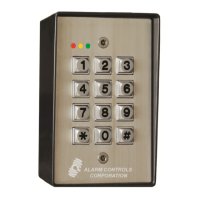
AP1 KEYPAD
25 Used to change the password to enter conguration mode. Note: Record
the new password or you will not be able to enter conguration mode. (Note
that we currently don’t have a means to reset to the default password. Need a
solution for this should the password be unknown.)
30 Displays the help screen for command group 10 Beeper and Display
31 Toggles beep with key press
32 Toggles beep with access
33 Toggles beep with alarm
34 Toggle 12 / 24 hour time format
35 Toggles enabling of the welcome message. (The welcome message can
currently only be set in Storlogix and only if the device type is set to APEX)
40 Displays the help screen for command group 10 Relay 1 and Inputs
41 Sets relay 1 on time. This is the time the relay is one if access is granted by
the controller or the request to exit button becomes active. Note that the
controller can send commands to override this setting.
42 Cycles between the ‘any code opens gate’ options. These include off, on until
communication with controller is established and on anytime communication
is lost. Works in conjunction with command 13.
43 Cycles between the Input conguration options. Options include:
• Both inputs are general purpose and simply report to controller
• Input 1 is for a door / gate contact, Input 2 is for an active RTE input
(button). An active RTE event triggers Relay 1.
• Input 1 is for a door / gate contact, Input 2 is for a passive RTE input
(motion detector). A passive RTE event does not trigger Relay 1 but
prevents a Door Forced open event for the Relay 1 on Time.
44 Sets the allowed door open time. If the door is held open longer than this time
a door help open event will occur.
45 Toggles the on until closed setting. Relay 1 remains on until the door is closed.
Used for magnetic locks to prevent pinching.
50 Displays the help screen for command group 50 Relay 2 / Alarm menu
| CONFIGURATION MENU



 To Next Page