USER MANUAL
Page - 20
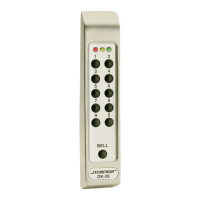
AP1 KEYPAD
AP1 Properties and Status
During normal operation, press the ‘*’ key followed by the ‘#’ key. The AP1 will display
the electronic part number, serial number, manufacturing date and rmware revision.
Pressing the ‘#’ key a second time will display a status screen which will show the
following:
• Communication status and errors, if any.
• Input voltage and surge events detected, if any.
• State of the 2 inputs.
• State of the 2 relays.
• Internal temperature.
• TBD BLE parameters.
| STATUS











 To Next Page