EasyManua.ls Logo

Assa Abloy Valencia AJAX - User Manual

Assa Abloy Valencia AJAX
3 pages
Print Icon
To Next Page IconTo Next Page
Loading...
User Manual
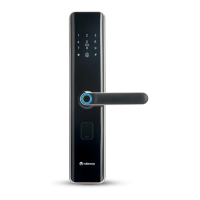
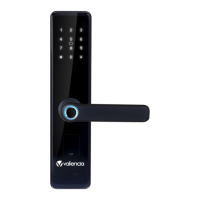
AJAX Smart Door Lock
Question and Answer IconNeed help?

Do you have a question about the Assa Abloy Valencia AJAX and is the answer not in the manual?

Summary

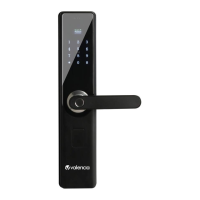
Product Layout

Battery Cover

Covers the battery compartment for the smart lock.

Battery Box

Houses the batteries that power the smart lock.

Factory Reset Button

Button used to reset the lock to factory default settings.

Installation Screw

Screws used for mounting the lock components.

Internal Handle

The handle on the inside of the door for operation.

Lock Knob

The knob on the inside for locking and unlocking.

Internal Panel

The interior side of the door lock assembly.

External Handle

The handle on the outside of the door for operation.

USB Interface

Port for emergency power supply or data transfer.

Key Cover

Cover for the mechanical key cylinder.

Display Screen

Screen showing status, time, and input feedback.

Touch Pad

Keypad for entering PIN codes.

RFID Sensor

Sensor for reading RFID cards for access.

Door Bell

Button to activate the doorbell function.

Fingerprint Sensor

Sensor for biometric fingerprint recognition.

Product Features

Opening Mode

Supports fingerprint, PIN code, RFID card, and manual key access.

Fingerprint Technology

Capacitive integrated fingerprint sensor for high security.

PIN-Code Password

Touch screen keypad with scrambling for secure PIN entry.

Multi-Authentication Access

Supports dual verification like fingerprint-password for enhanced security.

User Management

Defines administrator, ordinary, and guest user capacities and rights.

Doorbell Function

External panel includes a doorbell button.

Alarm Function

Alerts for low battery, anti-dismantle, and password protection.

Stand-by Power Supply

USB port allows emergency power via portable source.

Key Features

Handle Importance

Handle flexibility impacts door lock usage; avoid hanging items on it.

Fingerprint Sensor Registration

Gently press fingerprint on sensor for registration, avoid force.

Battery Replacement Advice

Replace battery every 6 months to prevent leakage and damage.

Battery Usage and Low Voltage

Uses 4 AA batteries; low voltage warning allows ~100 more uses.

Lockout Mechanism

3-min lockout after 6 false fingerprint or 3 false PIN/card entries.

User Management Functions

Add/delete users (Admin, Ordinary, Guest) and manage system settings.

System Settings Options

Includes time, locking, verification modes, and voice settings.

Special Opening Modes

Always Open and Guest permission settings for specific access scenarios.

Important Instructions

Password Addition Procedure

Enter password once, then press # to confirm for successful addition.

Card Registration Process

Swipe card in area and listen for successful registration prompt.

Operation Quitting

Press * key after registration to quit and return to home screen.

User Deletion Guidelines

Common users can be deleted; administrators require factory reset.

Emergency Opening Method

Manual mechanical key can be used for emergency unlocking.

Factory Reset Procedure

Long press reset key to recover factory settings; requires admin verification.

Alarm Cancellation

Cancel anti-dismantle alarm by verifying credentials.

Overview

The AJAX Smart Door Lock is a sophisticated security device designed to provide multiple access options and advanced features for enhanced home security. It is an ASSA ABLOY Group brand product, indicating a focus on quality and reliability.

Function Description

The primary function of the AJAX Smart Door Lock is to secure a door while offering various convenient methods for unlocking. It supports multiple authentication modes, including fingerprint, PIN-code password, RFID card, and a traditional mechanical key for emergencies. The lock is designed to be user-friendly, with a clear display screen and a touch-sensitive keypad. It also incorporates a doorbell function, an alarm system for various security events, and a stand-by power supply option for low battery situations.

Important Technical Specifications

  • Opening Modes: Fingerprint, PIN-code password, RFID card, manual mechanical key.
  • Fingerprint Technology: Capacitive integrated fingerprint sensor for high security and prevention of false fingerprint usage.
  • PIN-Code Password: Advanced touch screen key technology with PIN Code Scrambling to prevent peeping. Supports input of any digit before and after the correct password string, with a maximum of 30 digits in total.
  • Multi-Authentication Access: Supports double-fingerprint mode, fingerprint-password mode, and fingerprint-card mode, requiring two users to verify simultaneously for access.
  • User Management Capacity:
    • Administrators: Up to 10 users (fingerprint, password, card). Administrators have rights to open and manage the system menu.
    • Ordinary Users: Up to 70 fingerprints, 10 passwords, and 10 cards. Ordinary users only have permission to open the door.
    • Guest Users: Up to 10 users (fingerprint, password, card).
  • Power Supply: 4 AA high-energy alkaline batteries (1.5V).
  • Low Battery Alarm: Triggers when battery voltage is low, allowing approximately 100 more openings before complete depletion.
  • Emergency Power Supply: 5V portable power source (e.g., mobile power bank) can be connected to the external panel's USB port.
  • Alarm Functions: Low battery alarm, anti-dismantle alarm, password protection alarm.
  • Lockout Feature: If false fingerprint is verified 6 times or false password/card is verified 3 times continuously, the lock will be inaccessible for 3 minutes.
  • Doorbell: Equipped with a doorbell mark on the external panel.
  • System Settings: Time setting, locking time setting, verification mode (single or double unlocking), voice setting (maximum, medium, minimum, or off), Always Open mode (Turn off/Turn on), Guest permission (setting time ranges A and B).

Usage Features

  • Adding Users:
    • Administrator: Can add fingerprint, password, or RFID card.
    • Ordinary User: Can add fingerprint, password, or RFID card.
    • Guest User: Can add fingerprint, password, or RFID card.
  • Deleting Users:
    • Delete All Users: Removes all common users.
    • Serial Delete: Deletes a specific user by their serial number.
    • Verify Delete: Requires the user to be deleted to enter their credentials for revocation.
    • Administrator Deletion: Administrators can only be deleted through a factory reset.
  • System Menu Access: In dormant or wakeup state, long press the factory reset key on the internal panel, then short press it to prompt "please verify the administrator." After successful verification, the menu can be accessed.
  • Always Open Mode: Allows the lock to be opened without authentication. This can be set to "Turn off" (authentication required) or "Turn on" (no authentication needed, useful for special events or regular visitors).
  • Guest Permission: Allows setting specific time ranges (A and B) for guest access, from 00:00 to 00:00.
  • Emergency Unlocking: Manual mechanical key can be used in any emergency.
  • Alarm Cancellation: Anti-dismantle alarm can be cancelled by verifying fingerprint, password, or card.
  • Scrambling Password: Users can input random digits before and after the correct password to prevent others from guessing the actual code.

Maintenance Features

  • Battery Replacement: It is recommended to replace the 4 AA high-energy alkaline batteries every 6 months to prevent leakage and potential damage to the Smart Lock.
  • Low Battery Indication: The lock will prompt "the voltage is low, please replace battery" when the batteries are running low, providing ample time for replacement.
  • Fingerprint Sensor Care: Gently press the fingerprint sensor during registration and normal use. Avoid pressing with great force to prevent scratching the sensor.
  • Handle Care: The handle is crucial for opening and closing. Avoid hanging articles on it to maintain its flexibility and functionality.
  • Factory Reset: The factory reset key on the internal panel allows for resetting the lock to its default settings. This is the only way to delete administrator users.
  • Emergency Power: In case of complete battery depletion, the external USB port allows connection of a 5V portable power source for emergency unlocking, ensuring access even when batteries fail.

Assa Abloy Valencia AJAX Specifications

General IconGeneral
BrandAssa Abloy
ModelValencia AJAX
CategoryDoor locks
LanguageEnglish

Related product manuals