The Valencia Hola Smart Door Lock is a sophisticated security device designed for modern homes, offering multiple access methods and advanced management features. This user manual provides comprehensive instructions for installation, user addition, deletion, system settings, and maintenance.
Function Description:
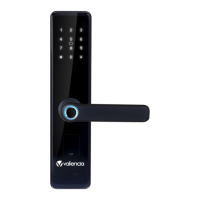
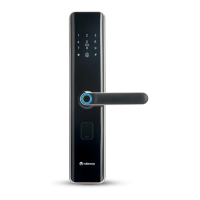
The Hola Smart Door Lock serves as a primary security device for doors, integrating various access technologies to provide convenience and robust protection. It allows users to unlock the door using fingerprints, PIN codes, RFID cards, or a traditional mechanical key. The lock is designed with a sleek, modern aesthetic, featuring a black finish and an intuitive keypad. It includes both an inside and outside handle, a battery cover, and a keyhole for emergency access. The lock body is designed for easy installation and adjustment to suit different door opening directions.
Important Technical Specifications:
- Power Source: The lock operates on 4 AA high-energy alkaline batteries (1.5V).
- Low Battery Warning: When the battery voltage is low, the lock will prompt "the voltage is low, please replace battery." Even after the first warning, the door can still be opened approximately 100 times, depending on battery capacity.
- User Capacity: The lock supports up to 9 master users (fingerprint, PIN code, or card) and a total user capacity of 300.
- Fingerprint Sensor: Features an advanced semiconductor sensor with 360° scanning capability.
- PIN Code: Supports 8-digit PIN codes and includes a code scrambling feature, allowing users to input up to 12 random digits before the correct password to prevent peeping.
- Lockout Feature: After 5 continuous incorrect attempts using fingerprint, card, or code, the lock will be locked for 90 seconds.
- External Power: Equipped with a USB external power port, allowing for emergency power supply using a 5V power bank.
- Dimensions (Spindle and Screw Installation): Spindle length from outside to inside door should be 15mm for the outside and 10-30mm for the inside, with the spring plugging into the square hole.
Usage Features:
- Multiple Access Methods:
- Fingerprint: Users can register their fingerprints for quick and secure access. Fingerprint registration requires scanning the finger 3 times.
- PIN Code: An 8-digit PIN code can be set, with a code scrambling feature for enhanced security. PIN code registration requires entering the code 2 times.
- RFID Card: RFID cards can be registered and used for access by scanning them near the RFID scanner.
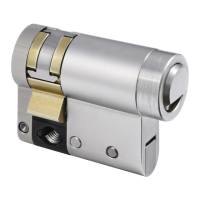
- Mechanical Key: A traditional keyhole is provided for emergency manual access.
- Master/User Management:
- Master Users: Master users have the authority to add and manage other users. Up to 9 master users can be registered.
- Common Users: The lock supports up to 300 common users.
- User Addition: To add a new master or common user, touch the screen keypad, press # for 2 seconds, and follow voice prompts. For master users, input a registered master user's credential. For common users, input a registered master user's credential and then follow prompts to add fingerprint, password, or card.
- User Deletion: Individual fingerprints, users by number, all cards, specific passwords, or all passwords can be deleted through the system settings.
- Dual Authentication Mode: For enhanced security, the lock can be configured to require two forms of authentication simultaneously, such as fingerprint + common user, fingerprint + PIN code, or fingerprint + RFID card.
- Door Bell Function: When the keypad lights are off, pressing "0" can activate the door bell.
- System Settings:
- Time Setting: Users can set the year, month, date, hour, and minute for the lock's internal clock.
- Volume Adjustment: The volume of voice prompts can be adjusted (Press 6 for high & 4 for low).
- Opening Mode: Switch between single user authentication and dual authentication.
- Information Checking: Users can check the current time settings and the number of registered fingerprints, PIN codes, and RFID card users.
Maintenance Features:
- Battery Replacement: Promptly replace batteries when the low battery warning appears to avoid inconvenience.
- Factory Reset: The lock can be reset to factory default settings by pressing the RESET button on the back side of the lock for 5 seconds. This is recommended after initial installation.
- Handle Direction Change: The handle direction can be adjusted by unscrewing the handle screw, rotating the handle 180° clockwise or counterclockwise, and then reinstalling it.
- Lock Body Latch Adjustment: The latch direction can be adjusted by pushing the latch inward and rotating it 180° to suit the door opening side.
- Cleaning: Keep the internal and external panels clean to ensure optimal performance.
- Fingerprint Sensor Care: Gently press the fingerprint on the sensor for registration; avoid pressing with great force to prevent scratching the sensor.
- Handle Care: The handle is a critical component for opening and closing the door. Its flexibility directly impacts the lock's usage. Avoid hanging articles on the handle.

 Need help?
 General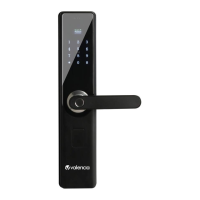





 To Next Page