2324
l a rge bridge rectifiers that you re m e m b e r ed to keep for this special
m o m e n t .
q cut-leads from bridge rectifiers 3/4” (19mm) x 4
q Kimber Kable TCSS Blue hookup wire 1 1/2” (38mm) x 2
q Pick one of the 300B sockets and connect the top two socket pins to
the PCB solder pads labeled ‘H’ for filament heater, immediately above
and to the outside of the pins. Solder both ends of this jumper wire .
q Do the same on the other 300B tube socket.
T h e re is one more vacant terminal yet to be connected on the 300B
sockets, this is the grid. This is the pin to the bottom left side of the
socket closest to you.
q P re p a re the Kimber Kable wires with one end stripped at 1/4”. This
end wraps through the socket pin wire hole and is soldered in place.
q The opposite end then is carefully soldered into the Main PCB where
you will see the label ‘G’ for grid.
q Do the same on the other 300B tube socket.
Signal I/PInterconnect wire installation:
Ok, unless I forgot something, this could be the final soldering task to
accomplish in this kit, unless of course you have made some mistakes
along the way. Or you are going to wait and install the Signature
Upgrade kit after your initial listening tests of this stock unit.
q 3/16” heatshrink tubing 1/2” (13mm) x 1
q H e re is the tricky part, slide a piece of the above heatshrink tubing
onto the free end of the Signal I/P wire .
q P re p a re the four signal conductors as per normal and tin them.
q Basically again, we now have a blue and a white wire in each
twisted pair. For clarification, we will use the SOLID Blue and SOLID
White wires as the Left channel, and the Blue wire will be the signal
common for this pair.
q Solder into place the Blue wires of each pair into the “-” I/P pads as
they are labeled on the PCB.
q Try to wrap the White wire around the Blue wire and then solder it
into the “+” I/P pad.
q Do the same for the other channel.
q Finally slide the heatshrink tubing down and over these conductors
as far as possible and shrink it into place.
Faceplate and Button:
Well let’s face it, we have been through a lot together and our
a d v e n t u r es have almost come to an end. One of the last tasks we
have is to mount the Face Plate and to facilitate power switching, we’ll
attach the Power Button and Extension Shafts.
q Button x 1
q Faceplate x 1
q 10-32 kepnuts x 2
q Shaft Extensions x 2
q Shaft Couplers x 2
q Coool Blue LED assembly x 1
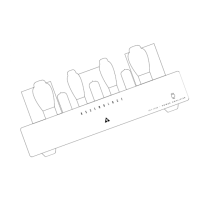
q N o w, carefully slide the faceplate onto the front of the chassis.
q The faceplate can be bolted in place using the two 10-32 kepnuts
and tightened into place with your 3/8” wre n c h .
q C a refully and firmly push the anodized aluminum Button onto one
end of the plastic Extension Shafts and then the shaft into one of the
Shaft Couplers. Seat these parts so that they will not fall off or apart .
q Mount the other Shaft Coupler to the power switch itself and
c a refully cut the last Extension Shaft so that when all is assembled, the
Power Button is still fully operational while depressing it from the ON
position to the OFF position. I am sure that I can trust your best
judgement here, remember that trial and error will work here if you do
not cut too much off at a time!
Take a look around your work area, do you see any orphan part s ?
Have you noticed the Coool Blue LED sitting there somewhere ?
Hopefully that is all only one!
q Place the leads into the LED mounting position at the front of the
Main PCB in such a way that the LED body is saddled into the Fro n t
Panel LED mounting hole.
q Take a note of how much of the leads go into the circuit board pads.
Trim off any excess that will not be needed to make a good solder
connection.
q Solder the LED leads from the top of the Main PCB..... You don’t say!
Now we are done the soldering and now we are done the constru c t i o n
of your new Assemblage SET-300B Amplifier! How does it feel? Or
better yet, how does it look? “Looks great! But, how does it sound?”
you say? OK I know that you are anxious to plug it in, but we must now
p e rf o rm the hardest part of this whole construction process...
Final Check and Adjustment:
q 2.5A ‘Slo-Blo’ fuse x 1
(or 1.25A ‘Slo-Blo’ for 220V/240V operation)
q 6SN7 tube x 1
q 6BX7 tubes x 2
q CV378 tubes x 2
q 300B tubes of your choice x 2
Re-examine all wiring to make certain that all the connections are
c o rrect. Take your time and check care f u l l y, as correct assembly of
your kit is essential for proper and reliable operation. Make sure you
check the following points:
q IEC socket wiring: Ground, Live, Neutral
q IEC socket to AC SW PC board
q IEC socket to power transformer primary
q Power transformer B+ (high voltage) wiring to Main PC board .
q Output transformer: Blue wire (B+) to Main Filter Bank PC board ,
q O/P transformer Red wire to 300B tube socket.
q Output transformer configuration to speaker binding posts
q Main Filter Bank PC board to main PC board: COM, HV+
q RCA jack input wiring - RCA jacks and solder lug
q Connections to main PC board
q Check all circuit board components and solder joints.
q Tu rn the trimmer pots to their center position if they are not there
a l re a d y.
WA R N I N G ! E x t reme caution must be exercised whenever you work
in the chassis with the amplifier “ON” and the bottom cover of the
chassis is off. - If you must do any soldering inside the chassis for any
reason, ensure that the AC power cord is removed and that the
amplifier has been “OFF” for at least five minutes. - Never touch or
hold the chassis with one hand while probing within the chassis with
the other hand! Simultaneous contact at various circuit points under
these conditions can result in electric shock with dangerous and
possibly lethal voltages.
q Next, turn the amplifier right side up and shake the chassis up and
down and from side to side above your head in order to dislodge any
stray wire clippings or solder from inside the chassis. If you can do
this, I’d say that I wouldn’t want to get on your bad side or run into you
in a dark alley somewhere. Actually don’t do that, all you need to do
is set it on its side and give it a few love taps here and there to allow the
pieces to fall to the bottom where you can pick it out of the chassis.
We need to systematically install the tubes and test the amplifier to
minimize any damages due to construction errors or faulty
components. If you have a test meter for trouble shooting that will
come in handy as well. If you run into problems at any stage of the
tube installations please go down to the Trouble Shooting section
b e l o w.
q Place the amplifier upside down and facing forw a rds on your
padded working surface. Place a couple of textbooks under the fro n t


 To Next Page
 Loading...