Select the correct input line voltage on the rear panel of the instrument,
either 115 VAC or 230 VAC.
Connect the female end of the standard NEMA style line power cord into the
input power receptacle on the rear panel of the instrument. Plug the male
end of the cord into a grounded power source.
Connect the Interlock Disable Key into the signal input connector on the rear
panel of the instrument. This is required to run a test.
Turn the instrument power switch ON.
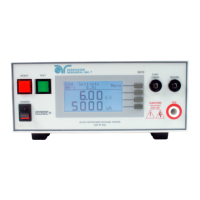
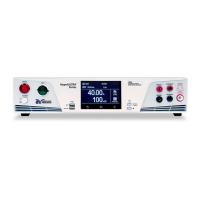
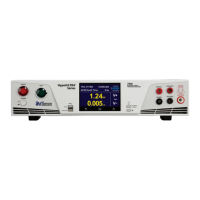
The initialization screen will appear. After three seconds the Perform Test screen
will appear as shown below.
3705, 3765, 3770
3705, 3765, 3770
3705, 3765, 3770
Perform Test Screen
WARNING: LOCATE A SUITABLE TESTING AREA WITH A THREE-PRONG, GROUNDED
OUTLET. BE SURE THAT YOUR THREE-PRONG OUTLET HAS BEEN TESTED FOR PROPER
WIRING. READ THE SAFETY CHECKLIST OF THIS GUIDE BEFORE STARTING TO TEST.
INSTRUMENT SETUP
2
3780: Automatic Selection
3780
3780
To Grounded
Power Source
HypotIII-QSG-MARCH17.indd 2 4/13/17 11:09 AM



 To Next Page
 Loading...