EasyManua.ls Logo

Associated Research Omnia 8106 - User Manual

Default Icon
12 pages
Print Icon
To Next Page IconTo Next Page
Loading...
For the following models:
8104
8105
8106
SAFETYCHECKLIST
KEEP unqualified/unauthorized personnel away from test area
ARRANGE test stations in a safe and orderly manner
NEVER touch products or connections during a test
TURN OFF high voltage first in the event of a problem
NEVER perform a test on energized circuitry or equipment
BE SURE to always connect the return test lead first
HANDLE test clips by insulation only, never touch clips directly
WARNING: THIS GUIDE WAS CREATED
FOR OPERA
TORS HA
VING SOME
FAMILIARITY WITH HIPOT AND ELECTRICAL SAFETY
TESTING. A HIPOT TESTER PRODUCES VOLTAGES
AND CURRENTS THA
T CAN CAUSE HARMFUL OR
FATAL ELECTRIC SHOCK. TO PREVENT ACCIDENTAL
INJURY OR DEATH, THESE SAFETY PROCEDURES
MUST BE STRICTLY OBSERVED WHEN HANDLING
AND USING A TEST INSTRUMENT.
Question and Answer IconNeed help?

Do you have a question about the Associated Research Omnia 8106 and is the answer not in the manual?

Summary

Front Panel Controls Overview

Display and Input Components

Describes the instrument's graphic LCD, soft keys, numeric data entry, and arrow/enter keys.

Status Indicators

Details the high voltage indicator and scanner status LEDs.

Operational Buttons

Covers the power switch, reset button, and test button for instrument operation.

Output and Sensing Terminals

Lists connectors for high voltage output, current output, and Kelvin voltage sensing.

Back Panel Controls (8104)

Power and Output Connections

Details terminals for high voltage output, current output, and voltage sensing.

Communication and Control Interfaces

Covers scanner interface, bus interface, and remote signal connections.

System Components and Safety Features

Includes calibration button, fuse receptacle, chassis ground, and cooling fans.

Back Panel Controls (8105;8106)

Power and Data Connections

Describes input power, output terminals (L, N, GND, RTN), and scanner outputs.

External Measuring Device Interface

Details the compartment for an external measuring device PCB.

Instrument Setup Procedure

Initial Setup Steps

Guides on setting voltage, connecting power, and turning on the instrument.

Test Configuration and Management

Adding and Modifying Tests

Explains how to add new tests and change test parameters.

Saving and Loading Test Files

Details the process for saving and recalling test programs.

Performing Tests

Test Connections for 8104

Illustrates test connections using an adapter box for the 8104 model.

Test Connections for 8105;8106

Shows adapter box connections for the 8105 and 8106 models.

Test Connections and Initiation

Describes test lead connection for Class II products and initiating a test.

Viewing Test Results

Navigating and Understanding Results

Explains how to view, review, and understand test results on the screen.

Summary

Front Panel Controls Overview

Display and Input Components

Describes the instrument's graphic LCD, soft keys, numeric data entry, and arrow/enter keys.

Status Indicators

Details the high voltage indicator and scanner status LEDs.

Operational Buttons

Covers the power switch, reset button, and test button for instrument operation.

Output and Sensing Terminals

Lists connectors for high voltage output, current output, and Kelvin voltage sensing.

Back Panel Controls (8104)

Power and Output Connections

Details terminals for high voltage output, current output, and voltage sensing.

Communication and Control Interfaces

Covers scanner interface, bus interface, and remote signal connections.

System Components and Safety Features

Includes calibration button, fuse receptacle, chassis ground, and cooling fans.

Back Panel Controls (8105;8106)

Power and Data Connections

Describes input power, output terminals (L, N, GND, RTN), and scanner outputs.

External Measuring Device Interface

Details the compartment for an external measuring device PCB.

Instrument Setup Procedure

Initial Setup Steps

Guides on setting voltage, connecting power, and turning on the instrument.

Test Configuration and Management

Adding and Modifying Tests

Explains how to add new tests and change test parameters.

Saving and Loading Test Files

Details the process for saving and recalling test programs.

Performing Tests

Test Connections for 8104

Illustrates test connections using an adapter box for the 8104 model.

Test Connections for 8105;8106

Shows adapter box connections for the 8105 and 8106 models.

Test Connections and Initiation

Describes test lead connection for Class II products and initiating a test.

Viewing Test Results

Navigating and Understanding Results

Explains how to view, review, and understand test results on the screen.

Overview

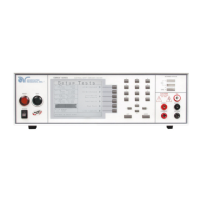
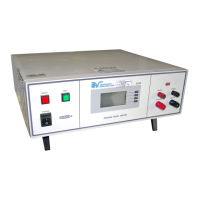
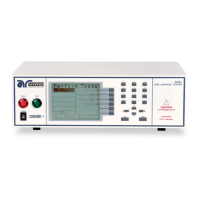
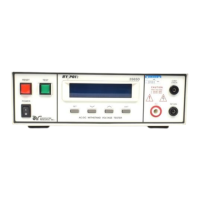
The OMNIA is a series of electrical safety testers, specifically models 8104, 8105, and 8106, designed for performing various electrical safety tests such as Hipot (AC Withstand, DC Withstand), Insulation Resistance, Continuity, Run Test, and Line Leakage Test. These instruments are equipped with a range of features for setting up, performing, and reviewing test results, catering to operators familiar with Hipot and electrical safety testing.

Function Description:

The OMNIA instruments are primarily used for ensuring the electrical safety of devices under test (DUTs). They generate controlled voltages and currents to perform tests that verify insulation integrity, grounding effectiveness, and leakage current levels. The 8104 model is suited for ACW, DCW, IR, and Continuity tests, while the 8105 and 8106 models additionally support Run Test and Line Leakage Test. The internal scanner on the front panel allows for testing multiple high voltage and high current channels. The instruments feature a user-friendly interface for parameter entry, test execution, and result review.

Important Technical Specifications:

  • Graphic LCD: 320 x 240 monographic LCD for displaying menus, parameters, and test results.
  • Scanner Status LEDs: Color-coded LEDs indicate the status of 8 high voltage and 8 high current channels on the internal scanner.
  • High Voltage Output Terminal: Front panel connector for attaching the red high voltage test lead or adapter box high voltage lead.
  • Power Switch: Rocker style switch with International ON (I) and OFF (O) markings.
  • Reset Button: Red momentary contact switch for resetting the instrument, proceeding to the next test, or aborting a test.
  • Test Button: Green momentary contact switch for initiating tests.
  • Sense (+) Terminal: Front panel connector for the current test lead, providing positive Kelvin voltage sensing.
  • Current Output Terminal: Front panel connector for the high current output lead, adapter box high current lead, or test fixture high current lead, providing output current for ground bond and continuity.
  • Return Output Terminal: Front panel connector for the return test lead or test fixture, providing the return current path for high voltage, ground bond, and continuity current.
  • Sense (-) Terminal: Front panel connector for the return test lead or test fixture, providing negative Kelvin voltage sensing.
  • Rear Panel High Voltage Output Terminal (8104): Recessed connector for safety, used for high voltage test leads or adapter boxes.
  • Calibration Button (8104): Used to put the instrument into calibration mode.
  • Rear Panel Sense (+) and Sense (-) Terminals (8104): Similar to front panel, for Kelvin voltage sensing.
  • Fuse Receptacle (8104): Socket for the input power fuse.
  • Scanner Interface (8104): For connecting up to 2 external scanning matrices.
  • Chassis Ground (Earth) Terminal (8104): Must be connected to a good earth ground.
  • Remote Signal Output (8104): 9-pin D subminiature female connector for monitoring PASS, FAIL, and PROCESSING output relay signals.
  • Bus Interface (8104): Standard RS-232 connector, with optional IEEE-488 or Ethernet.
  • Remote Signal Input (8104): 9-pin D subminiature male connector for remote control of TEST, RESET, INTERLOCK, and program file selection.
  • Thermal Cooling Fans (8104): Thermally switched cooling fans.
  • Rear Panel Current Output Terminal (8104): Similar to front panel, for high current output.
  • Rear Panel Return Output Terminal (8104): Similar to front panel, for return current path.
  • Scanner Outputs (8104): Optional scanner matrix providing 8 High Voltage/Return connections and 8 Ground Bond connections.
  • Input Power Receptacle (8104): Standard IEC 320 connector for line power (mains) cord.
  • Input Power Switch (8104): Selects between 115V AC and 230V AC operation.
  • DUT Power Input Connector (8105/8106): Provides line and neutral input power connections, rated for 0-277 volts 50/60 Hz.
  • L and N Output Terminals (8105/8106): Output terminals for line and neutral power connections from the adapter box for run or line leakage tests.
  • CASE Terminal (8105/8106): Connected to the DUT case or dead metal, providing return for Ground Bond, Dielectric Withstand, and Insulation Resistance tests.
  • GND Terminal (8105/8106): Where the ground or earth terminal from the adapter box is connected.
  • PROBE HI Terminal (8105/8106): Input to one side of the measuring device (MD), enabled during line leakage tests when selected for enclosure or applied part leakage tests.
  • PROBE LO Terminal (8105/8106): Input to one side of the measuring device (MD), enabled during line leakage tests when selected for applied part leakage tests, always used with PROBE HI.
  • External Measuring Device (8105/8106): Compartment containing an external measuring device PCB, enabled during line leakage tests when selected.

Usage Features:

  • Setup System: Allows configuration of system settings.
  • Setup Tests: Used to define and modify test parameters.
    • Adding New Tests: Soft keys allow selection of test types (ACW, DCW, IR, Continuity for 8104; Run Test or Line Leakage Test for 8105/8106). Parameters like voltage, Hi-Limit T, Lo-Limit T, dwell time, ramp time, frequency, arc detect, and DUT output can be edited using soft keys, arrow keys, and the numeric keypad.
    • Multiple Step Test Sequence: Adding multiple tests automatically creates a sequential test sequence.
    • Single Step Control: Can be enabled from the "Perform Test" screen to run tests individually.
    • Saving and Loading Test Files: Test programs can be saved and recalled from memory using the "File" soft key. Files are stored in numbered slots and can be named using a virtual or numeric keypad.
  • Perform Tests: Initiates the configured test sequence.
  • Instrument Setup:
    1. Voltage Selection: Choose 115V AC or 230V AC on the rear panel.
    2. Power Connection: Connect the line cord to a grounded power source.
    3. Interlock Connection: Plug the interlock connector into the Signal Input connector on the rear panel to enable output.
    4. Power On: Turn the POWER switch to ON. The Main Menu appears after initialization.
  • Test Connections:
    • 8104 (Adapter Box): For two or three-prong line cord DUTs. Black high voltage lead to high voltage terminal (acts as line and neutral). Kelvin lead to Sense (+) and high current test lead to current jack (act as ground connection). Ground return clip to dead metal on DUT chassis. Kelvin lead to Sense (-) and return lead to return jack. DUT line cord into adapter box receptacle. Ground bond test can be performed on Class I products.
    • 8105 & 8106 (Adapter Box): Line lead from adapter box to L terminal, neutral lead to N terminal. Red ground lead from adapter box to GND terminal. Black case return lead to CASE terminal. Ground return clip to dead metal on DUT chassis. DUT line cord into adapter box receptacle. Only rear output connections are used for adapter box.
    • Test Leads (Class II Product): Black return lead to Return terminal, black Kelvin lead to Sense (-) lead. High voltage lead (red clip) to (H.V.) terminal on front panel. Clip-terminated end of return lead to dead metal on DUT chassis (foil can be used to simulate hand contact). High voltage lead to current-carrying conductors of DUT.
    • Ground Test (Class I Product, not shown): Red high current lead to Current terminal, red Kelvin lead to Sense (+) jack. Clip connects to ground pin of DUT plug.
  • Initiating a Test: Save steps, return to main menu, press "Perform Tests" soft key, then press the green TEST button on the front panel. The red RESET button aborts a test.
  • Viewing Test Results: From the "Perform Tests" screen, press the "Results" soft key. Use arrow keys to navigate and review test type, failure reason, and parameter results.

Maintenance Features:

  • Safety Checklist: Emphasizes keeping unqualified personnel away, arranging safe test stations, never touching connections during a test, turning off high voltage first in case of problems, never testing energized circuitry, always connecting return test lead first, and handling test clips by insulation only.
  • Warning for Hipot Testers: Highlights the dangers of high voltages and currents, stressing strict adherence to safety procedures.
  • Calibration Button (8104): Allows the instrument to be put into calibration mode, suggesting regular calibration for accuracy.
  • Fuse Receptacle (8104): Provides access for replacing the input power fuse, indicating a user-serviceable component for power issues.
  • Operation and Service Manual: Users are directed to consult the full Operation and Service Manual for detailed information on maintenance, troubleshooting, and other features.
  • Support Materials: Online resources at www.asresearch.com are available for additional support and testing information.

Associated Research Omnia 8106 Specifications

General IconGeneral
BrandAssociated Research
ModelOmnia 8106
CategoryTest Equipment
LanguageEnglish

Related product manuals