
 Need help?
Do you have a question about the Astronics Sierra E71-314 and is the answer not in the manual?
Lists available documentation for Astronics CSC and Aruba products.
Details industry standards relevant to the Sierra IFE system.
Outlines warranty terms, coverage, and exclusions for the Sierra.
Disclaims liability for accidents resulting from disregarding manual instructions.
General safety guidelines for operating and handling the Sierra IFE system.
Provides FCC, ISED, and EU compliance information for the Sierra.
Details FCC compliance, responsible party, and device operation conditions.
Explains Class B digital device compliance and measures for interference correction.
Specifies safe usage guidelines to minimize human contact and comply with FCC limits.
Outlines ISED compliance for radio noise emissions and licensing.
Provides safety guidelines for human exposure to RF radiation as per RSS-102.
Declares compliance with EU directives and lists harmonized frequency ranges.
States compliance with EU Directive 2014/53/EU and provides URL for declaration.
Details RF exposure compliance with EN 62311 and EU restrictions.
Instructions for proper disposal of the product according to WEEE directive.
Confirms conformity with EU RoHS directives on hazardous substances.
States conformity with REACH regulation regarding chemical substances.
Provides critical safety instructions for handling and charging Sierra's Lithium Ion battery modules.
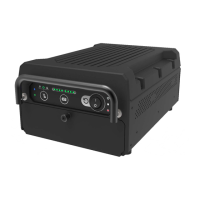
Overview of the Sierra portable IFE system, its features, and capabilities.
Explains the structure and components of Sierra part numbers.
Describes the Sierra's hardware components and architecture, including the Aruba AP.
Lists and describes the primary hardware components of the Sierra unit.
Lists various part numbers for ordering Sierra components and kits.
Details serial port settings for console access via USB-C and cell modem.
Information on accessing the Sierra unit via SSH using its Ethernet port.
Lists default SSIDs and password for connecting to the Sierra's Wi-Fi.
Describes how to configure the Wireless Access Point (WAP) for optimal performance.
Explains the default and recommended changes for system username and password.
Guides on selecting wireless networks (SSIDs) and viewing client information.
How to view details of access points and radio-specific information.
Details on viewing and selecting individual clients connected to the network.
Describes the front panel LEDs, switches, and their functions for system status.
Explains the battery status indicator LEDs and their meaning for SOC and charging.
Details the function of the cellular mode button for overriding auto-mode.
Instructions on how to open the battery door to access internal components.
Step-by-step guide for safely removing the Solid State Drive (SSD).
Details the Wi-Fi radio characteristics, frequency bands, and data rates.
Lists country codes for Wi-Fi channel regulations.
Specifies electrical and environmental test categories and compliance requirements.
Provides mechanical specifications including views and dimensions of the unit.
Shows the top view of the Sierra unit with dimensions.
Illustrates the front panel I/O ports with dimensions.
Shows the side view of the Sierra unit with dimensions.
Illustrates the rear view of the Sierra unit with dimensions.
Shows the bottom view of the Sierra unit.
Describes the location and content of the product identification label.
Specifies the finish and color of the Sierra unit's exterior.
Details the materials used in construction and their compliance with flammability requirements.
States the total weight of the Sierra unit including batteries.
Explains the Sierra's passive cooling design and power consumption details.
Specifies minimum air gap spacing and installation considerations for the Sierra.
Details the workmanship standards and soldering compliance for the unit.
Describes safety features including fuses, temperature sensors, and battery pack compliance.
Provides the Mean Time Between Failure (MTBF) for the Sierra unit.
States that the Sierra is repairable only by authorized facilities.
Specifies the maximum repair time for the Sierra unit.
Explains how LED indicators help detect and isolate system faults.
Describes the production testing processes, including ESS and ATP.
Provides contact information for technical support inquiries.
Outlines the procedure and requirements for returning defective equipment.
 General
| Frequency Bands | 2.4 GHz, 5 GHz |
|---|---|
| Antenna | Internal |
| Wireless Standard | IEEE 802.11a/b/g/n |
| Operating Temperature | -40°C to 70°C |
| Wireless Standards | IEEE 802.11a/b/g/n |
| Security | WPA2 |

 To Next Page