Page | 31 Revision Date April 30, 2020 || Document Number UM-E71-314 || Rev B
astronics.com
Step 1
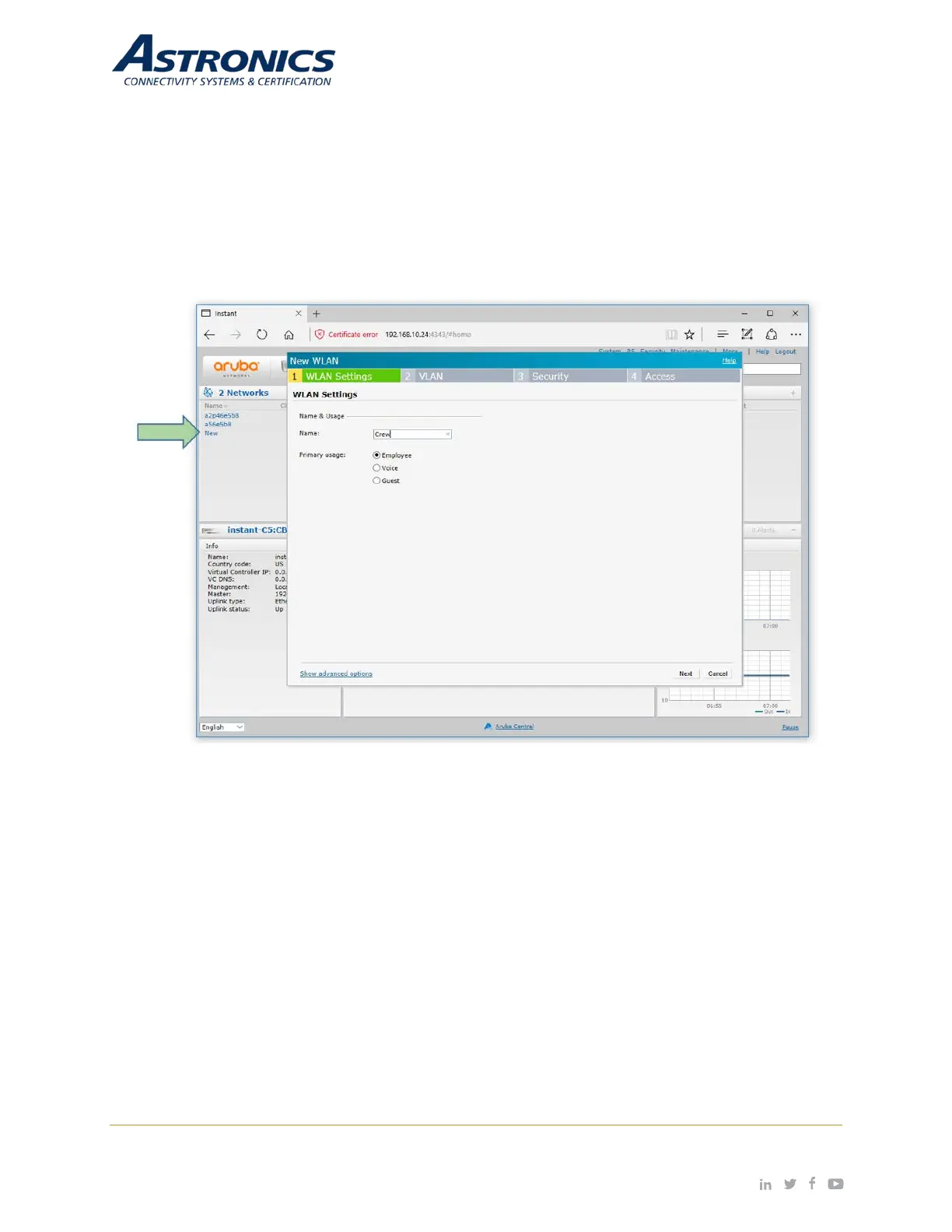
You create SSIDs using the WLAN Wizard. You launch the WLAN Wizard by selecting New from the
Networks section on the main GUI page. This will bring up the WLAN Settings tab of the New WLAN dialog
box. The WLAN Settings tab is where you select the type of SSID you want to create and name the SSID,
as shown below in Figure 7-2.
Figure 7-2: The WLAN Settings Tab of the New WLAN Dialog Box


 To Next Page