Page | 37 Revision Date April 30, 2020 || Document Number UM-E71-314 || Rev B
astronics.com
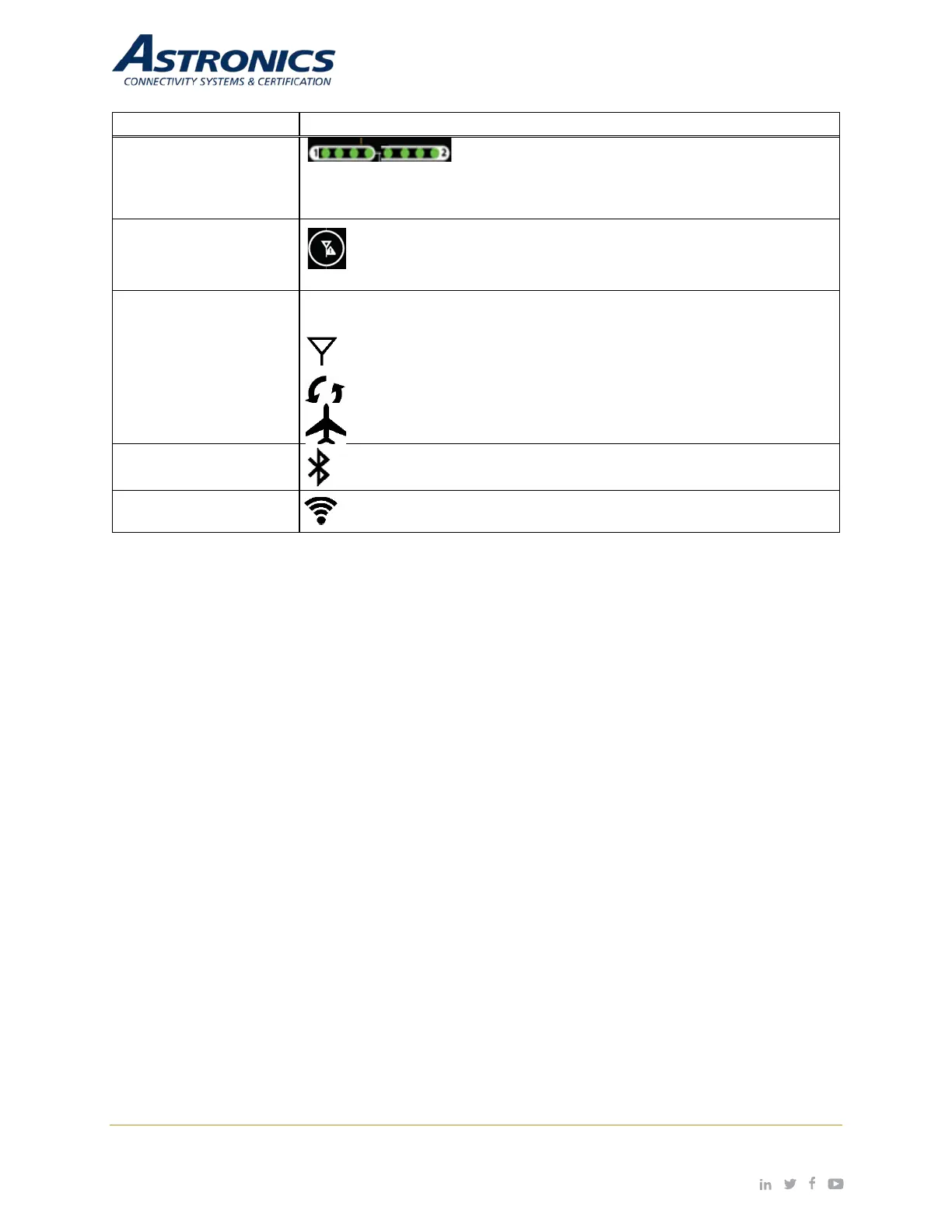
Battery Monitor LED
Display
Monitors the state of charge of batteries 1 and 2. Each
battery has its own set of LEDs. The display illuminates for 4-seconds
when the Battery Strength button is pressed. See Section 6.1.6.4 for a
description of the meaning and operation.
Cellular Mode Button
A momentary press cycles through each cell modem mode of
Cellular Mode
LED Icons
Displays the cell modem mode of operation when the Cellular Mode button
is pressed.
Illuminates when the cellular modem is ON.
Illuminates when the cellular modem is in “Auto” mode.
Illuminates when the cellular modem is “Off”.
Bluetooth Status LED
Illuminates when Bluetooth is enabled and paired to an external
discrete I/O device, e.g. the PA Pause module.
Wi-Fi Status LED
Illuminates when the Aruba Wi-Fi is enabled.


 To Next Page