STEP 2:
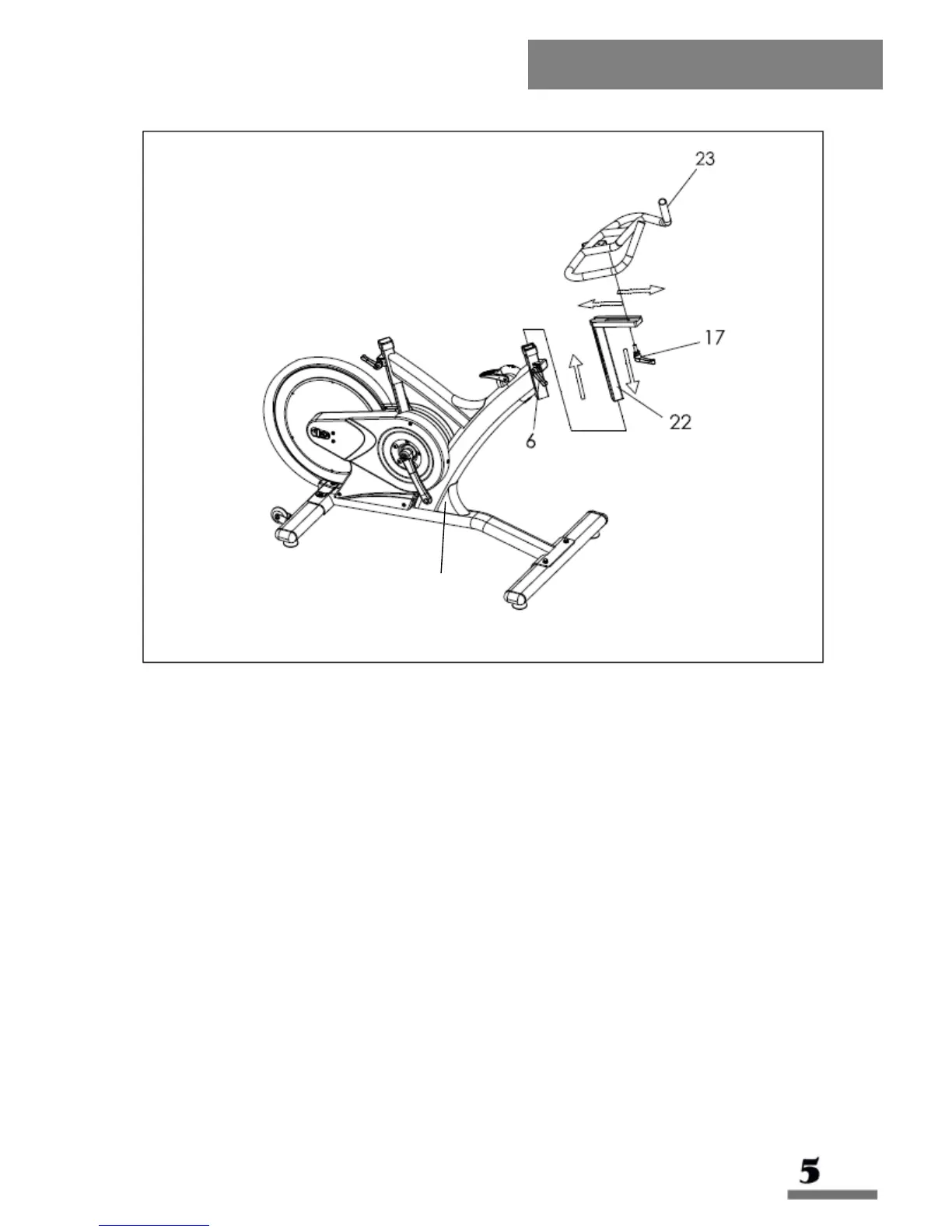
Remove plug from head tube of Main Frame (Y). You may have to loosen handle
to remove it.
Insert the Handlebar Post (22) into the head tube of the Main Frame (Y). Move
Handlebar Post (22) to the desired height. Tighten the Release Lever (6) to
secure the Handlebar Post (22) into position.
Slide the Handlebar (23) onto the Handlebar Post (22). Tighten the L Shape
Adjustment Knob (17) to secure the Handlebar (23) into position.
NOTE: To slide the Handlebar (23) back and forth to adjust it to the desired
position, first loosen the L Shape Adjustment Knob (17).



 To Next Page