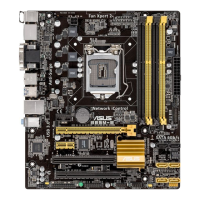
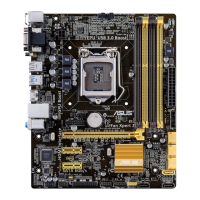
ASUS B85M-E/DASH
1-21
1.9 Software support
1.9.1 Installing an operating system
ThismotherboardsupportsWindows
®
7(32bit/64bit)andWindows
®
8(32bit/64bit)Operating
Systems(OS).AlwaysinstallthelatestOSversionandcorrespondingupdatestomaximize
the features of your hardware.
Motherboardsettingsandhardwareoptionsvary.RefertoyourOSdocumentationfor
detailed information.
1.9.2 Support DVD information
TheSupportDVDthatcomeswiththemotherboardpackagecontainsthedrivers,software
applications,andutilitiesthatyoucaninstalltoavailallmotherboardfeatures.
ThecontentsoftheSupportDVDaresubjecttochangeatanytimewithoutnotice.Visitthe
ASUSwebsiteatwww.asus.comforupdates.
The following screen is for reference only.
To run the Support DVD
PlacetheSupportDVDintotheopticaldrive.IfAutorunisenabledinyourcomputer,the
DVDautomaticallydisplaystheSpecialsscreenwhichliststheuniquefeaturesofyourASUS
motherboard.ClickDrivers,Utilities,AHCIDriver,Manual,ContactandSpecialstabsto
displaytheirrespectivemenus.
Click an item to install
Click an icon to
display Support
DVD/motherboard
information
IfAutorunisNOTenabledinyourcomputer,browsethecontentsoftheSupportDVDto
locatetheleASSETUP.EXEfromtheBINfolder.Double-clicktheASSETUP.EXEtorun
theDVD.


 To Next Page