40 ASUS CUSL2-C User’s Manual
Connectors
3. H/W SETUP
3. HARDWARE SETUP
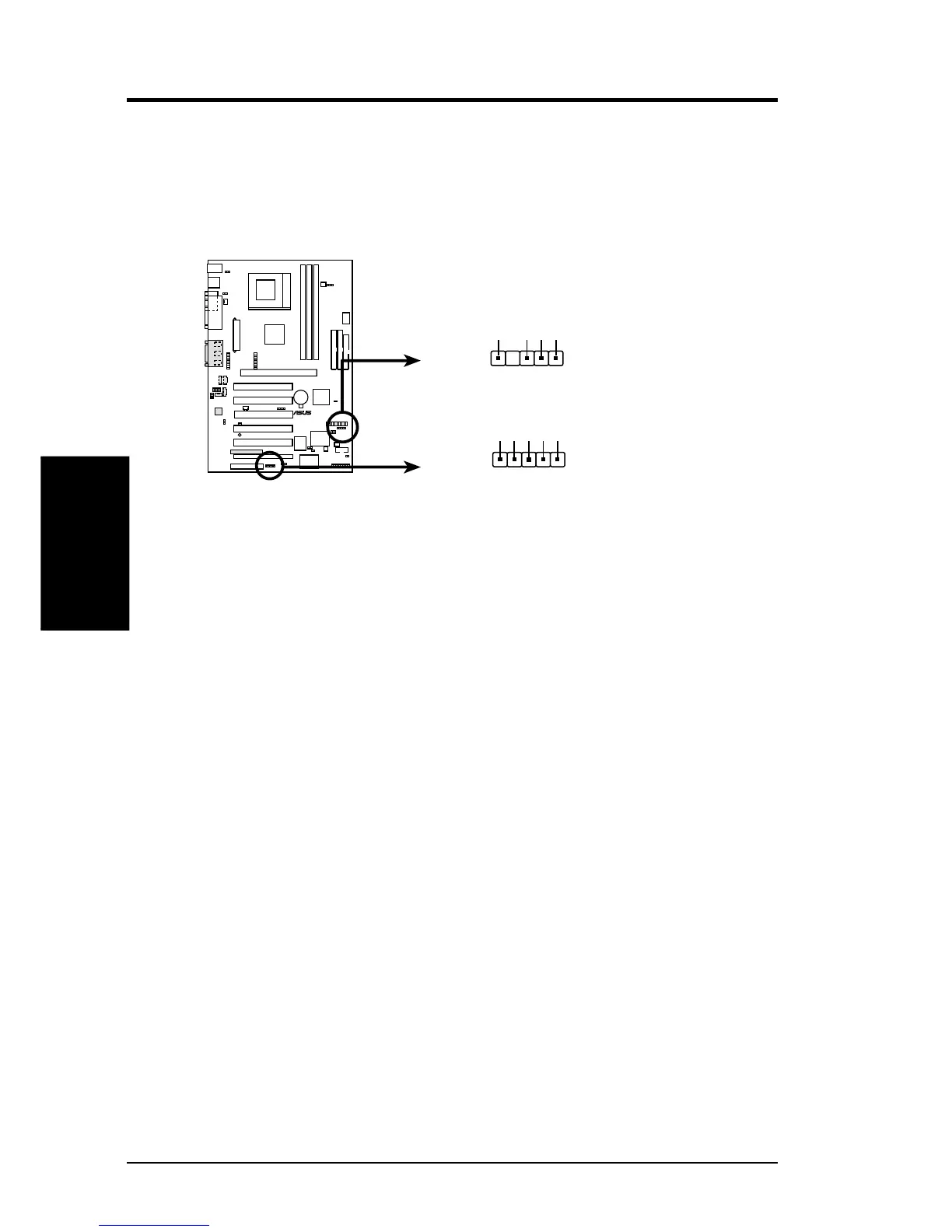
21) USB Headers (5-pin USB2, 5-pin USB56)
If the USB ports on the back panels are inadequate, two USB headers are avail-
able for two additional USB ports. Connect the 5-pin ribbon cables from the
provided 2-port USB connector set to the two midboard 5-pin USB headers and
mount the USB connector set to an open slot on your chassis.
CUSL2-C USB Headers
CUSL2-C
®
USB56
USB2
1
USBPWR
USBP2-
USBP2+
GND
NC
USBP5+
USBP5-
USBPWR
GND


 To Next Page