96
5. SOFTWARE SETUP
ASUS CUSL2-C User’s Manual
5. S/W SETUP
Windows 98
5.15.3 Installation Procedures
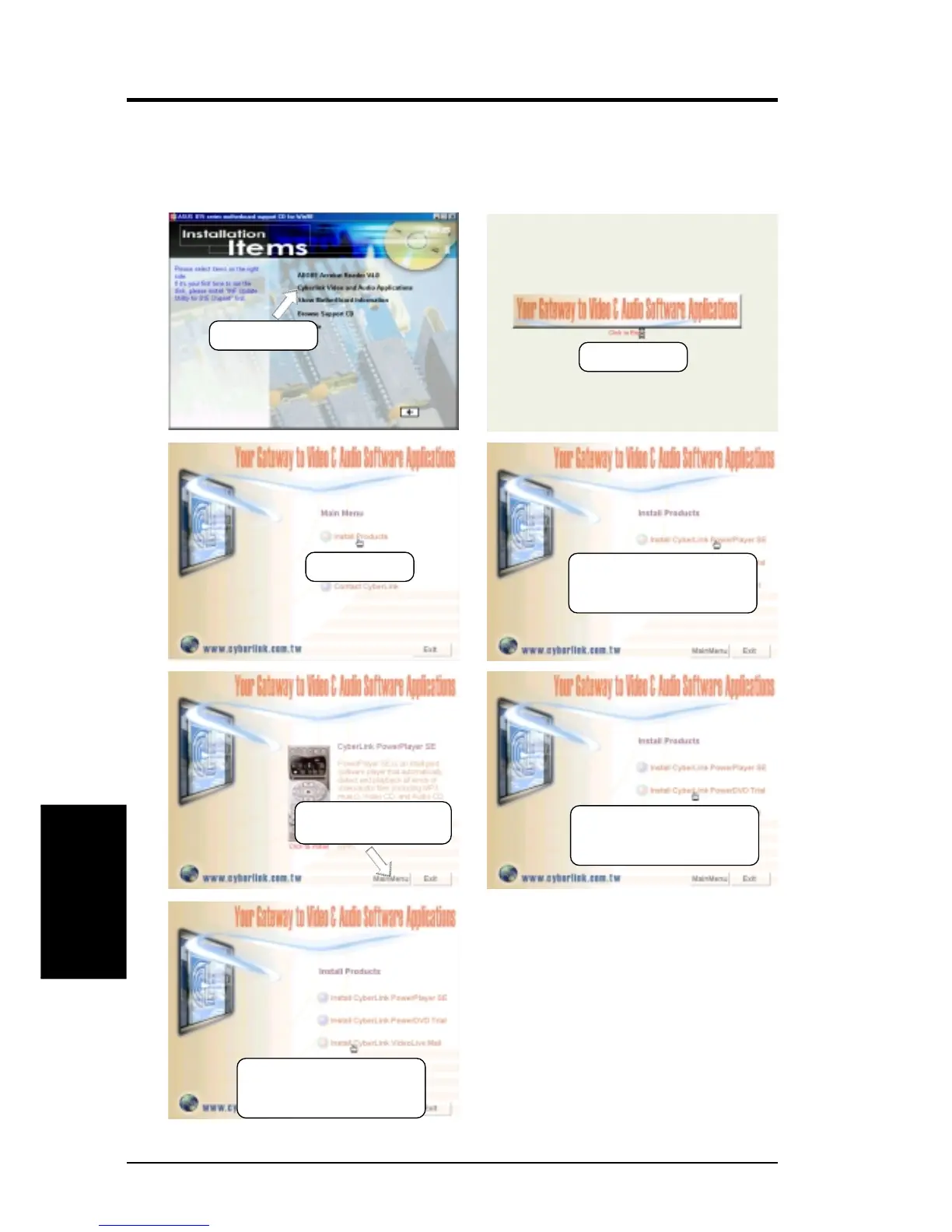
Insert the Support CD that came with your motherboard into your CD-ROM drive
or double-click the CD drive icon in My Computer to bring up the setup screen.
(2) Click here.
(3) Click here.
(4) Click here and follow the
onscreen instructions to
complete installation.
(6) Click here and follow the
onscreen instructions to
complete installation.
(7) Click here and follow the
onscreen instructions to
complete installation.
(5) Click here to install
PowerDVD.
(1) Click here.


 To Next Page