Bookmarking an e-book
You can add a specific e-book to your Favorites list.
To bookmark an e-book:
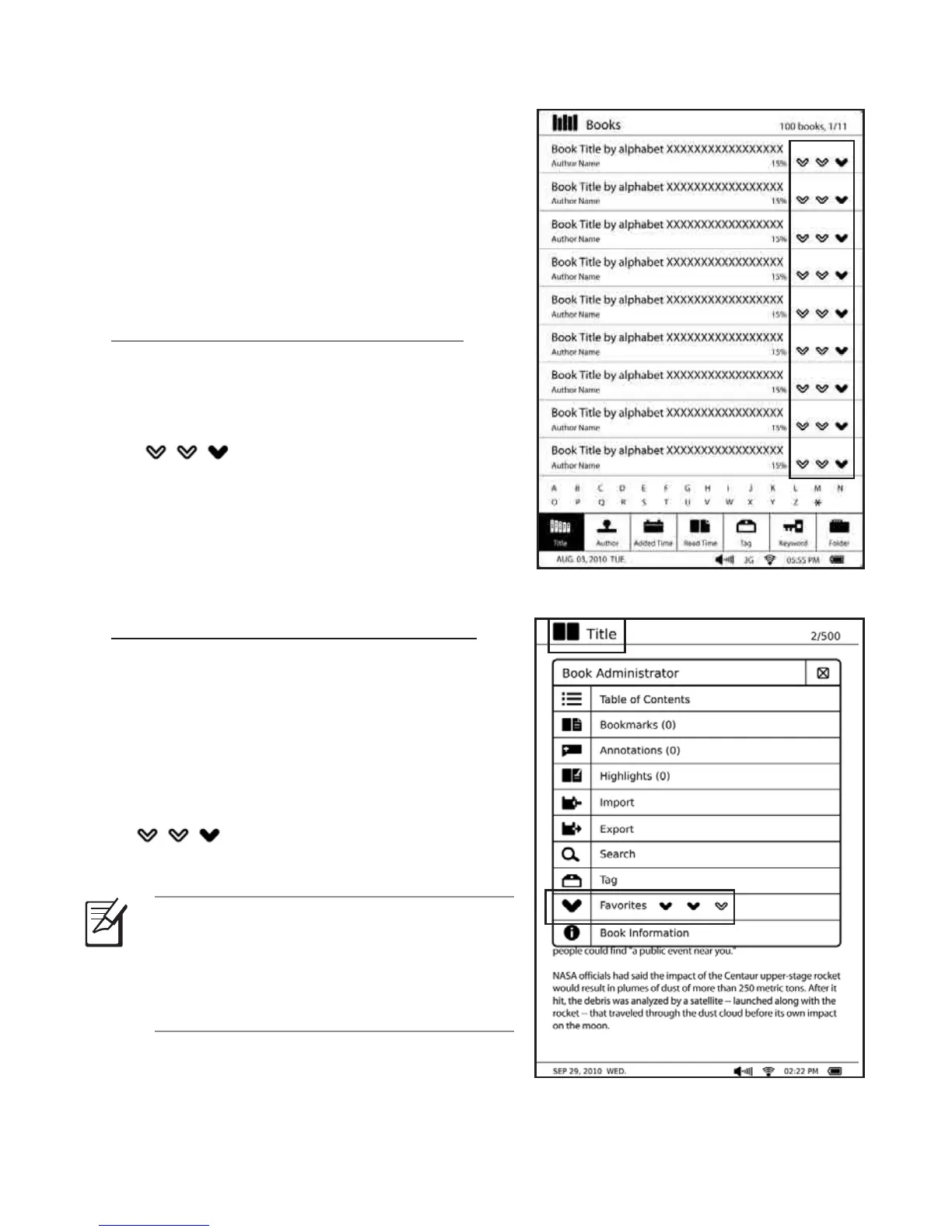
1. From the home screen, tap Books to
display your list of
e-books.
2. You can bookmark an e-book in any of
these two ways:
•
Bookmarking from the e-book list
a. Browse through your e-book list for the
e-book that you want to bookmark.
b. Tap one to three bookmark icons
to denote the
e-book’s favorite level.
•
Bookmarking from an open e-book
a. Select and open an e-book from your
e-book list.
b. Tap the e-book title at the upper left of
your touch panel
c. From the Book Administrator menu,
tap one to three bookmark icons
in Favorites to denote the
e-book’s favorite level.
NOTE: You may import or export
annotations, highlights, and bookmarks.
For more details, refer to the section
Using the Go to, Export, and Import
functions.



 To Next Page