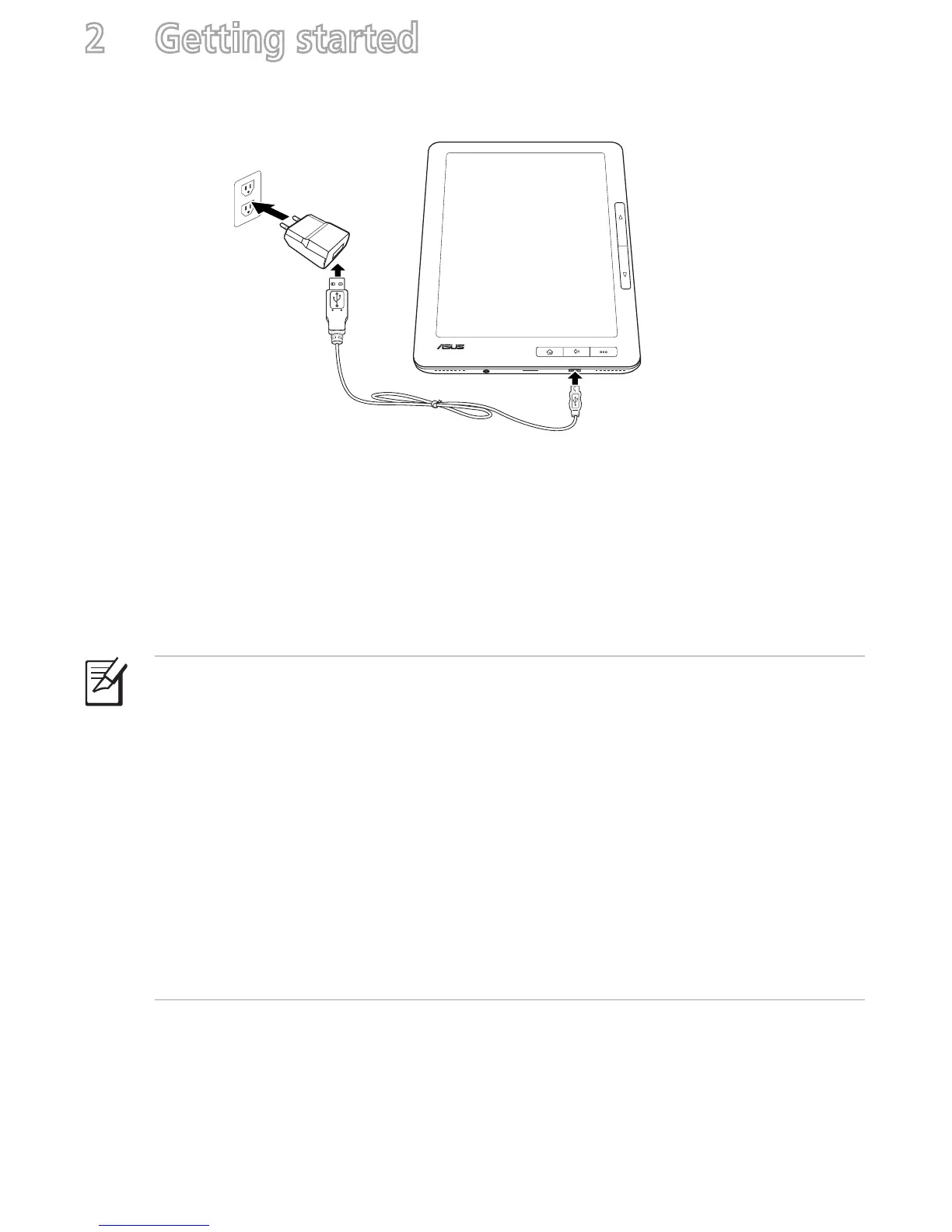
Charging your device
To charge your device:
1. Connect the USB cable’s micro-USB connector to the
micro-USB port of your device.
2. Connect the micro-USB cable to the USB charger.
3. Connect the USB charger to a power outlet.
NOTES:
• You may also connect the micro-USB cable to your computer’s USB port to
charge your device.
• Use only the USB charger that comes with your device. Using a different USB
charger may damage your device.
• The bundled USB charger varies with regions.
• Your device has an extended internal battery life of up to two weeks on a single
charge.
• All battery claims depend on several factors such network settings or wireless
usage and actual results may vary.
2 Getting started
1
2
3



 To Next Page