3 Using your device
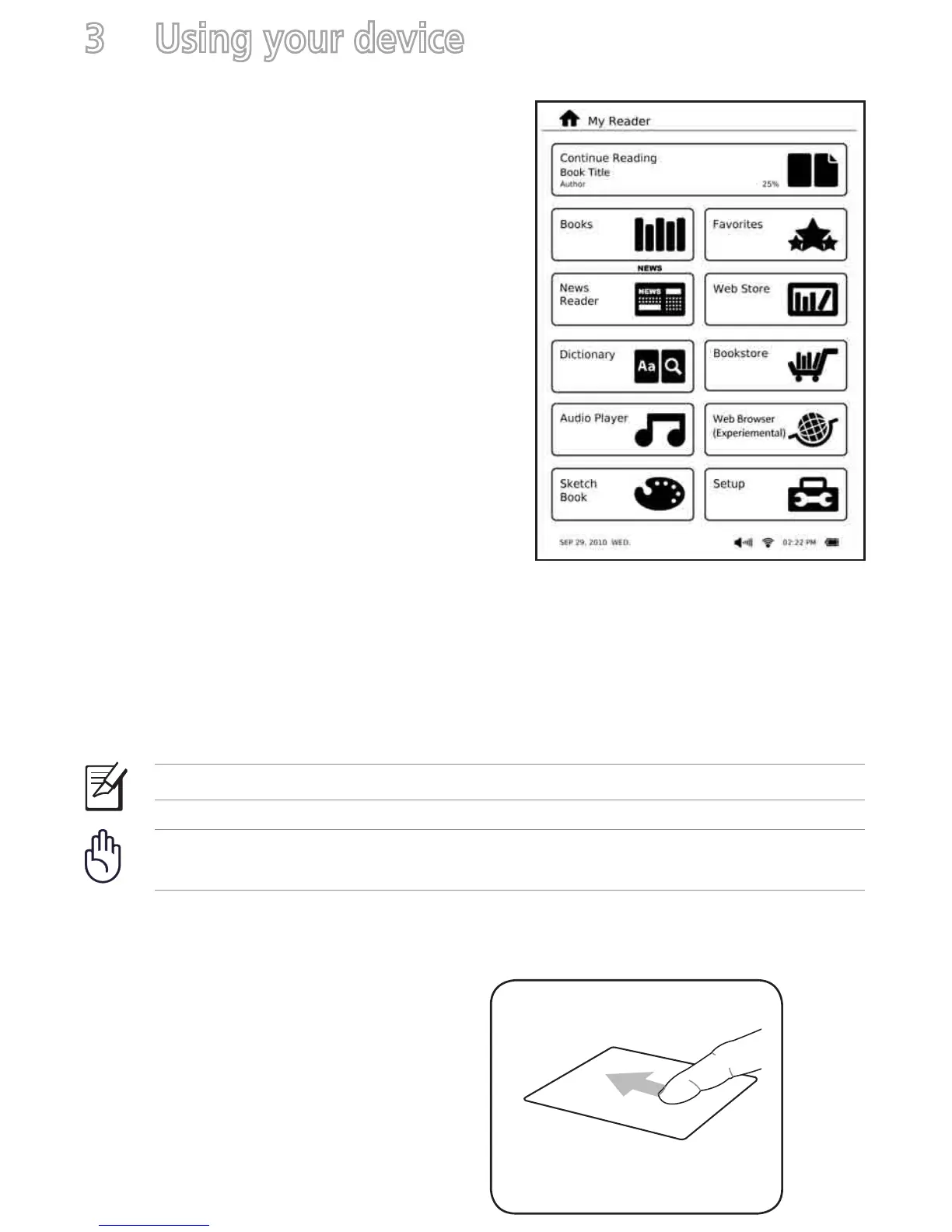
The Home screen
With the tap of your finger on the touch
panel, My Reader screen enables you to
quickly access Books, News Reader,
Dictionary, Audio Player, Sketch Book,
Favorites, Web Store, Bookstore, Web
Browser, and Setup.
Using the touch gestures
Touch gestures are movements that you make with your finger to select items or
navigate around your digital reader's touch panel.
NOTE: Use light pressure when making a touch gesture.
IMPORTANT! Do not use any objects in place of your finger to operate the
touch panel. Doing so may damage or scratch the touch panel’s surface.
Standard gestures
Show the function bar
When reading an e-book, move your
finger in an upward motion on the
touch panel.



 To Next Page