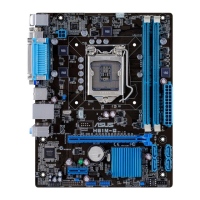
1.5 Expansion slots
Inthefuture,youmayneedtoinstallexpansioncards.Thefollowingsub-sectionsdescribe
the slots and the expansion cards that they support.
Unplugthepowercordbeforeaddingorremovingexpansioncards.Failuretodosomay
cause you physical injury and damage motherboard components.
1.5.1 Installing an expansion card
To install an expansion card:
1. Beforeinstallingtheexpansioncard,readthedocumentationthatcamewithitand
make the necessary hardware settings for the card.
2. Removethesystemunitcover(ifyourmotherboardisalreadyinstalledinachassis).
3. Removethebracketoppositetheslotthatyouintendtouse.Keepthescrewforlater
use.
4. Alignthecardconnectorwiththeslotandpressrmlyuntilthecardiscompletely
seated on the slot.
5. Securethecardtothechassiswiththescrewyouremovedearlier.
6. Replacethesystemcover.
1.5.2 Configuring an expansion card
Afterinstallingtheexpansioncard,congureitbyadjustingthesoftwaresettings.
1. TurnonthesystemandchangethenecessaryBIOSsettings,ifany.SeeChapter2for
informationonBIOSsetup.
2. AssignanIRQtothecard.
3. Installthesoftwaredriversfortheexpansioncard.
WhenusingPCIcardsonsharedslots,ensurethatthedriverssupport“ShareIRQ”orthat
thecardsdonotneedIRQassignments.Otherwise,conictswillarisebetweenthetwoPCI
groups,makingthesystemunstableandthecardinoperable.
1.5.3 PCI Express 2.0 x1 slots
ThismotherboardsupportsPCIExpress2.0x1networkcards,SCSIcards,andothercards
thatcomplywiththePCIExpressspecications.
1.5.4 PCI Express 3.0/2.0 x16 slot
ThismotherboardhasaPCIExpress3.0/2.0x16slotthatsupportsPCIExpress3.0/2.0x16
graphiccardscomplyingwiththePCIExpressspecications.
ASUS H97M-E
1-9



 To Next Page