Chapter 9
90
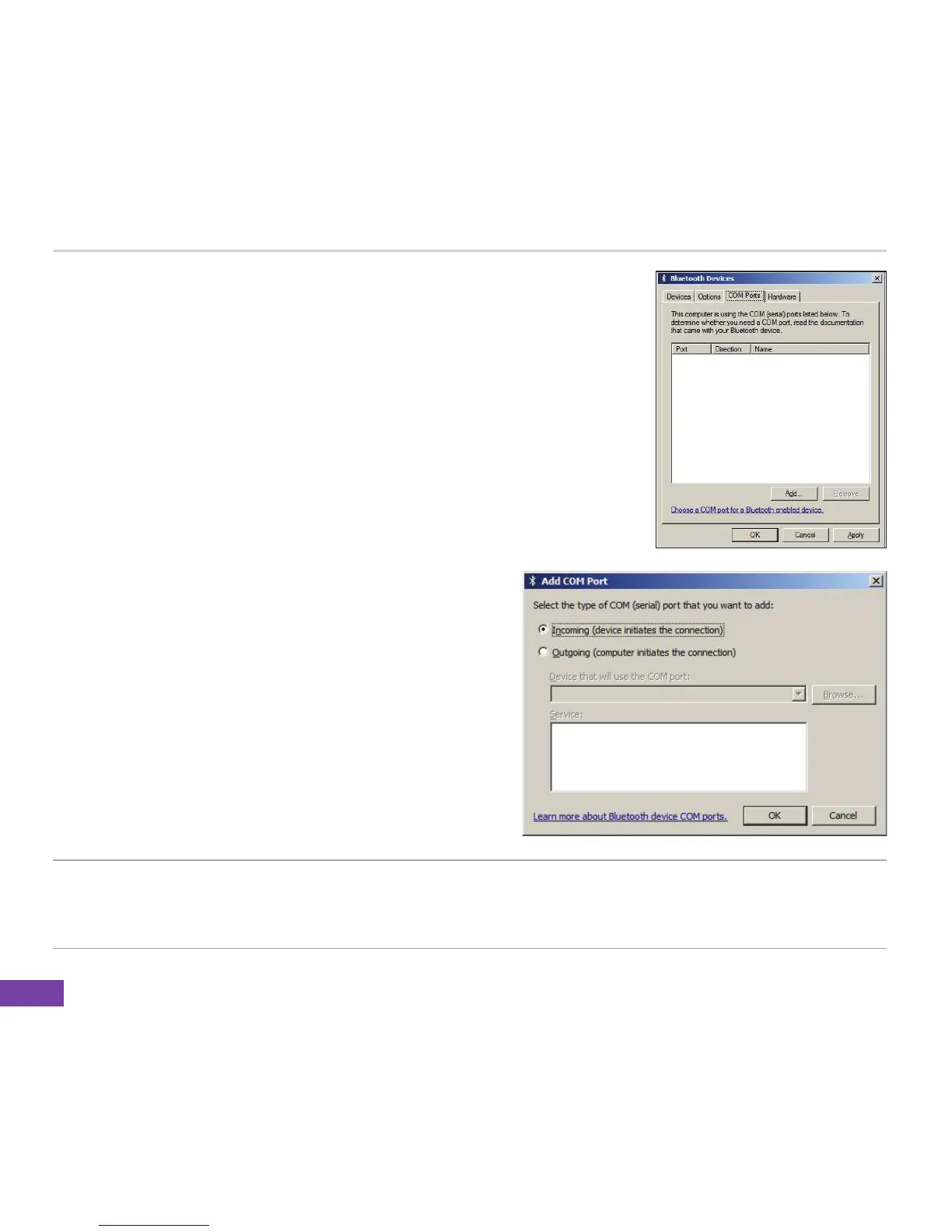
3. Click the COM Ports tab, then click Add. The Add COM Port
screen appears.
4. Select Incoming (devices initiates the connection),
and click OK when done. The newly created COM
port is displayed on the list of available COM
ports.
NOTE For more information on COM ports, refer to the following websites:
http://support.microsoft/com/kb/885365/
http://support.microsoft/com/kb/883258/









 To Next Page