Chapter 1
6
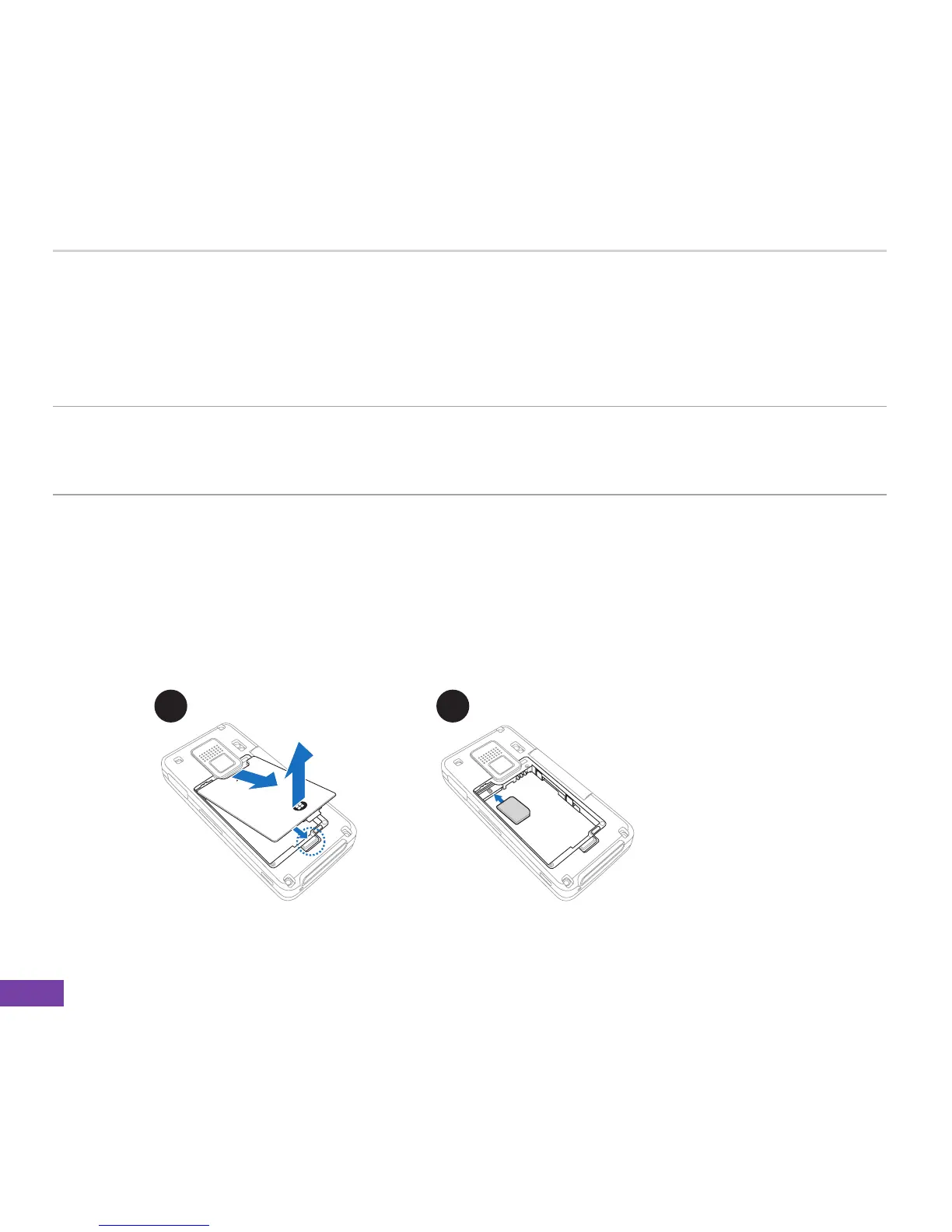
1-2 Installing the SIM card and battery
The phone operator provides you with a Subscriber Identity Module (SIM) card that stores your
mobile phone number, phone book entries, and SMS/MMS messages. Install the SIM card before
you install the battery.
NOTE The SIM card usually comes embedded on a plastic card. Read the SIM car documentation
before removing the SIM card. Remove any rough edges on the SIM card before you install
it to the Smartphone.
1. Remove the battery compartment cover.
2. Insert the SIM card into the slot with the gold contacts facing down.
To install a SIM card and battery:
1 2















 To Next Page