89
Business features
Creating a new COM port manually
If the operating system of your computer is Windows
®
XP/Vista, the Remote Presenter might
not work even if your device successfully searches and finds your computer. To solve this issue,
manually set a new COM port in your computer.
To create a new COM port
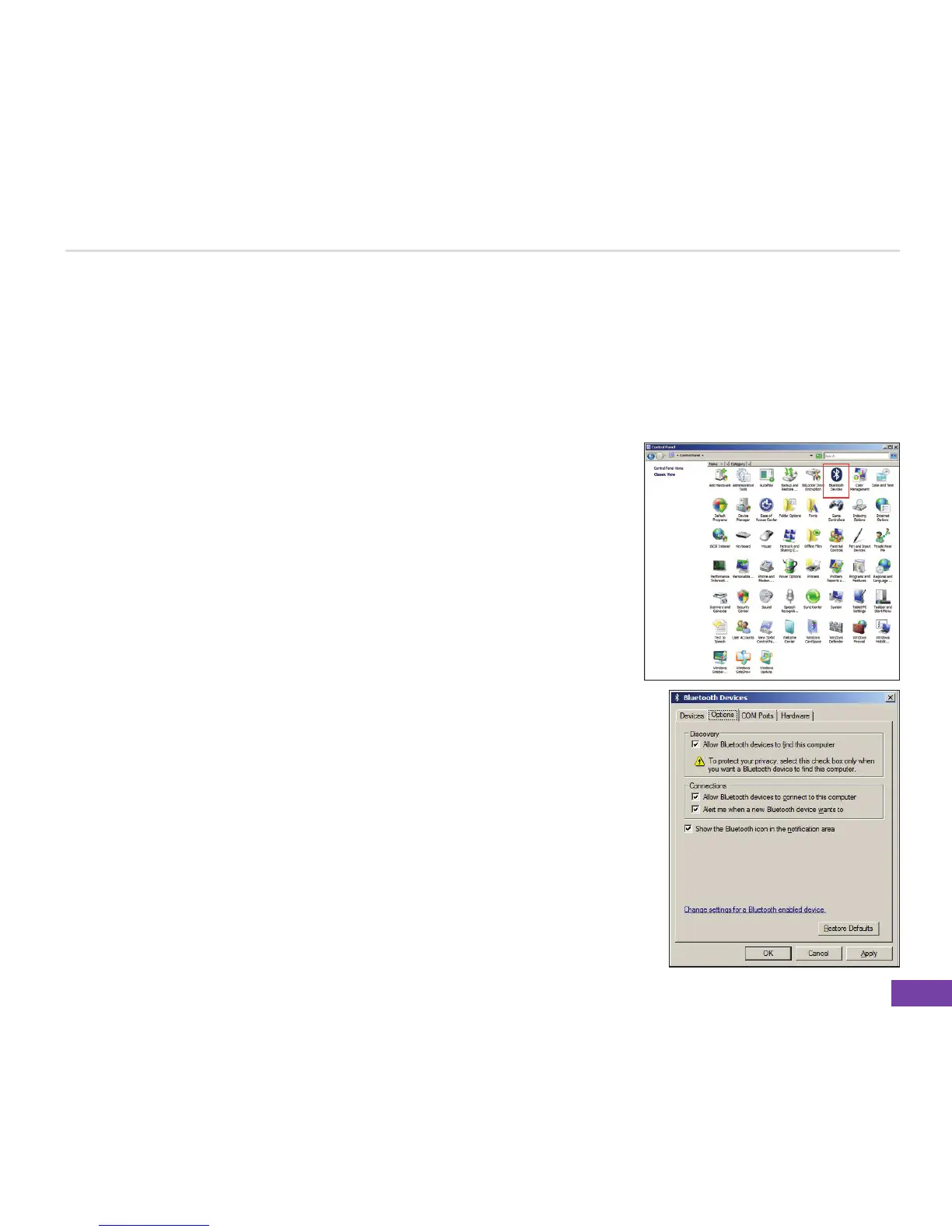
1. From the Control Panel, launch Bluetooth Devices. The
Bluetooth Devices screen appears.
2. Click the Options tab. Under Discovery, select Allow Bluetooth
devices to find this computer.



 To Next Page