Need help?
Do you have a question about the Asus MB19 Series and is the answer not in the manual?
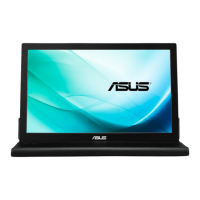
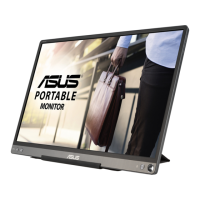
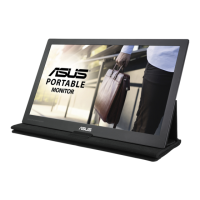
This document is a user guide for the ASUS MB19 Series and MB17 Series LCD Monitors, providing comprehensive instructions for setup, operation, and troubleshooting.
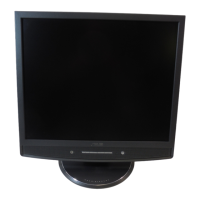
The ASUS MB19 and MB17 Series LCD monitors are designed to provide a clear and vibrant visual experience, suitable for a variety of uses from general computing to multimedia consumption. These monitors incorporate ASUS's SPLENDID™ Video Enhancement Technology, which optimizes video performance and image fidelity by offering several preset video modes tailored for different content types. Users can easily switch between these modes using a dedicated hotkey, allowing for quick adaptation to gaming, night viewing, scenery, standard use, or theater mode, ensuring an enhanced viewing experience regardless of the application. Additionally, the monitors offer three skin-tone selections, enabling users to fine-tune the display for more natural and pleasing human skin representations.
For connectivity, the monitors are equipped with both VGA and DVI-D inputs, with the DVI-D input being exclusive to the MB19TU model, providing flexibility for connecting to various computer systems. Integrated 2W x 2 stereo speakers deliver audio directly from the monitor, eliminating the need for external speakers in many setups. An earphone output is also available for private listening, connecting via a standard 3.5mm stereo mini-plug.
The physical design of the monitor includes a stable base and ergonomic adjustments. Users can adjust the monitor's tilt angle from -5° to 20° to achieve the most comfortable viewing position, helping to reduce strain during prolonged use. The monitor also supports VESA wall mounts (100x100mm), offering alternative placement options for space-saving or multi-monitor configurations. A cable holder is integrated into the design to help manage and organize cables, contributing to a tidy workspace.
Setting up the monitor involves a straightforward process of connecting the power cord, VGA/DVI cable, and audio cable. The user guide provides clear, step-by-step instructions for these connections, including how to secure the VGA/DVI connector with screws and how to properly use the cable holder. Once connected, the monitor is turned on via a power button, with an LED indicator showing its status (blue for ON, amber for standby, off for OFF).
The monitor features an intuitive On-Screen Display (OSD) menu, accessible via dedicated buttons on the front panel. This menu allows users to adjust a wide range of display settings. Key OSD functions include:
Maintenance and care for the monitor are also covered in the guide. Users are advised to disconnect cables and power cords before moving or cleaning the monitor. For cleaning, a lint-free, non-abrasive cloth dampened with a mild cleaner is recommended, specifically avoiding alcohol or acetone-based cleaners. It is crucial not to spray cleaner directly onto the screen to prevent liquid from dripping inside and causing electrical shock. The guide also highlights normal operating symptoms, such as initial screen flicker due to fluorescent light nature, slight uneven brightness, and temporary afterimages from static displays, reassuring users that these are not defects.
Safety information is a critical component of the user guide, emphasizing precautions to prevent injury and damage. Users are warned against opening the monitor cabinet due to dangerous high voltages and are instructed to contact qualified service technicians for repairs. Proper power source connection, avoiding overloaded power strips, and protecting the monitor from dust, humidity, temperature extremes, and lightning storms are also detailed. The guide stresses the importance of using UL-listed computers with appropriate receptacles for satisfactory operation.
Troubleshooting tips are provided for common issues such as the power LED not turning on, no screen image, image quality problems (too light/dark, not centered, blurry, color defects), and audio issues. These tips guide users through checking connections, adjusting OSD settings, and ensuring proper computer and driver functionality.
The ASUS MB19 and MB17 Series LCD monitors are designed with compliance in mind, meeting various regulatory approvals such as TCO03, Energy Star 2006, UL/cUL, CB, CE, FCC, CCC, BSMI, Gost-R, C-Tick, PSB, MIC, and WHQL. As an Energy Star® Partner, ASUS confirms that these products meet energy efficiency guidelines, reflecting a commitment to environmental responsibility. The monitors are also RoHS compliant, indicating adherence to restrictions on hazardous substances.

 To Next Page
 General