33
Getting Started 3
CD Play/Pause
During CD stop, begins CD play.
During CD play, pauses CD play.
CD Stop
During CD stop: Ejects the CD tray.
During CD play: Stops CD play.
CD Skip to Next Track (Fast Forward) & Audio Volume Up
During CD play, this button has two functions:
Track: Push once to skip to the next track during CD playing.
Audio: Hold down to increase audio volume.
Audio Volume Controls
Fn + Speaker Icons (F10): Toggles the audio volume ON and OFF
Fn + Down Speaker Icon (F11): Decreases the audio volume
Fn + Up Speaker Icon (F12): Increases the audio volume
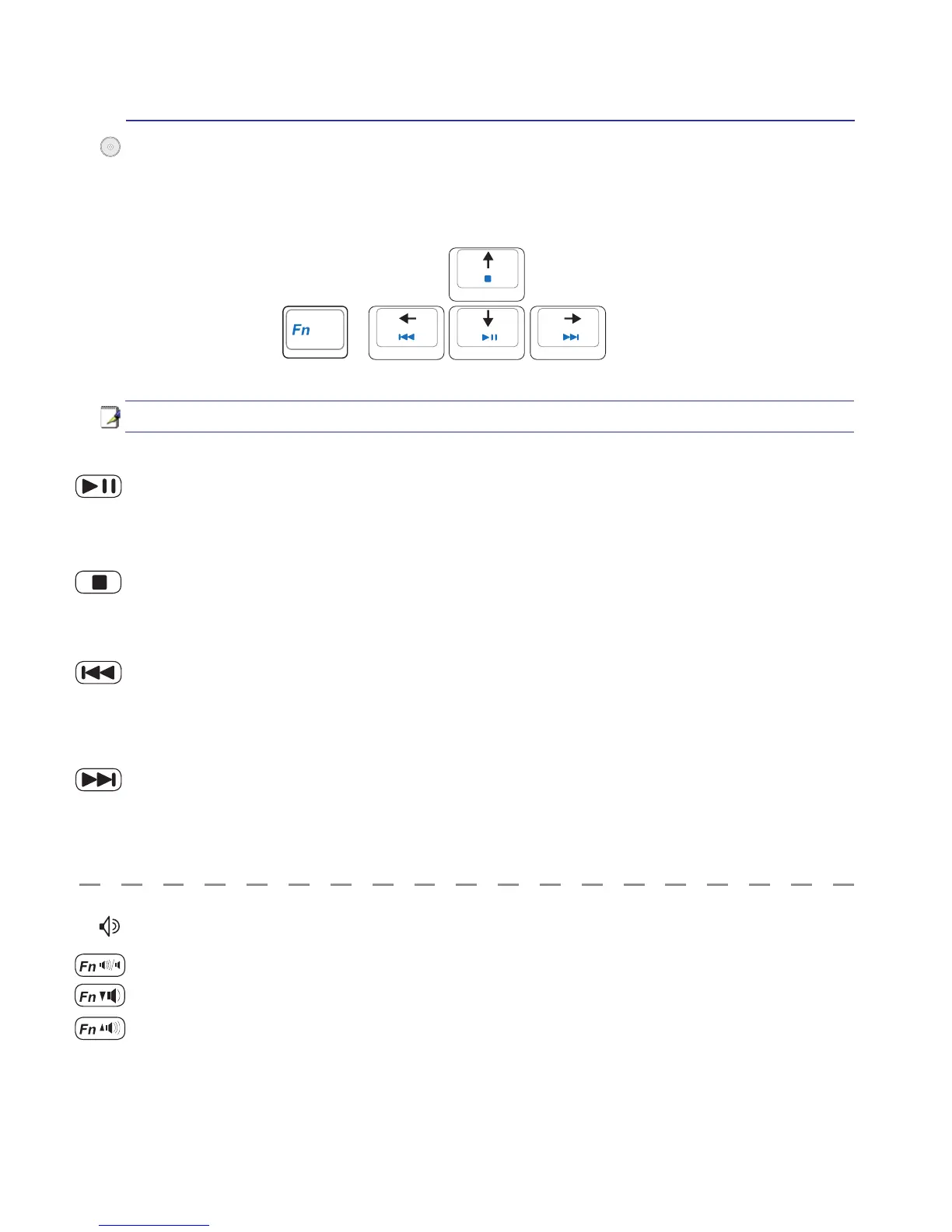
Multimedia Control Keys (on selected models)
The multimedia control keys allows for convenient controlling of the multimedia application. The fol-
lowing denes the meaning of each multimedia control key on the Notebook PC.
CD Skip to Previous Track (Rewind) & Audio Volume Down
During CD play, this button has two functions:
Track: The rst push will restart the current track. Second push will skip to the previous track.
Audio: Hold down to decrease audio volume.
Use the [Fn] key in combination with the arrow keys for CD control functions.


 To Next Page
 Loading...












