34
3 Getting Started
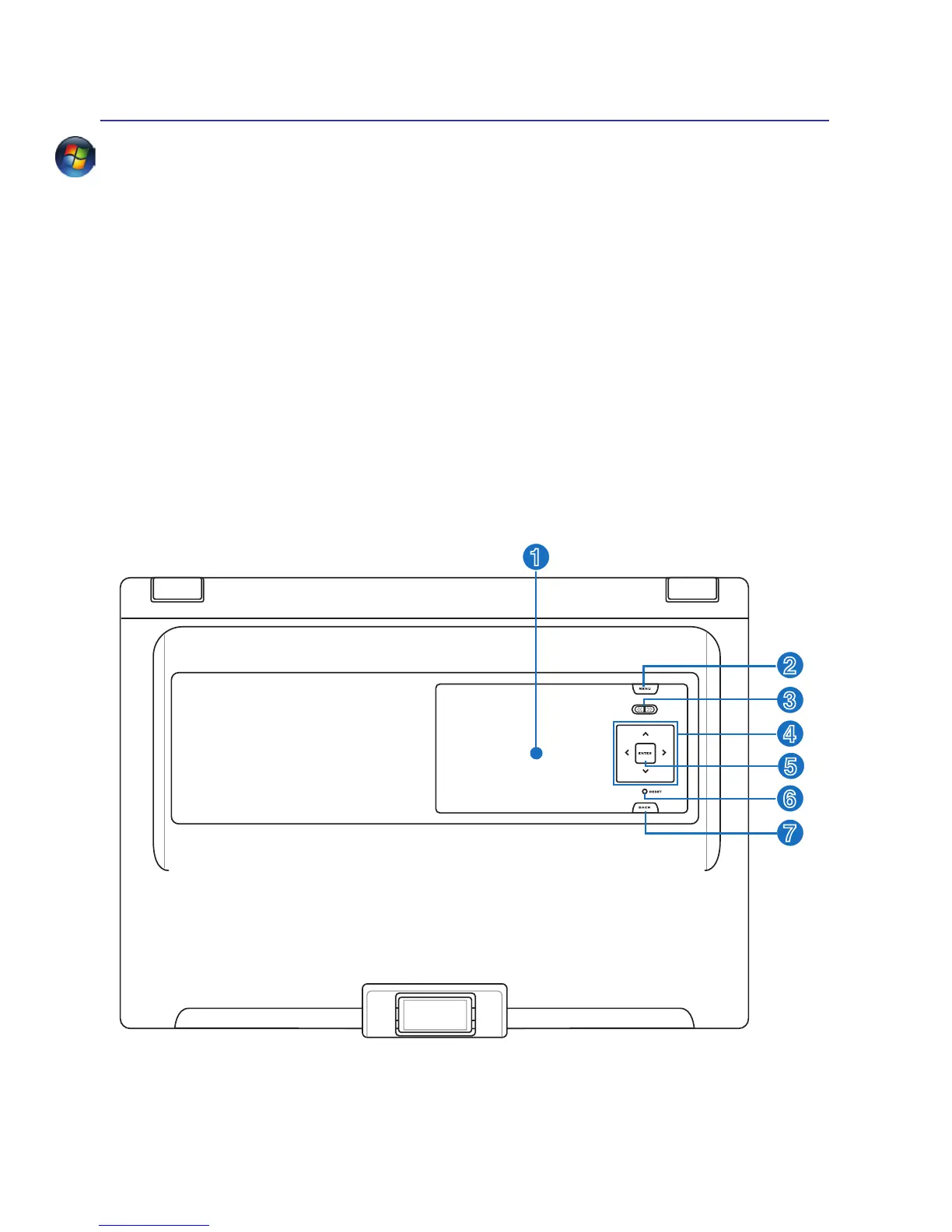
SideView (on selected models)
SideView utilizes Windows SideShow technology to easily view the critical information you need, whether
the Notebook PC is ON, OFF, or in sleep mode. The convenience provided by this secondary display will
save time and battery life by allowing you to quickly view meeting schedules, phone numbers, addresses,
and recent e-mail messages without having to start up your Notebook PC. Some featured applications
are as follows (may be changed without notice):
• NotesandTo-DoList(MSOfce2003/2007)
• Outlook mail box: number of unread mails and new mail notices
• Windows Mail
• Digital photo frame and photo slide show
• Games: Several addictive games can be played on SideView.
• Volume control and WMP (Windows Media Player) controller
• Outlook Calendar notices
• Menu: Software Shut down, Suspend, or Hibernate
• PC Status: Hardware monitor, calendars, Outlook messages
• Music players and photo album


 To Next Page
 Loading...












