41
Searching information
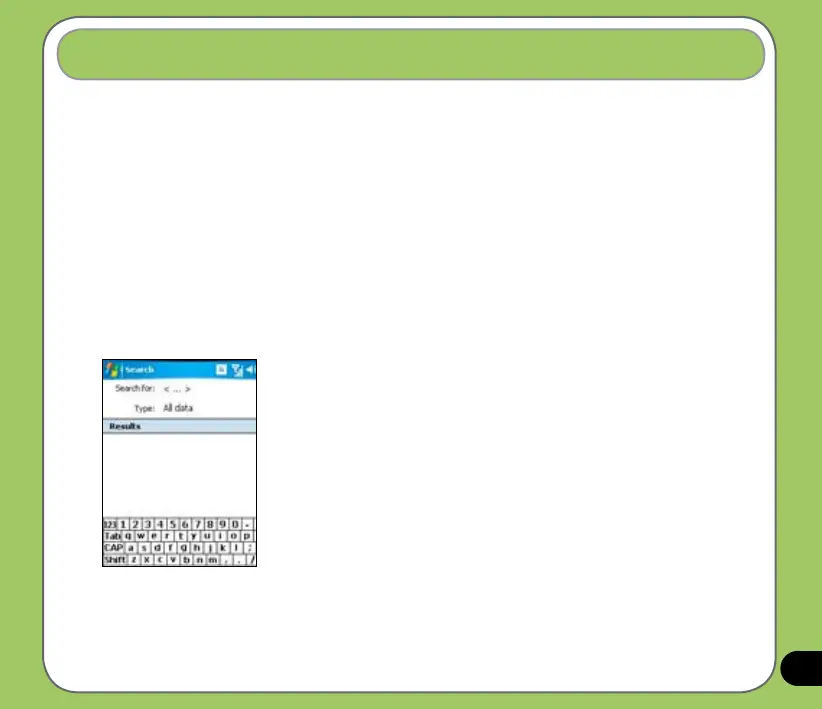
Using the search tool, you can search for les and other items stored in your device or the
external MiniSD card. You can search by le name or by words located in various applications
including the Calendar, Contacts, Excel Mobile, Word Mobile, Outlook Mobile, Help, Messages,
Notes, and Tasks. You can also lter your search to les larger than 64 KB.
To search for a le or an item:
1. Tap Start > Programs > Search.
2. In Search for eld, input the le name, word, or other information you want to search.
3. In Type eld, select the data type to help you lter your search.
4. Tap Search. Found items are listed in Results.
5. In the Results list, tap the item with the information you need.


 To Next Page