ASUS P5N32-E SLI Plus 4-33
Voltage Monitor
Vcore / 3.3V / 5V / 12V Voltage
+1.2V HT / +1.5V Voltage
VTT CPU / DDR2 Termination /DDR2 Voltage
+1.4V / DDR2 Voltage
The onboard hardware monitor automatically detects the voltage output
through the onboard voltage regulators.
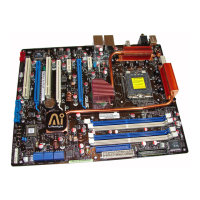
Select Menu
Item Specic Help
Press [Enter] to set.
Phoenix-Award BIOS CMOS Setup Utility
Power
F1:Help ↑↓ : Select Item -/+: Change Value F5: Setup Defaults
ESC: Exit →←: Select Menu Enter: Select SubMenu F10: Save and Exit
Voltage Monitor
Vcore Voltage [ 1.32V]
Memory Voltage [ 1.84V]
1.2V HT Voltage [ 1.23V]
NB Voltage [ 1.20V]
SB Voltage [ 1.50V]
CPU VTT Voltage [ 1.34V]
DDR2 Termination Voltage [ 0.92V]
3.3V Voltage [ 2.94V]
5V Voltage [ 4.81V]
12V Voltage [ 11.07V]
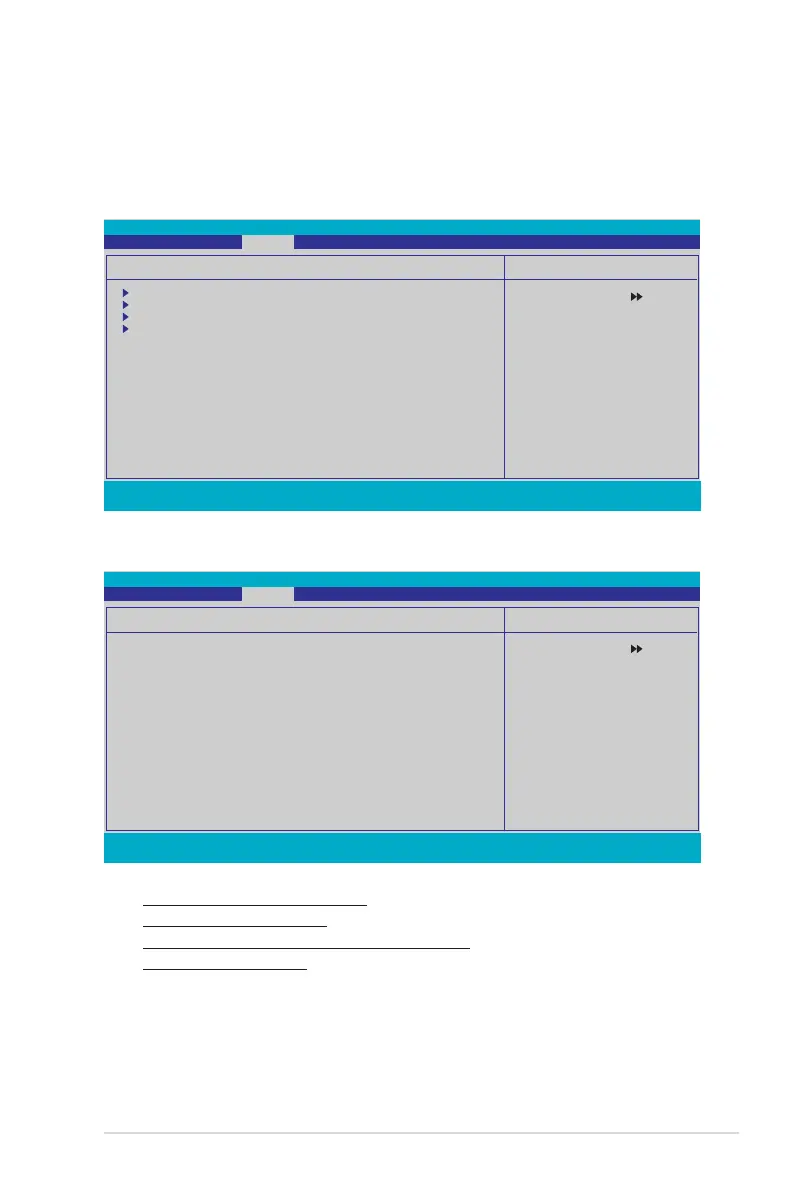
4.6.4 Hardware Monitor
The items in this sub-menu displays the hardware monitor values automatically
detected by the BIOS. It also allows you to change CPU Q-Fan feature-related
parameters. Select an item then press <Enter> to display the conguration options.
Select Menu
Item Specic Help
Press [Enter] to go to
the sub-menu.
Phoenix-Award BIOS CMOS Setup Utility
Power
F1:Help ↑↓ : Select Item -/+: Change Value F5: Setup Defaults
ESC: Exit →←: Select Menu Enter: Select SubMenu F10: Save and Exit
Hardware Monitor
Voltage Monitor
Temperature Monitor
Fan Speed Monitor
Fan Speed Control
CPU Fan Speed warning [600 RPM]









 To Next Page