ASUS P5N32-E SLI Plus 4-35
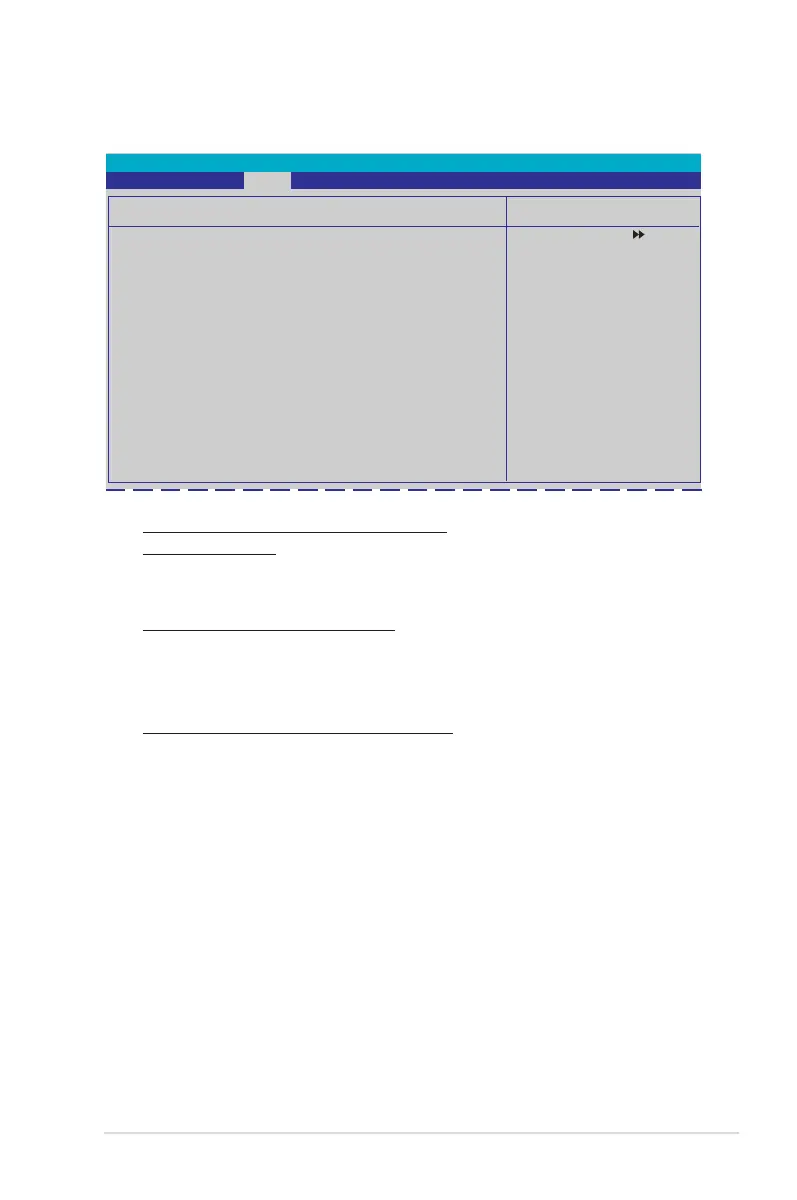
CHA Fan Q-Fan Sense [CPU Temperature]
Allows the Q-Fan to sense CPU/MB temperature and to adjust the fan speed.
When the previous items are set to Q-FAN Mode, these items become user-
congurable. Conguration options: [CPU Temperature] [MB Temperature]
CPU Fan Speed warning [600 RPM]
Allows you to set the CPU fan warning speed function, which gives off a warning
when the CPU fan speed is too low. If you set this item to [Disabled], the system
will not warn you even if no fan is installed or if the fan is not functioning properly.
Conguration options: [Disabled] [600 RPM] [1200 RPM] [1600 RPM]
Fan Speed Control
CPU Fan Control [Duty Cycle Mode]
CPU Fan Duty Cycle [100%]
CHA Fan Control [Duty Cycle Mode]
CHA Fan Duty Cycle [100%]
x CHA Fan Q-Fan Sense CPU Temperature
Phoenix-Award BIOS CMOS Setup Utility
Power
Fan Speed Control
Select Menu
Item Specic Help
Press [Enter] to enable
or disable.
CPU / CHA / OPT Fan1, 2, 3, Fan Control
[Duty Cycle Mode]
Allows you to select the fan control mode.
Conguration options: [Duty Cycle Mode] [Q-FAN Mode]
CPU / CHA Fan Duty Cycle [100%]Fan Duty Cycle [100%]
Allows you to set the fan duty cycle. When the Fan Control item is set to
Q-FAN Mode, this item is not user-congurable.
Conguration options: [60%] [70%] [80%] [90%] [100%]









 To Next Page