4-8 Chapter 4: Software support
Chapter 4
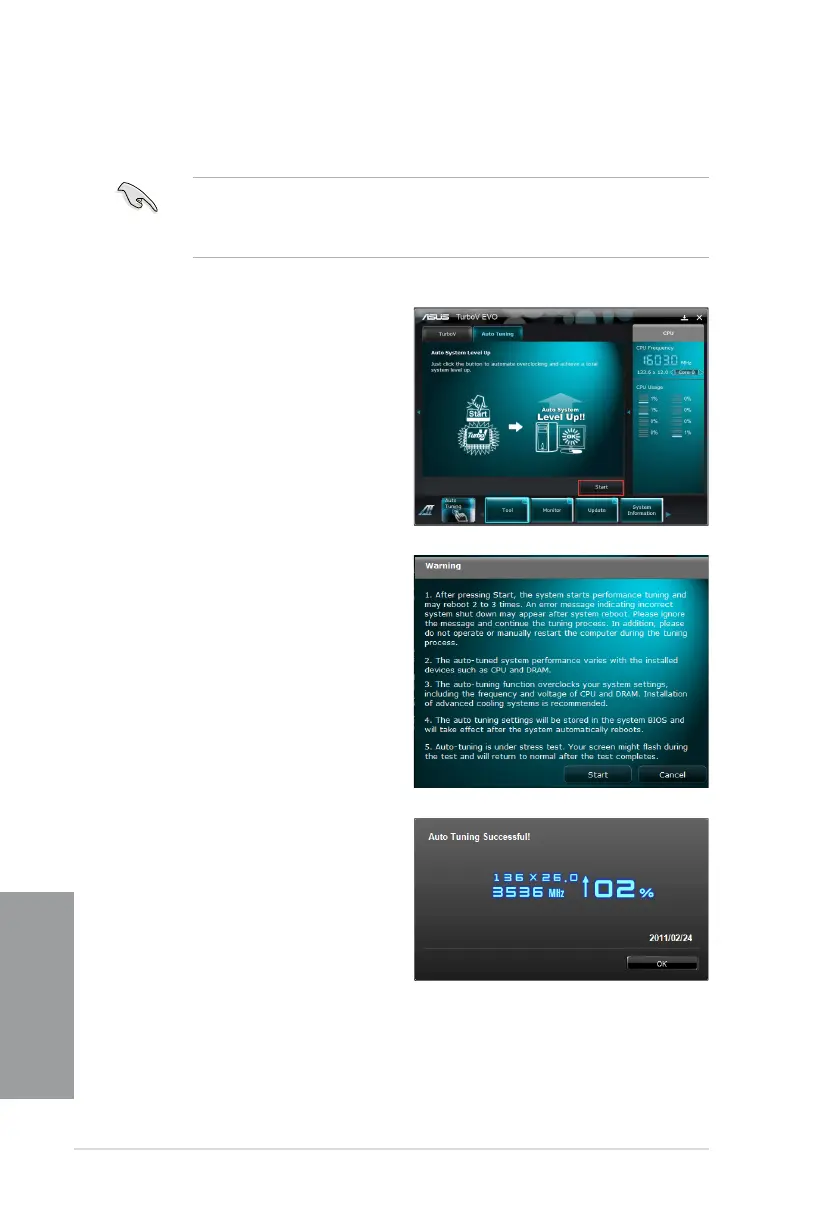
Auto Tuning
• The overclocking result varies with the CPU model and the system conguration.
• To prevent overheating from damaging the motherboard, a better thermal environment
is strongly recommended.
1. Click the Auto Tuning tab and
then click Start.
3. TurboV automatically overclocks
the CPU, saves BIOS settings
and restarts the system. After
re-entering Windows, a message
appears indicating auto tuning
success. Click OK to exit.
2. Read through the warning
messages and click Start to
perform auto-overclocking.








 To Next Page