ASUS P6X58-E PRO 3-39
Chapter 3
3.9.4 Drive Xpert Conguration
v02.61 (C)Copyright 1985-2010, American Megatrends, Inc.
``````````````````````````````````````````````````````
`````````````````````````````````````````````````````````````````````````````
BIOS2
←→ Select Screen
↑↓ Select Item
+- Change Option
F1 General Help
F10 Save and Exit
ESC Exit
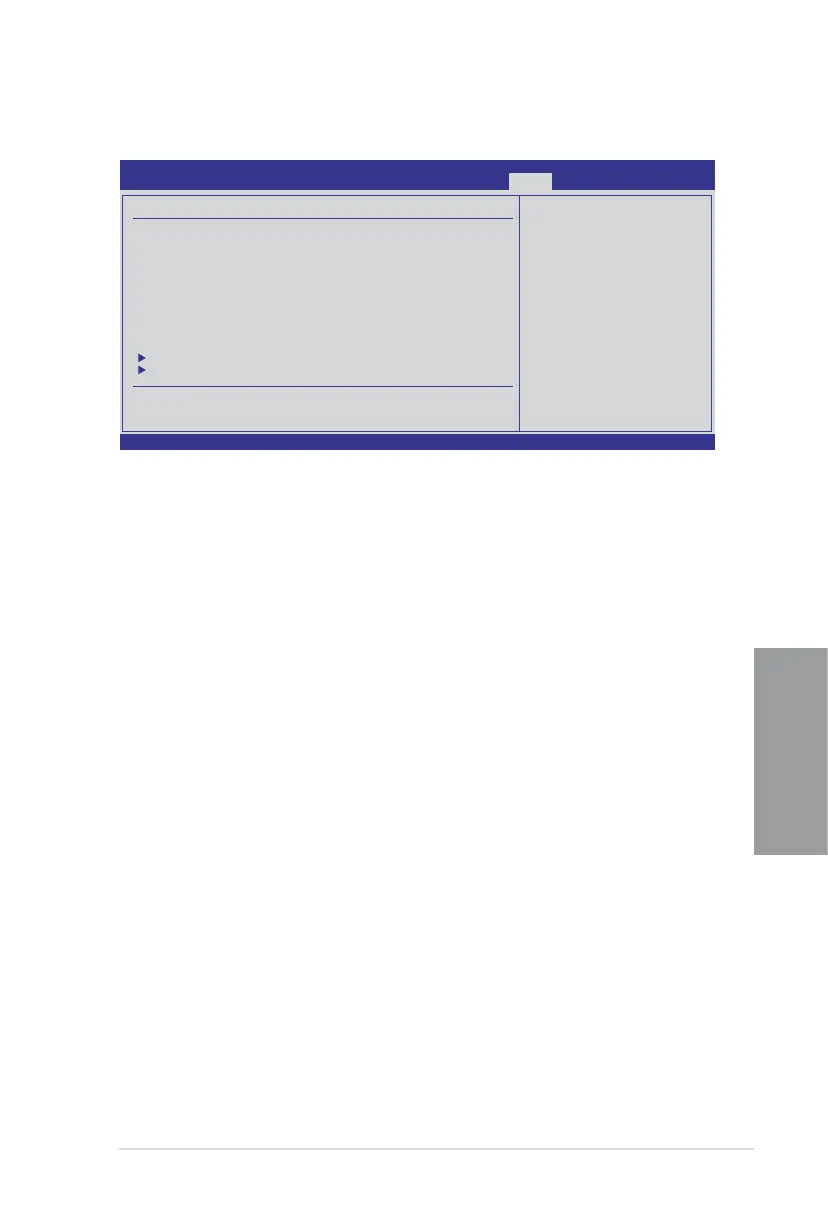
Drive Xpert Conguration
Drive Xpert Group:
Current Mode :Normal Mode
Driver Xpert Mode Update:
Update To Super Speed [Press Enter]
Update To EZ Backup [Press Enter]
Update To Normal Mode [Press Enter]
Drive Xpert Device(s) List:
Port 0 : [Not Detected]
Port 1 : [Not Detected]
Update To Super Speed [Press Enter]
This item allows you to use Super Speed function. Plug two identical SATA hard drives in the
SATA_E1 (orange, port 0) and SATA_E2 (white, port 1) connectors on the motherboard and
press the <Enter> key.
Update To EZ Backup [Press Enter]
This item allows you to use EZ Backup function. Plug two identical SATA hard drives in the
SATA_E1 (orange, port 0) and SATA_E2 (white, port 1) connectors on the motherboard and
press the <Enter> key.
Update To Normal Mode [Press Enter]
This item allows you to use the SATA_E1 (orange, port 0) and SATA_E2 (white, port 1)
connectors as normal SATA connectors.
Port 0/1 [XXXXX]
While entering BIOS setup, BIOS automatically detects the connected IDE/SATA devices.
These items display the status of the detected IDE/SATA devices.








 To Next Page