5-8 Chapter 5: Multiple GPU technology support
Chapter 5
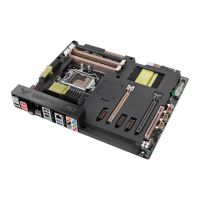
3-Way SLI bridge
4. Align and rmly insert the 3-Way SLI
bridge connector to the goldngers on
each graphics card. Ensure that the
connector is rmly in place.
5. Connect three independent auxiliary
power sources from the power supply to
the three graphics cards separately.
6. Connect a VGA or a DVI cable to the
graphics card.
5.2.3 Installing three SLI-ready graphics cards
1. Prepare three SLI-ready graphics cards.
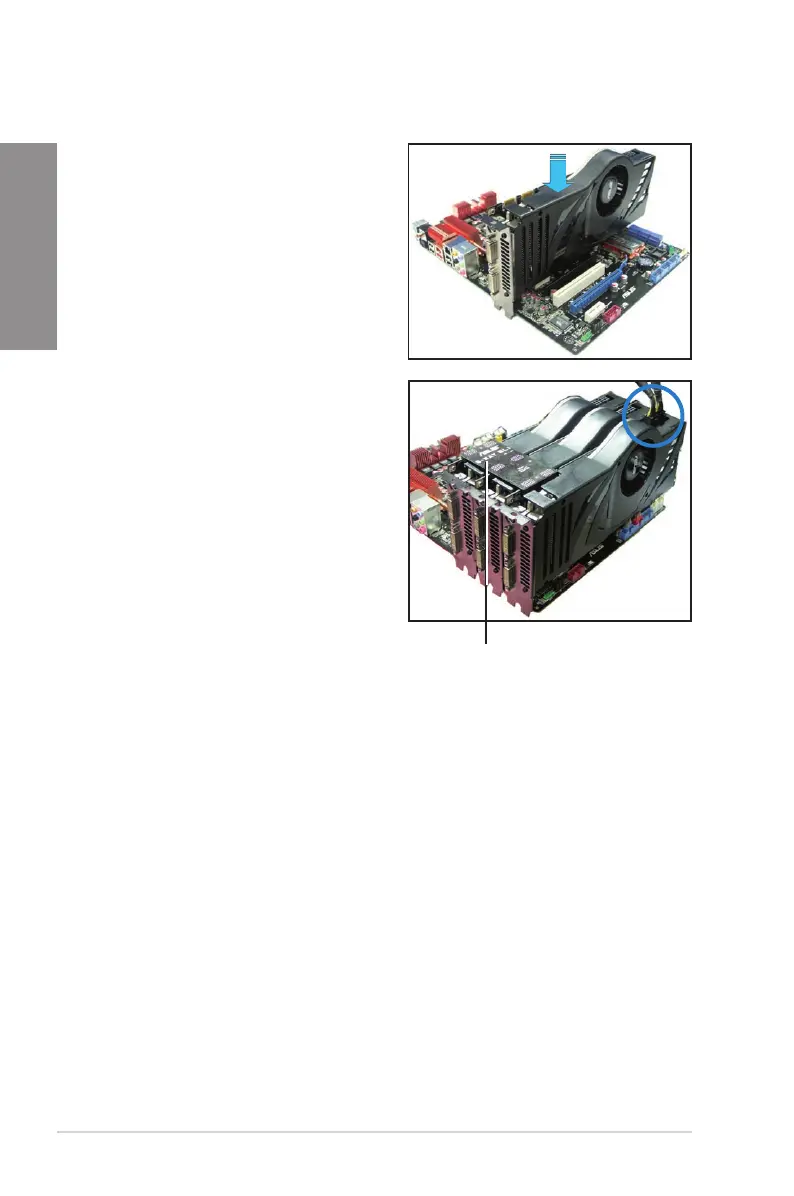
2. Insert the three graphics card into the
PCIEX16 slots. If your motherboard
has more than two PCIEX16 slots,
refer to Chapter 2 in this user manual
for the locations of the PCIEX16 slots
recommended for multi-graphics card
installation.
3. Ensure that the cards are properly
seated on the slots.








 To Next Page