2-32 Chapter 2: Hardware information
Chapter 2
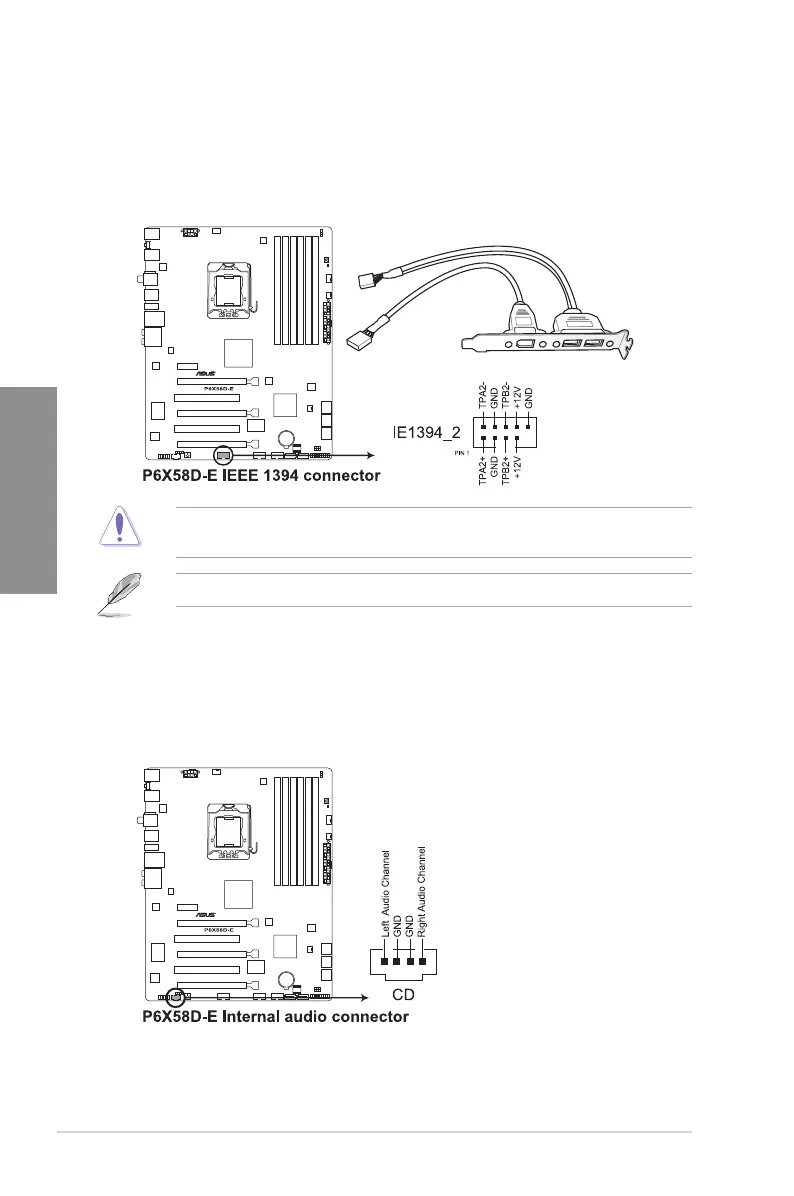
5. Optical drive audio connector (4-pin CD)
These connectors allow you to receive stereo audio input from sound sources such as
a CD-ROM, TV tuner, or MPEG card.
4. IEEE 1394a port connector (10-1 pin IE1394_2)
This connector is for an IEEE 1394a port. Connect the IEEE 1394a module cable
to this connector, then install the module to a slot opening at the back of the system
chassis.
Never connect a USB cable to the IEEE 1394a connector. Doing so will damage the
motherboard!
The IEEE 1394a module cable is purchased separately.








 To Next Page